
Introduction
As organizations worldwide adopt agile project management approaches, it has become increasingly popular. By learning the principles of Agile development and implementation, you can easily incorporate it into your business environment.
In today’s innovative business world, Agile project management has become a cornerstone for organizations seeking flexibility, adaptability, and efficiency. With its iterative approach and focus on collaboration, Agile empowers teams to deliver high-quality results and embrace changes in the later stages of development.
In this article, I’ll discuss the fundamentals of Agile workflow and practical strategies to implement Agile principles in your business and team, unlocking a new level of productivity, innovation, and success. In a nutshell, Agile principles will transform your overall working style.
Agile Workflow
Agile workflows represent a modern project management methodology designed to enhance efficiency and success rates. Agile workflows offer a dynamic and customer-focused approach to project management, incorporating iterative cycles and stakeholder collaboration to drive efficiency, adaptability, and overall project success. This approach achieves its goals through two fundamental principles:
- Breaking projects into smaller cycles.
- Actively involving all stakeholders in product development processes, to receive feedback throughout the project’s lifecycle.
Key Elements of Agile Workflow
Before diving into Agile, it is important to learn a few key terms that are an integral part of the product development process:
The Agile Manifesto and the 12 Key Agile Principles
The Agile Manifesto serves as a detailed summary of the Agile methodology, outlining a blueprint for all projects to aspire to.
It comprises 12 key Agile principles that are crucial for achieving success, divided into 4 categories.
Agile Principles of Customer Satisfaction
- Customer satisfaction holds the top priority in every project. Continuous improvement through test-driven development is essential.
- Embrace change throughout the development process to design a product aligned with customer desires.
- Deliver working software and services frequently to gather constant customer feedback and adapt to evolving needs.
Agile Principles of Quality
- Success, in Agile, is defined as working software that meets customer needs.
- The test-driven development workflow must be sustainable, maintaining pace and quality indefinitely.
- Continuous dedication to technical excellence facilitates the creation of a final product that satisfies customer needs.
Agile Principles of Teamwork
- Active collaboration among team members and project stakeholders is vital for continuous improvement.
- Build the development workflow around highly motivated individuals, providing them with the necessary support and environment for productivity.
- Face-to-face collaboration.
- Self-organized teams.
Agile Principles of Project Management
- Simplicity is essential in all Agile projects; eliminate unnecessary iterative procedures.
- Regularly evaluate team progress to develop better iterative processes for the future.
Product Backlog
Agile development methods commence with the development of the product backlog. The product backlog comprises all tasks and ideas involved in product development. As customer feedback is incorporated, the backlog evolves to become more concrete. Backlog items should be well-defined, prioritized, and tightly scoped.
Sprints
A sprint is a combination of tasks to complete in a given duration — typically between 1–4 weeks. Each sprint has clear goals to be completed within a given time frame. Focusing on a few backlog items ensures swift completion and immediate feedback incorporation.
Agile Meetings
Regular meetings are integral to the Agile process for staying updated and ensuring team alignment. Two essential types of meetings include Daily Standups and Sprint Retrospectives.
Daily Standups
Held to review previous and current tasks and address any challenges.
Sprint Retrospectives
Conducted after a sprint’s completion to review what went well, what didn’t, and how to optimize future sprints. Incorporating these elements into your development workflow facilitates Agile implementation, fostering efficiency, adaptability, and continuous improvement.
The Agile Software Development Cycle
Here we will discuss typical software development methods in the Agile development process.
Conception
This stage involves the initial planning and envisioning of the project. It’s important to emphasize the creation of the product backlog, which serves as the foundation for prioritizing work and planning sprints.
Inception
This stage involves not only creating sprint teams but also defining project requirements and setting up the working environment. Laying the groundwork at this stage is essential for successful sprint execution.
Iteration
During this stage, the development team works on completing the user stories or backlog items selected for the sprint. This highlights the iterative nature of Agile development, where incremental progress is made in successive iterations.
Release
This stage focuses on delivering working software to customers for feedback. Rigorous testing plays a key role in ensuring the quality and reliability of the released product.
Retirement
In addition to ending work on the development of the software, this stage may involve documenting lessons learned and archiving project-related documents for future reference.
Sprint Development Cycle
While the software development cycle highlights the development process as a whole, it’s important to break down the Agile development workflow for each sprint. Here’s a step-by-step breakdown:
Requirements
First, clearly define the deliverables for each sprint (iteration) based on your product backlog and project requirements.
Testing
Rigorously test your backlog items and document your progress.
Delivery
Deliver your backlog items to your customer base for the final stage of testing.
Feedback
Document and accept feedback from your customers and stakeholders. Finish working on their suggestions before you move on to your next sprint.
Here’s a simple four-step process to create your own Agile development workflow:
Forming
First, your team has to understand the principles of Agile and adopt the right Agile practices. Ensuring that you thoroughly go over these Agile practices is essential as it’ll make it easier for them to adapt to the new workflow.
Storming
Now, start developing your product backlog and dividing the backlog items into sprints. Involve your team in this sprint planning process as they’ll be the ones executing it. Ensure that your sprints are realistic and you’re not trying to do too much in a short timeframe.
Norming
Team members are clear on their roles and responsibilities. You’ll have to assign different team members to different sprints and define what they’ll be working on in each sprint.
Performing
This is the Agile working phase. Remember to follow the principles of the Agile Manifesto in this stage and aim for continuous improvement over your development activities.
If you really want to enjoy the benefits of Agile, you’ll need to use the right project management software and tools. Agile workflow tools centralize all your Agile project activities — making it far easier for you to manage everything. A good Agile development tool will document your product backlog, plan your sprints, and facilitate team collaboration.
How to Implement an Agile Workflow with KiteSuite
Implementing an Agile workflow is easier than you think with the right project management tools.
Thankfully, KiteSuite offers Agile workflow management. KiteSuite incorporates all the essential and advanced features a project management software must have.
Here’s a Quick Breakdown of KiteSuite Features
As Agile is all about adapting to changes, your project management tool needs to be adaptable too!
Adaptable Task Views
KiteSuite offers multiple task views tailored to different Agile frameworks. Choose between different Agile boards (Kanban, Scrum) to keep your team’s work organized, manage tasks and backlog items effectively, and ensure smooth progress.
Task Management for Easy Management
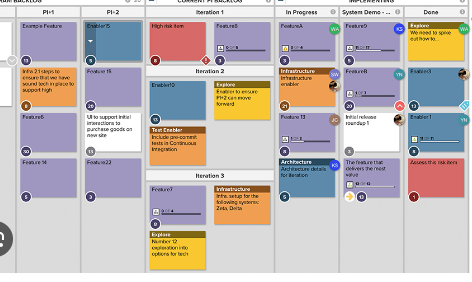
Users can easily manage all the details related to a task by simply clicking on it.
Easy add: Add title, description, manage project items/tickets, set details, and receive task updates with assignees, reporter, and watcher.
Manage priorities: Add priority level, set the due date, manage task category types (user story, item, and bugs), manage tasks by epics, sprints, status, and time analysis (estimate vs logged hours).
Advanced features: Add flags for easy access to your project work; share, move, delete, or clone items.
Create details: Add title/summary, description, attachments, create checklists, subtasks, and link items.
Custom Fields: Add custom fields to manage your unique project work; create custom labels to make tasks self-explanatory.
Other: Set up your task’s notification preferences. Switch layout to center, side, or full screen, and more.
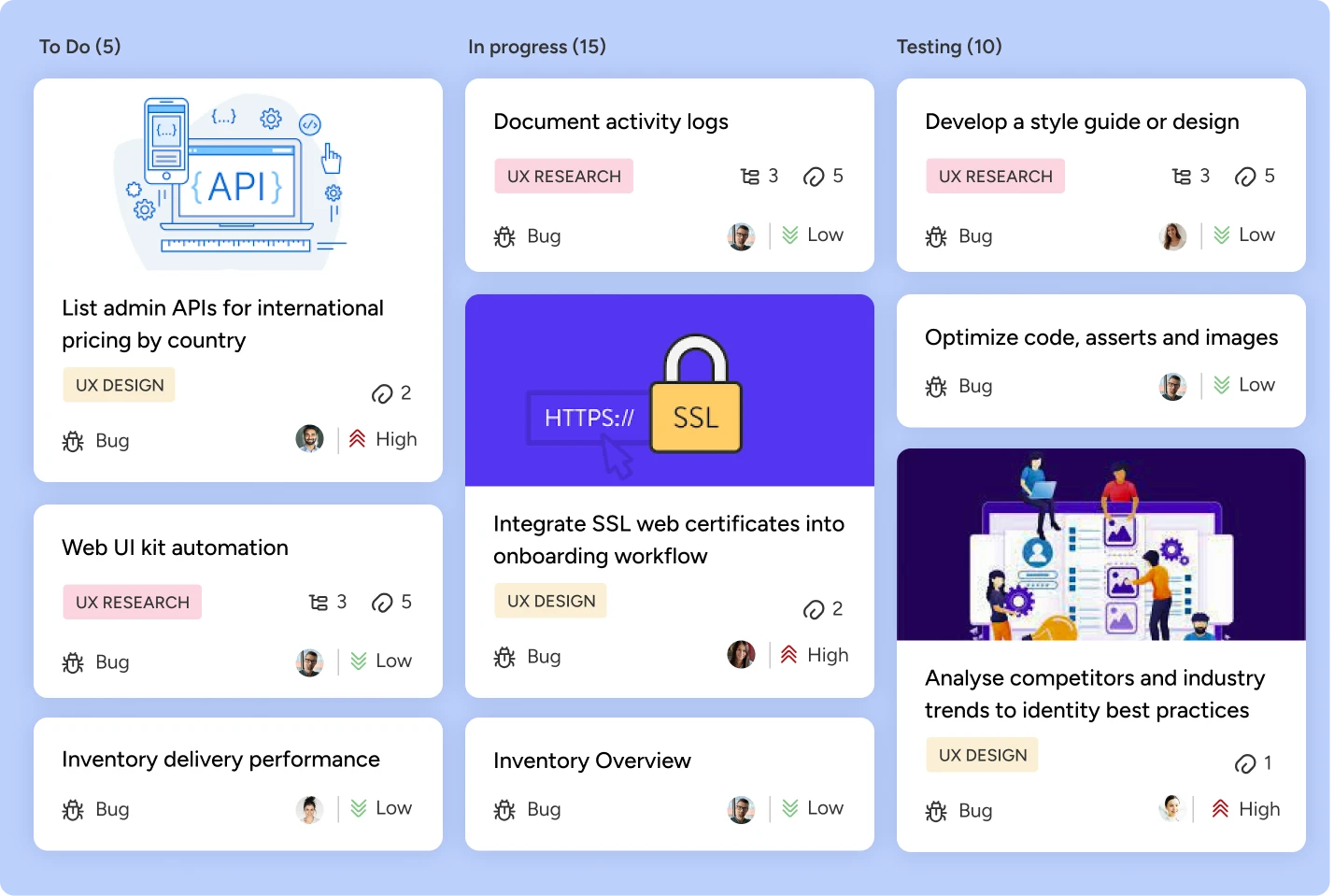
Card View for Workflow Management
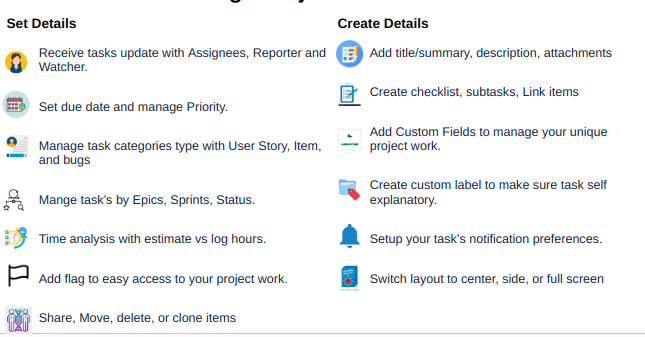
Gain a high-level overview of all current tasks with KiteSuite’s board view. This feature allows project managers to quickly identify who’s working on what, facilitating efficient workflow management.
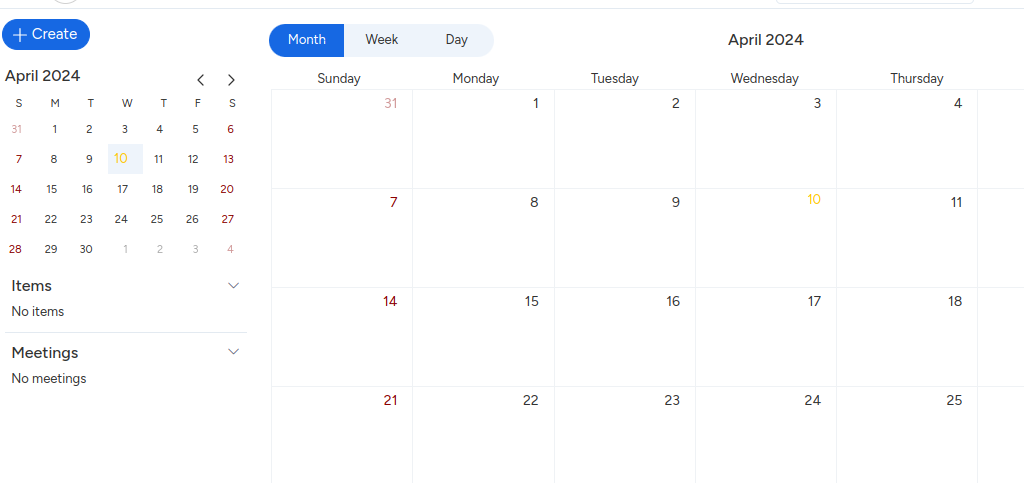
Calendar View and Meeting Scheduling
Plan and manage work schedules and sprints effortlessly using KiteSuite’s Calendar View. Easily create meetings and share them with your team. Manage meetings and items with daily, weekly, and monthly views. Create custom meetings to enable seamless collaboration among team members, receive meeting notifications along with custom reminders, and easily add project members to join meetings.
Advanced Filter for Enhanced Focus
Stay focused on deliverables with KiteSuite’s filter to highlight comments, subtasks, and task lists assigned to you or particular team members. Minimize distractions and maximize productivity as you tackle your assigned tasks.
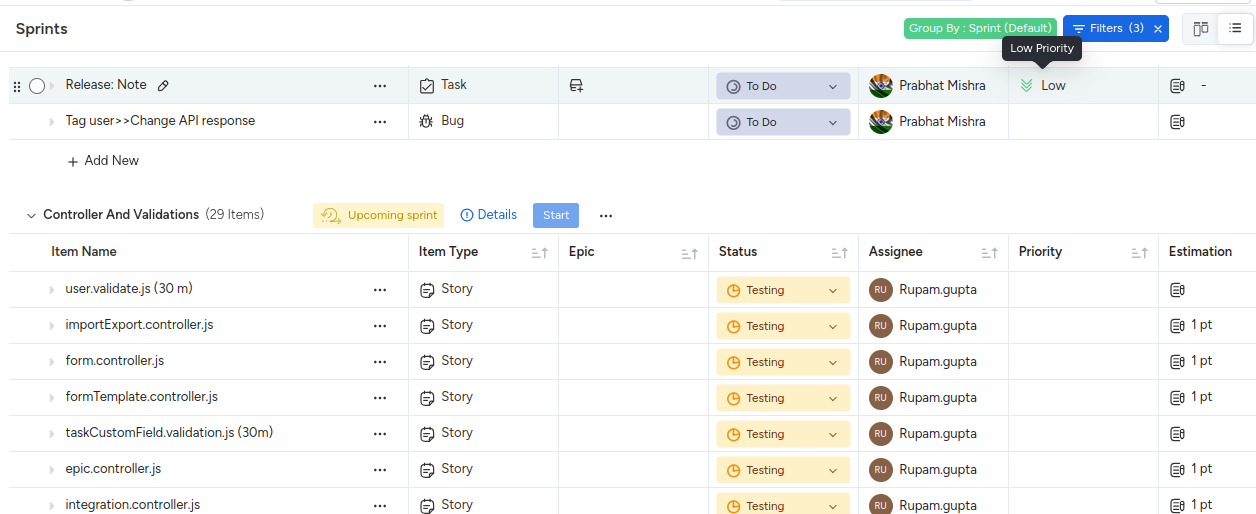
Track Sprints with Sprint Lists
Utilize checklists within KiteSuite to create sprint lists, breaking down deliverables for each sprint. Monitor progress, check off completed tasks, and track Scrum points to ensure alignment with project goals.
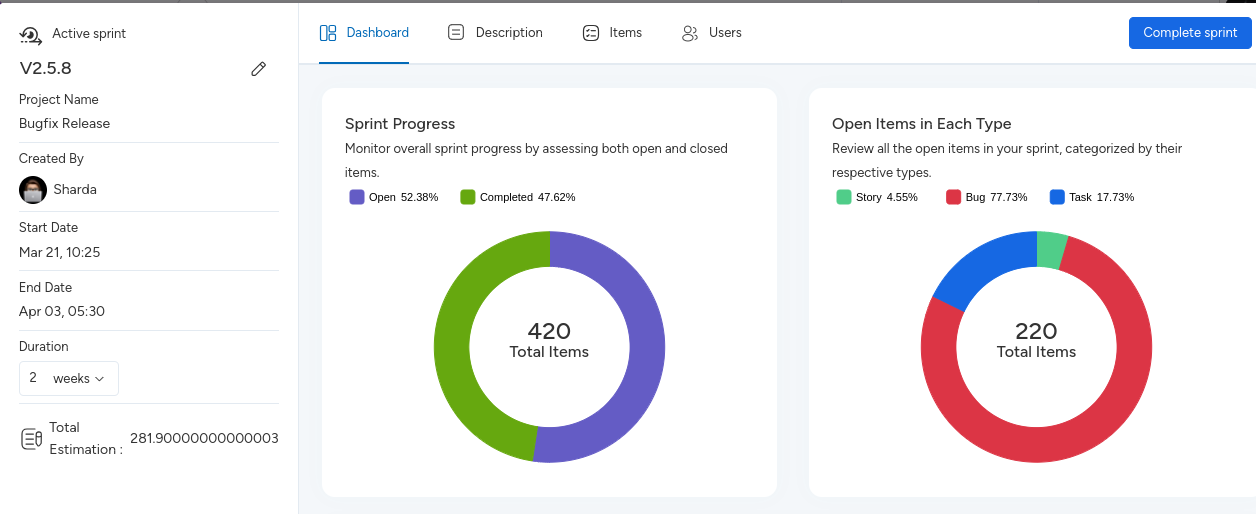
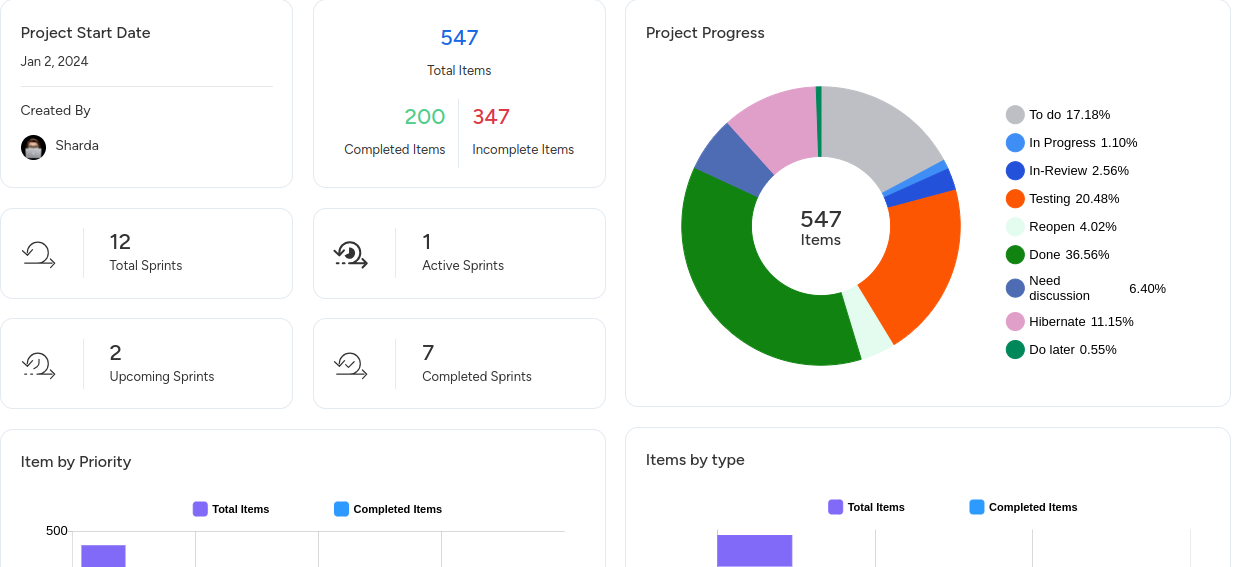
Visualize Progress with Dashboards
Leverage KiteSuite’s Dashboards for high-level overviews of Agile projects. Track velocity, burndown charts, burnup charts, and cumulative flow charts to monitor progress and identify bottlenecks.
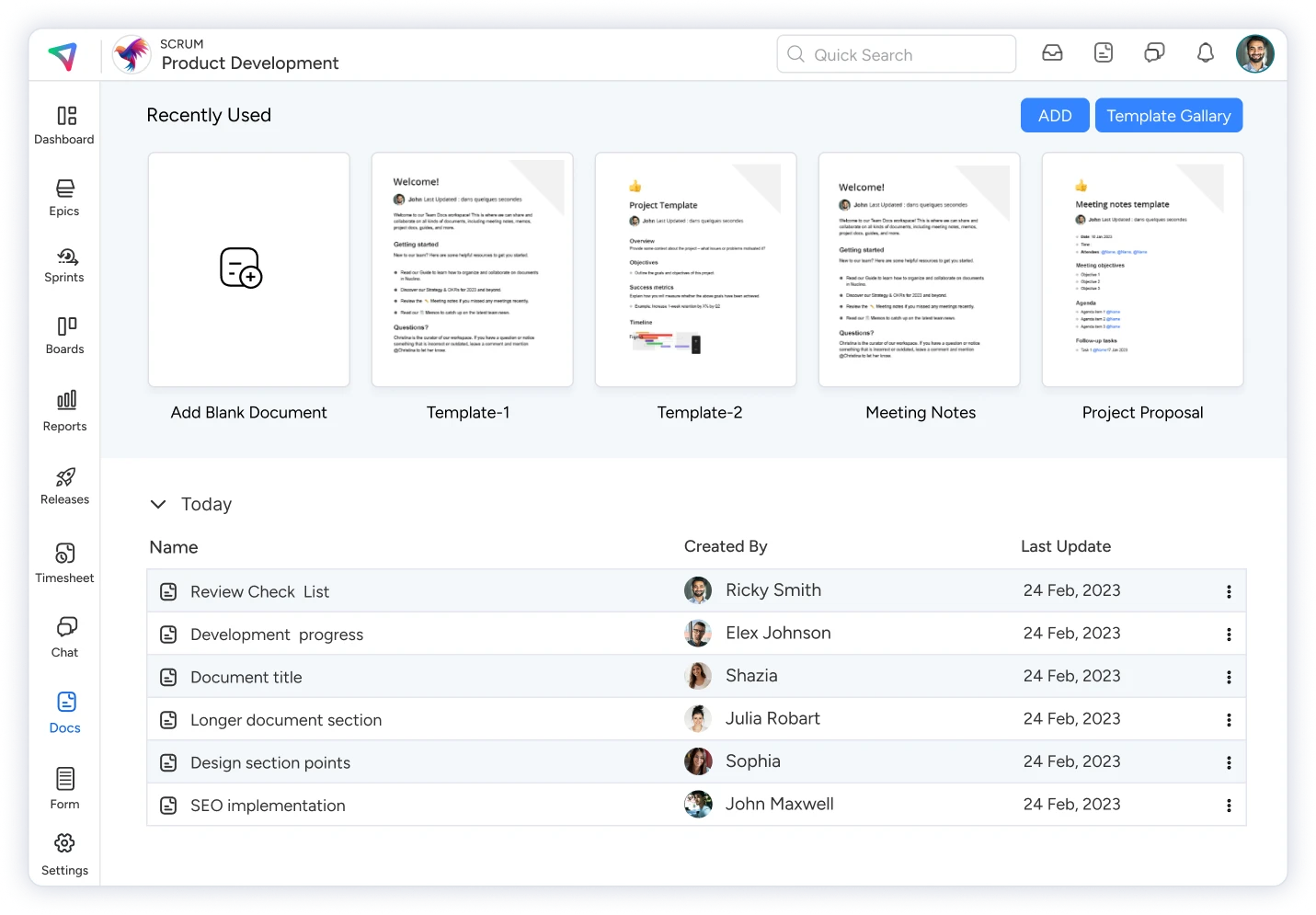
Facilitate Communication with Comments and Real-Time Chat
Foster collaboration and communication among team members using KiteSuite’s dedicated comment sections and chat features. Tag team members, exchange files, and share project updates seamlessly to keep everyone informed and engaged.
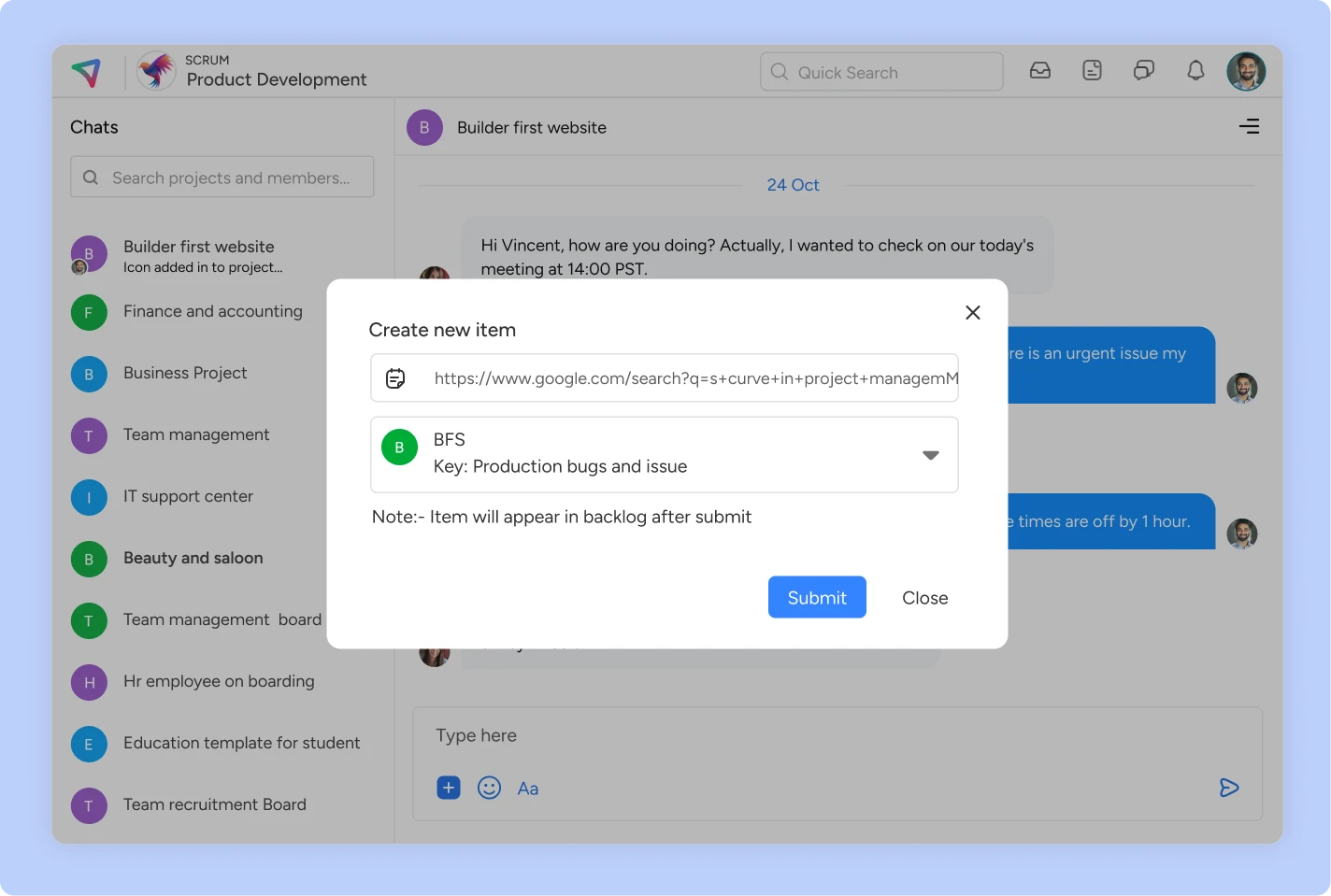
Enhance Task Management with Assigned Comments
Convert comments into actionable tasks and assign them to team members using KiteSuite’s Assigned Comments feature. Streamline task allocation and execution to expedite project progress.
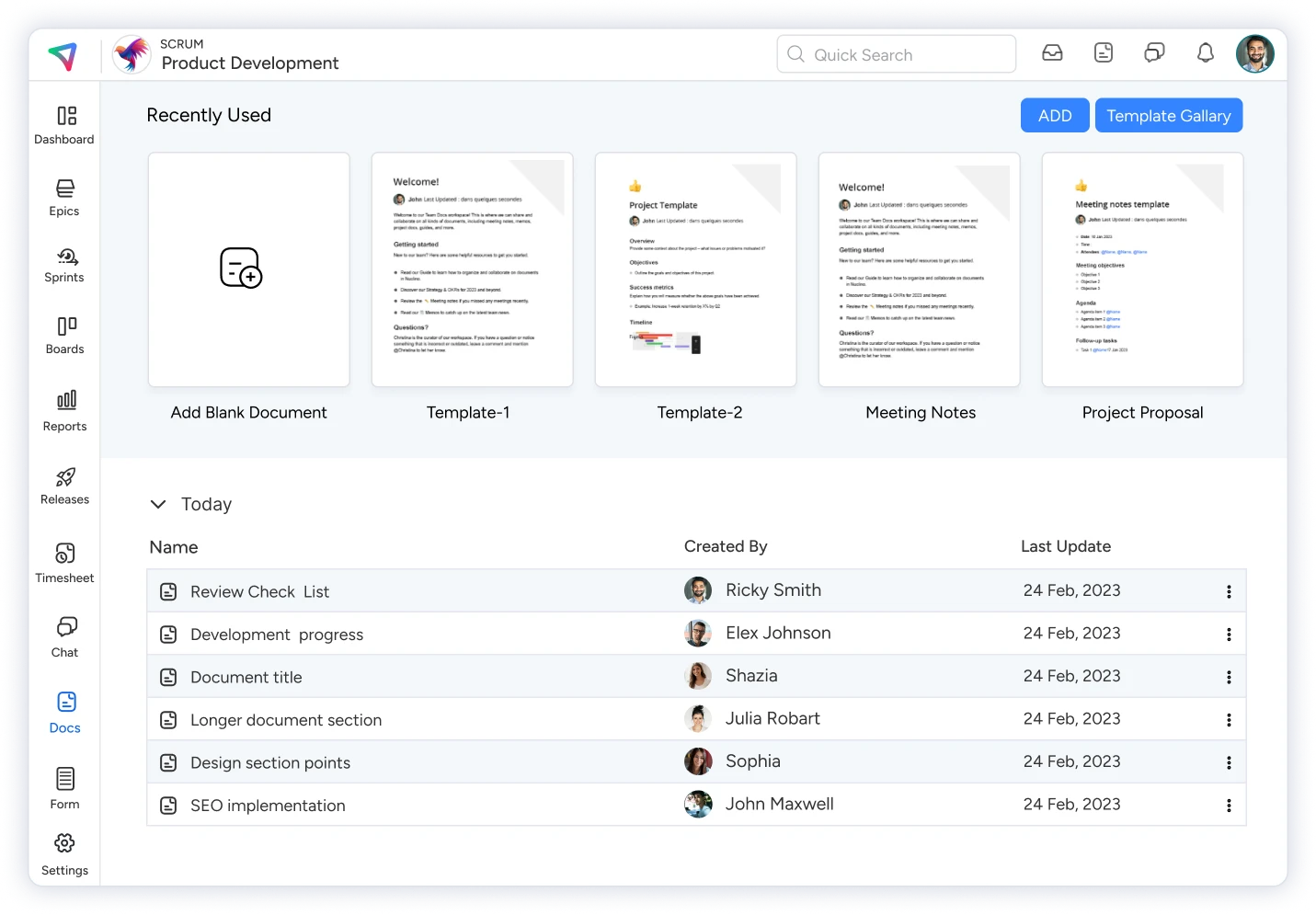
Comprehensive Documentation
Efficiently use KiteSuite’s ready-made professional document templates to quick-start. Manage permissions to allow users to edit the document or view-only. Easily check version history and retrieve older versions if needed. Take advantage of third-party add-ons like Miro, Figma, Loom, and more. Beautify your document with proper formatting, colors, and fonts. Mention project or workspace members in a document for swift collaboration. Keep all your documents organized by utilizing KiteSuite’s document management feature for both workspace and projects.
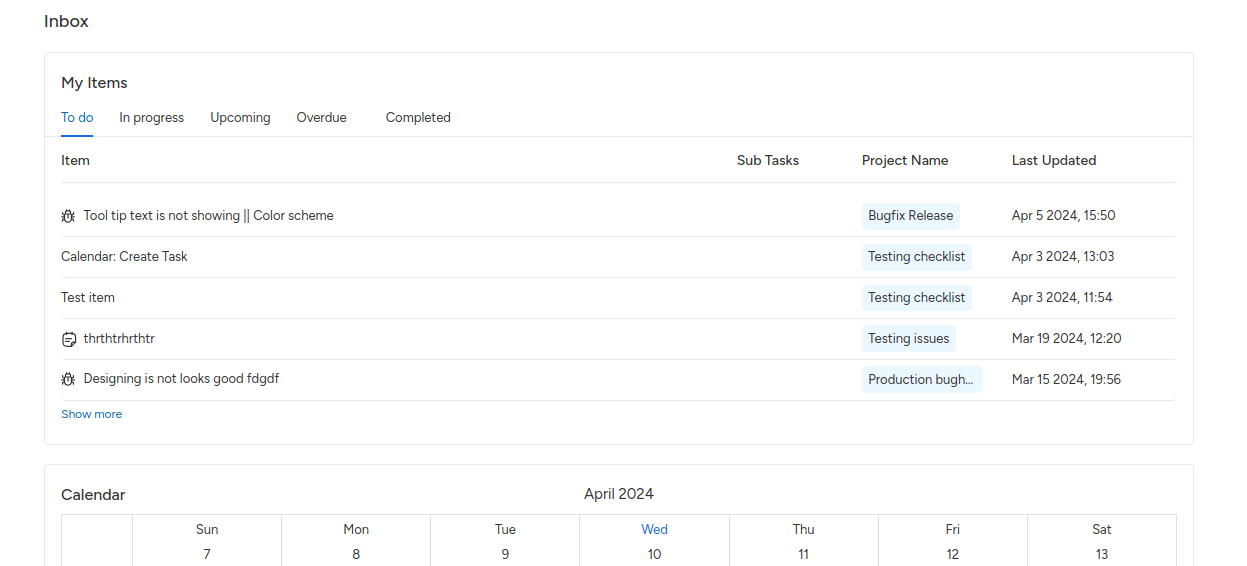
Personalized Inbox
Users can easily review total assigned work in each list. Each list includes the item title with type, subtask count, project name, and last update. Check your work in calendar view, review the weekly calendar with different times, and stay updated with your daily/weekly meetings. The project list shows all projects the user owns, including information like project name, type, key, and project members list.
KiteSuite also offers additional features like task priorities, dependencies, detailed project reports, comprehensive documentation creation and sharing, advanced forms with integration and payment options, built-in time tracking, and web and mobile apps for iOS and Android devices.