Embark on a journey with efficient project management software. We have conducted extensive research and reviews on project management software. Skim through our dedicated project management software list to find the best platform that is correctly aligned with all your business needs and personal preferences.
All about Project Management Software
Project management software is a suite of tools (a comprehensive all-in-one solution) that makes all management work easy and trackable throughout the product life cycle. Whether it is task management, people and role management, communication management, documentation, sharing/gathering feedback, third-party integration, project import-export, and more, project management software caters to diverse needs and shapes, facilitating efficient workflow production.
An Effective Project Management Software Should Include the Following Features
Easy Work Management: Project management should have an Agile or Kanban board where users can easily manage project tasks and activities, prepare a backlog, and keep track of all complete and ongoing activity. It is also easy to maintain lessons learned and organization process assets for all projects.
Team Collaboration and Documentation Management
Project management software should offer tools for the team to communicate in real time to stay engaged. Tools such as group or one-to-one chat, the ability to create, share, and manage project-related documentation, and the ability to view activities and comments within project tasks are all essential.
Real-Time Reports
Integrated reports according to the selected project management board help you gain insights into your project progress, team performance, time, cost, and other relevant metrics to provide insight about the overall project health at every stage of the project development lifecycle. Burn-up, burn-down, timeline visualization, and more reports help in planning and tracking project progress, allowing you to identify bottlenecks and make changes efficiently.
Easy Feedback Management
Whether you’re collecting expert opinions, surveys, or gathering reviews from users, a comprehensive feedback form can be a valuable feature in the process of data collection, analysis, and project management — all at your convenience.
Member and Role Management
In a project management application there should be a dedicated page which allows users to easily add members and assign permissions as per their role in the project, keeping everyone informed with the right amount of information as per their work responsibilities.
Ways to Choose the Right Project Management Software
When selecting a project management software for your organization or team, there are several crucial factors one should consider.
Easy to use: You should always go with software that is user-friendly and that your team can understand at a quick glance of the application.
Scalable: The software should be able to efficiently handle a growing user base, providing features and capabilities that scale as your organization expands.
Security: The software must offer robust security features, giving you confidence that your sensitive data and project information are protected.
Here’s our list of the top 16 project management software options
| Sr. No. | Software Solutions | Top Features | Best Uses For | Starting Price |
|---|---|---|---|---|
| 1 | KiteSuite | Simultaneously manage multiple projects and workspaces | Custom project views and overall work tracking | $3 |
| 2 | ClickUp | Managing multiple tasks | Automatic progress tracking | $7 |
| 3 | Zoho | Automate routine tasks | Blueprints for processes | $4 |
| 4 | Monday.com | Simultaneous project management | Many project views | $9 |
| 5 | Asana | Tracking project progress | Multiple project views | $10.99 |
| 6 | Jira | Managing dev projects | Issue tracking | $5 |
| 7 | Trello | Visualizing workflows | Kanban view | $5 |
| 8 | Smartsheet | Managing processes at scale | Process automation | $7 |
| 9 | Basecamp | Tracking project progress | Unique Hill chart feature | $15 |
| 10 | Wrike | Visual project planning | Gantt chart | $9.80 |
| 11 | Nifty | Increasing team productivity | Task breakdown | $3.90 |
| 12 | Todoist | Managing tasks | Add tasks using natural language | $4 |
| 13 | Hive | Overseeing workload | Resource planning | $5 |
| 14 | Notion | Managing project documentation | Note-taking capabilities | $8 |
| 15 | Miro | Team collaboration | Mind mapping | $8 |
| 16 | Airtable | Upgrading from spreadsheets | Automations | $20 |
KiteSuite
KiteSuite is a cloud-based software solution designed to help organizations and teams customize their workflow. It comes with a variety of features which help the team enhance productivity, enable effective collaboration, and track work progress with real-time reports and more.
Top Features
KiteSuite is a cloud-based software solution designed to help organizations and teams to custom workflow. It comes with a variety of features which help the team to enhance productivity, effective collaboration, and work progress tracking with real time reports and more.
Real-Time Chat: KiteSuite provides real-time chat whether you are communicating with an individual in one-to-one chat or with a team within a project or custom group.
Custom Fields and Lists: Create fields of your choice to have tailor-made solutions for your unique project needs, which will enhance your team’s productivity and efficiency.
Agile Framework: Offers Kanban and Scrum boards to manage a time-boxed task management approach or workflow progress with Kanban board.
Top-notch customer support. User friendly and easy to use interface. Offer mobile and web applications for offline use.
Pros
- Top-notch customer support.
- User-friendly and easy-to-use interface.
- Offers mobile and web applications for offline use.
Cons
-
- Certain advanced features require plan upgrades.
- To access applications, users must have an active KiteSuite account.
- Pricing: Free plan available, with paid plans starting from $3/month/user.

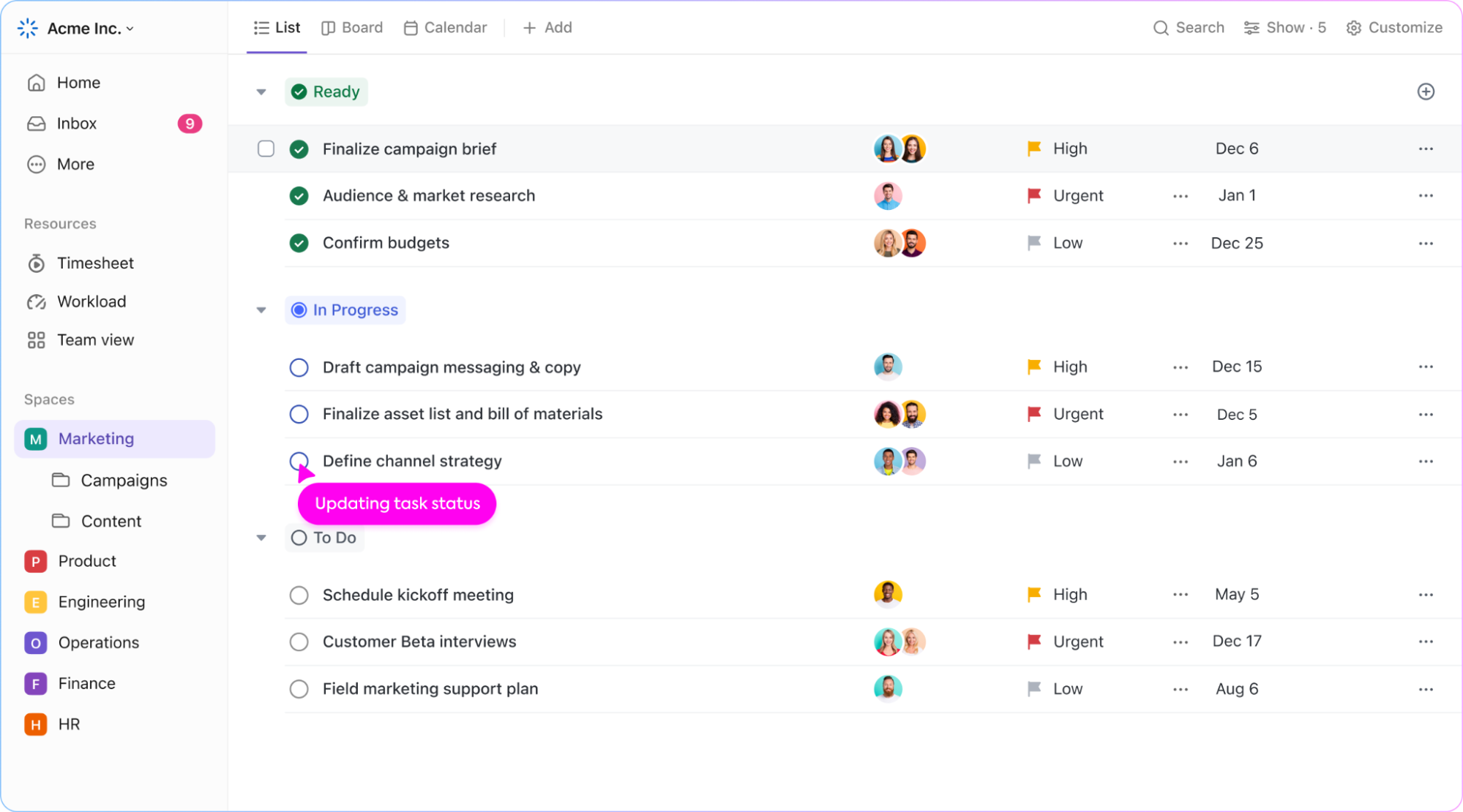
ClickUp
ClickUp is a cloud-based collaboration and project management platform designed to streamline team workflows. It offers a wide range of features to enhance productivity, including custom statuses, time tracking, and reporting.
Top Features
Multitask Toolbar: The multitask toolbar allows users to edit multiple tasks simultaneously, saving time and effort.
Custom Fields: ClickUp’s custom fields enable users to tailor the platform to their specific workflow, enhancing efficiency and effectiveness.
Mind Maps: ClickUp’s mind maps feature enables users to visually map out their ideas and workflows, facilitating better understanding of task relationships and project planning.
Pros
- ClickUp provides agile project management tools to help users keep track of team progress and adjust workflows as needed.
- Users can set, track, and measure progress towards objectives, ensuring alignment and collaboration.
Cons
- Some users find ClickUp’s comment threads and replies in the chat space hard to follow, as they may appear entangled or not easily accessible at a glance.
- While ClickUp’s dashboards are visually appealing, they may be extremely slow to update and refresh.
Pricing: ClickUp offers a free version for personal usage with limited features, while paid plans start from $7 per member per month.
Zoho Projects
Zoho Projects is a cloud-based project management software designed to help organizations efficiently manage their resources. It offers a variety of tools for task management, reporting, and issue tracking.
Top Features
Blueprint: The Blueprint feature allows users to create project templates, streamlining the process of launching new projects with predefined workflows.
Risk Management: The Risk Management feature helps users identify and manage potential project risks, minimizing the chance of delays or failures.
Custom Fields: With custom fields, users can track and report unique project metrics specific to their needs, enhancing project management capabilities.
Pros
- Zoho Projects provides a suite of reporting tools to gain insights into project performance and make data-driven decisions.
- Users can automate routine tasks and processes, allowing teams to focus on high-value activities and workflows.
Cons
- Zoho Projects’ integrations for leave management systems and attendance are somewhat limited, potentially restricting seamless integration with other tools.
- The software’s document storage function may not be compatible with every file type, limiting flexibility in managing project documents.
Pricing: Zoho Projects offers a pricing plan starting at $4/user/month with an annual subscription. A free plan is also available.
monday.com
monday.com is a work management system that offers a user-friendly and intuitive interface with different customizable features that helps in team collaboration and communication.
Top Features
Project Portfolio Management: Gain a comprehensive overview of multiple projects with the project portfolio solution.
Gantt Charts: Easily create task dependencies and update task details using intuitive Gantt charts.
Workflow Builder: Customize workflows with hundreds of automation recipes to synchronize integrations and streamline processes.
Pros
- Outstanding customer support.
- AI-driven features enhance productivity.
- Robust mobile app for managing projects on the go.
Cons
- Limited customization in the application.
- Limited viewing options for non-users.
Pricing: Free plan for up to 2 users, with paid plans starting from $9/month/user (billed annually).

Asana
Asana is a popular project management tool designed to help teams collaborate and manage their tasks and projects more efficiently.
Top Features
Calendar View: Visualize important deadlines in a dedicated calendar view.
Agile Framework: Utilize a time-boxed, iterative approach for product development workflows.
Change Requests and Case Management: Efficiently track customer requests with priority and timeline.
Pros
- Centralized project documentation management.
- User-friendly drag-and-drop interface.
Cons
- May not be suitable for larger teams or those not preferring an agile approach.
- Limited customization options for notifications.
Pricing: Starts from $10.99/user/month (billed annually) with a free plan available.

Jira
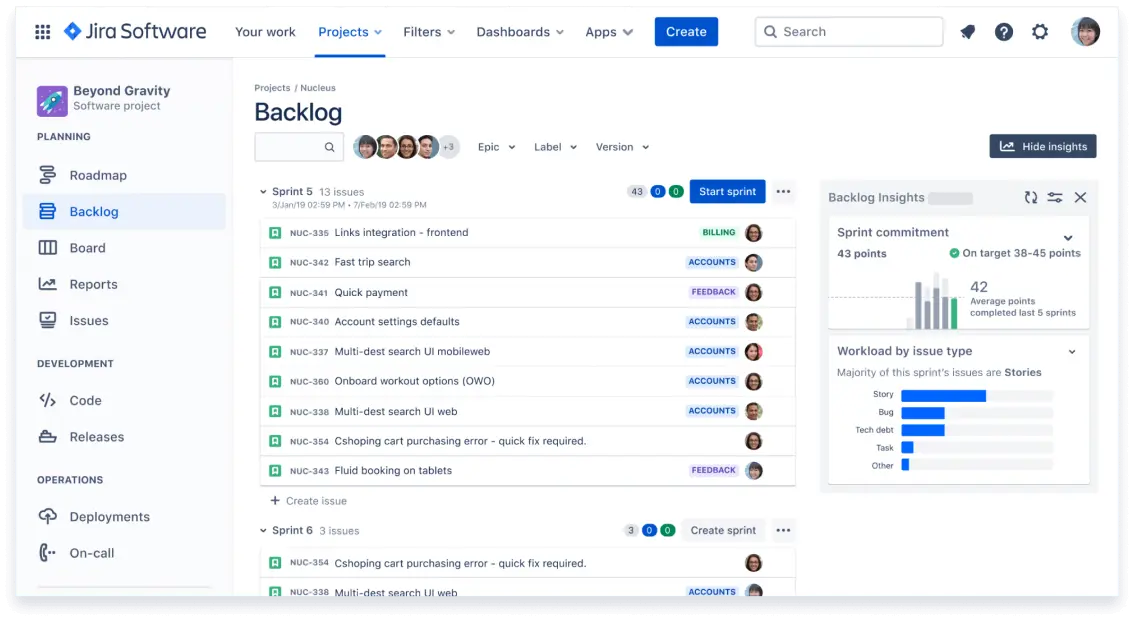
Jira Software is a versatile, server-based workflow management solution that centralizes tasks and projects for enhanced productivity.
Top Features
Configuration: Highly customizable with precise control over security, privacy, and workflows.
Timeline View: Utilizes Gantt Chart for effective mapping of dependencies and project plans.
Cross-Project Syncing: Easily duplicate tasks across projects for seamless collaboration between teams.
Pros
- Break down tasks into manageable parts for better organization.
- Ensure everyone works towards common deadlines regardless of time zones.
Cons
- Only 23 pre-made templates available, which may pose a challenge.
- Jira Core lacks integrations with many other productivity and task management tools.
Pricing: Starts at $5/user/month (annual plan) with a free plan available.
Trello
Top Features
Kanban Cards: Visualize task and project progress using Kanban cards.
Checklists: Break down tasks into manageable steps with checklists.
Activity Feed: Stay updated with recent changes and project activity.
Pros
- Ideal for teams preferring iterative workflows.
- Real-time communication capabilities.
Cons
- Lacks traditional project management features like Gantt charts.
- Kanban cards may not be suitable for complex projects.
Pricing: Starts from $5/user/month (billed annually) with a free plan available.

Smartsheet
Top Features
Dynamic Gantt Charts: Visualize project timelines and dependencies with ease.
Customizable Forms: Gather and organize data using customizable forms.
Data Integration: Seamlessly integrate with third-party tools like Salesforce and Jira.
Pros
- Versatile platform suitable for various tasks and projects.
- Real-time collaboration enhances productivity.
Cons
- Reporting functionality could be improved.
- Additional add-ons required for time tracking and resource management.
Pricing: Starts from $7/user/month (billed annually) with a free plan available.

Basecamp
Basecamp is a project management tool designed to help teams stay organized, collaborate efficiently, and complete projects on time. It is a cloud-based project management software accessible via web browser, desktop, or mobile application.
Top Features
Hill Charts: Basecamp utilizes unique hill charts to provide an overview of project progress.
Automated Check-ins: Create routine reminders for team members to provide project updates.
File Storage: Keep project documents and assets organized in one place.
Pros
- Basecamp offers communication features such as message boards.
- Works well for teams of varying sizes.
Cons
- Basecamp lacks specific features for invoicing.
- Some users find it challenging to tag tasks with priority levels or other attributes.
Pricing: $15/user/month with an annual plan. Free plan is unavailable.
Nifty
Nifty Project Management is an online project management tool aimed at enhancing team collaboration and project efficiency.
Top Features
Task Management: Team members can efficiently create, assign, and track tasks, set deadlines, and receive notifications to stay updated on project progress.
Time Tracking: Nifty offers a built-in time tracking feature that allows team members to monitor their time spent on specific tasks, aiding in accurate project time estimation and management.
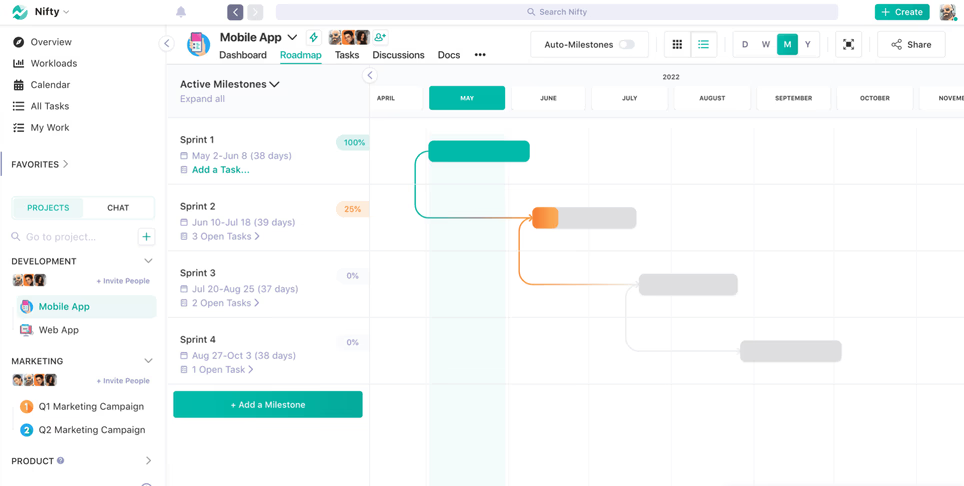
Project Roadmaps: Users can plot project milestones and deadlines on project roadmaps, providing a visual representation of project timelines and progress.
Pros
- Nifty enables users to organize projects into folders and portfolios based on various criteria such as operations, account ownership, and client delivery, facilitating efficient project portfolio management.
- The integrated time tracking feature helps teams keep accurate records of their work hours, enabling them to make more informed decisions and estimates for future projects.
Cons
- Nifty’s customization options may be somewhat limited compared to other project management tools, potentially restricting flexibility in adapting the platform to specific workflows.
- Nifty may lack some advanced features that larger teams or more complex projects may require, limiting its suitability for certain use cases.
Pricing: Nifty offers a pricing plan starting at $3.90/user/month with an annual subscription. A free plan is also available.
Wrike
Wrike is a cloud-based project management software that aids teams in streamlining workflows and enhancing collaboration.
Top Features
Integrations: Seamlessly integrates with essential project management tools like Google Drive, Zendesk, WordPress, Zapier, and Slack.
Wrike Approvals: Dedicated feature for smoothing the project review process, ensuring efficient collaboration.
Budget & Expense Management: Customize currency preferences and establish default hourly rates and job roles for projects.
Pros
- Visual Dashboards: Create visually engaging dashboards for precise stakeholder communication.
- High Level of Customization: Offers extensive customization options to tailor the platform to specific workflow needs.
Cons
- Limited Automation Triggers: Some users have expressed a desire for more triggers and actions within the automation engine.
- Additional Cost for Advanced Reporting: Advanced reporting features may require an additional fee.
Pricing: Starts at $9.80/user/month (annual plan) with a free plan available.

Todoist
Todoist is a web-based project management and productivity platform that assists users in scheduling and planning daily tasks. It enables users to collect tasks, organize projects, and manage their day efficiently.
Top Features
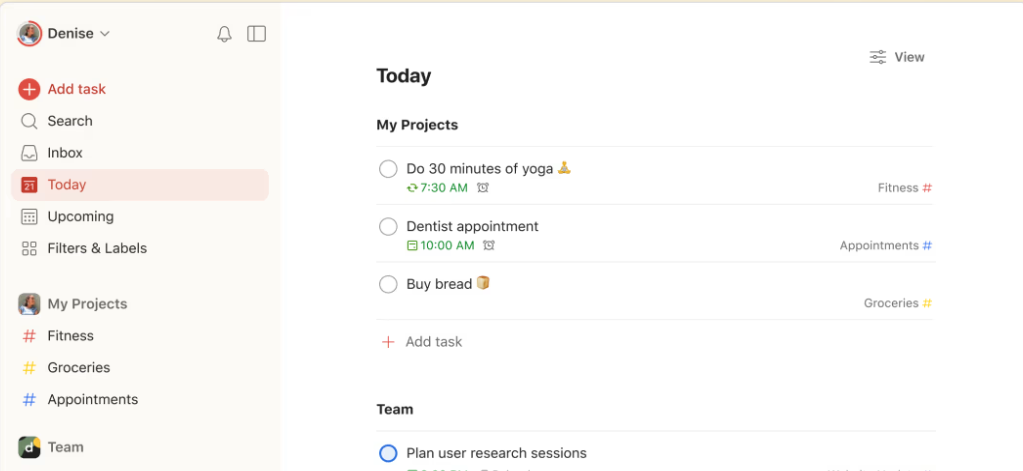
Natural Language Input: Users can quickly and easily add tasks using natural language, eliminating the need for complicated forms or menus.
Smart Schedule: Todoist’s smart schedule feature suggests the best date and time to schedule tasks based on their due dates, priorities, and other factors.
Customization: Todoist offers a variety of customization options, including themes, filters, and labels, allowing users to personalize their task management experience.
Pros
- Todoist is accessible on multiple platforms, including web, mobile, and desktop, enabling users to access and manage tasks from anywhere.
- The reminders feature sends notifications to users when a task is due or approaching its due date, helping them stay organized and on track.
Cons
- Some users may find Todoist’s interface and features overwhelming, especially if they are new to task management apps.
- Todoist requires an internet connection, which could be inconvenient for users who need offline access to manage tasks.
Pricing: Todoist offers a pricing plan starting at $4/user/month with an annual subscription. A free plan is also available.
Hive
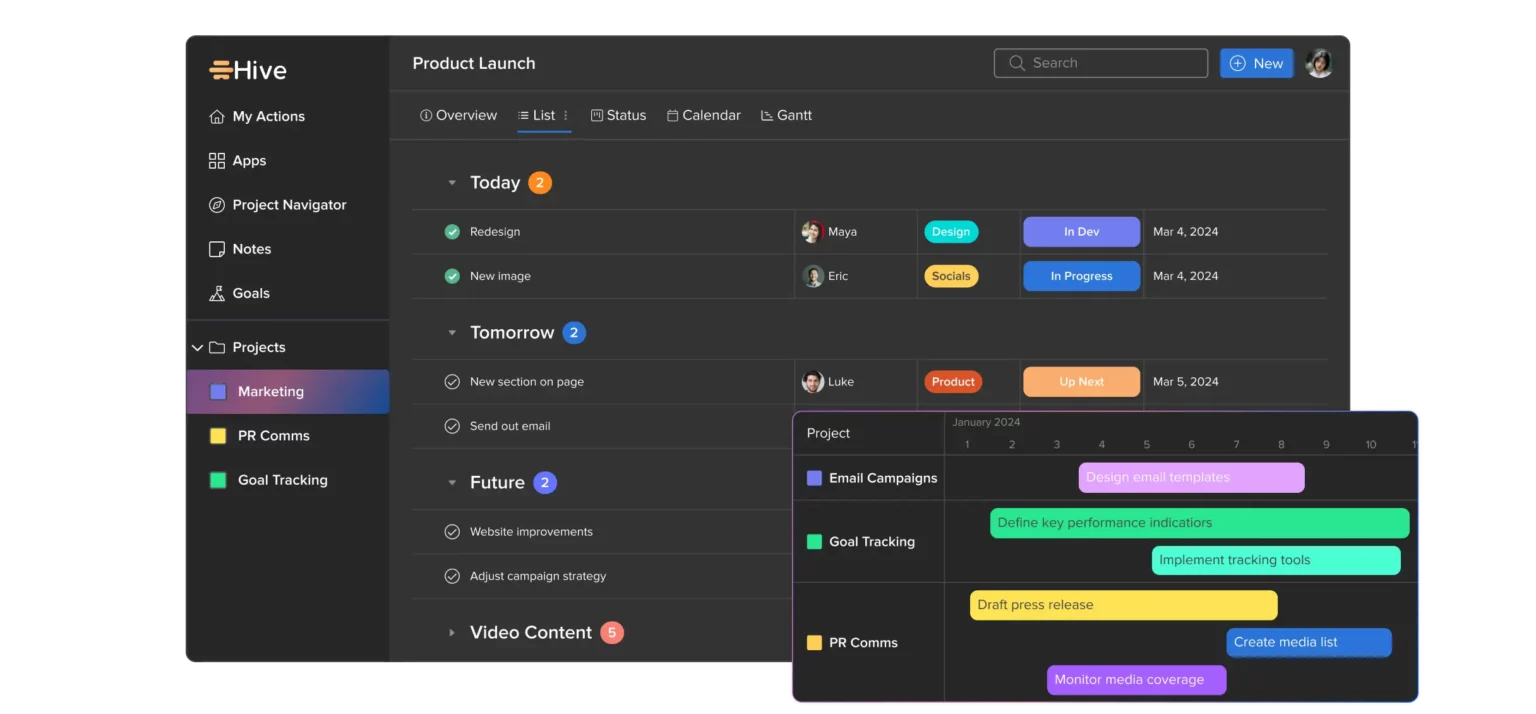
Hive is a productivity platform designed to facilitate team collaboration and streamline workflow processes. It offers real-time communication, task management, and analytics tools to help teams stay organized and meet their goals efficiently.
Top Features
Action Templates: Users can create and automate tasks using action templates, saving time and increasing efficiency.
Forms: Hive allows users to create custom forms to collect data and feedback from team members and stakeholders, improving communication and collaboration.
External Actions: Users have the option to integrate Hive with external tools like Dropbox, Google Drive, and Salesforce, enhancing workflow flexibility.
Pros
- Hive offers a customizable workspace, allowing users to personalize it according to their needs and preferences, fostering productivity.
- Hive provides detailed insights into team performance and project progress through robust analytics tools, enabling informed decision-making.
Cons
- Compared to other project management tools, Hive has a limited number of integrations available, potentially restricting workflow options.
- The mobile app lacks some features available on the desktop version, which may affect user experience for those who rely heavily on mobile access.
Pricing: Hive offers a pricing plan starting at $5/user/month with an annual subscription. A free plan is also available.
Notion
Notion is a web-based productivity and note-taking app that offers various organizational tools such as task management, to-do lists, project tracking, and bookmarking.
Top Features
Embeddable Content: Notion allows users to embed various types of content, such as Google Docs and Trello boards, enhancing collaboration and accessibility.
Relational Databases: With Notion’s relational database feature, users can connect different types of data across multiple pages and databases, making it easier to track information and analyze data.
Customizable Templates: Notion provides a vast selection of customizable templates, allowing users to create tailored solutions for their specific needs.
Pros
- Powerful Integrations: Notion integrates with popular tools like Trello, Slack, and Google Drive, enhancing workflow efficiency and connectivity.
- Offline Access: Notion allows users to work offline, ensuring productivity even without an internet connection.
Cons
- Steep Learning Curve: Notion’s powerful features may have a steep learning curve, requiring time to fully understand and master, which could be a barrier to entry for some users.
- Multi-Project Management: Managing multiple projects on Notion may be perceived as tedious by some users, potentially affecting workflow efficiency.
Pricing: Notion offers a pricing plan starting at $8/user/month with an annual subscription. A free plan is also available.
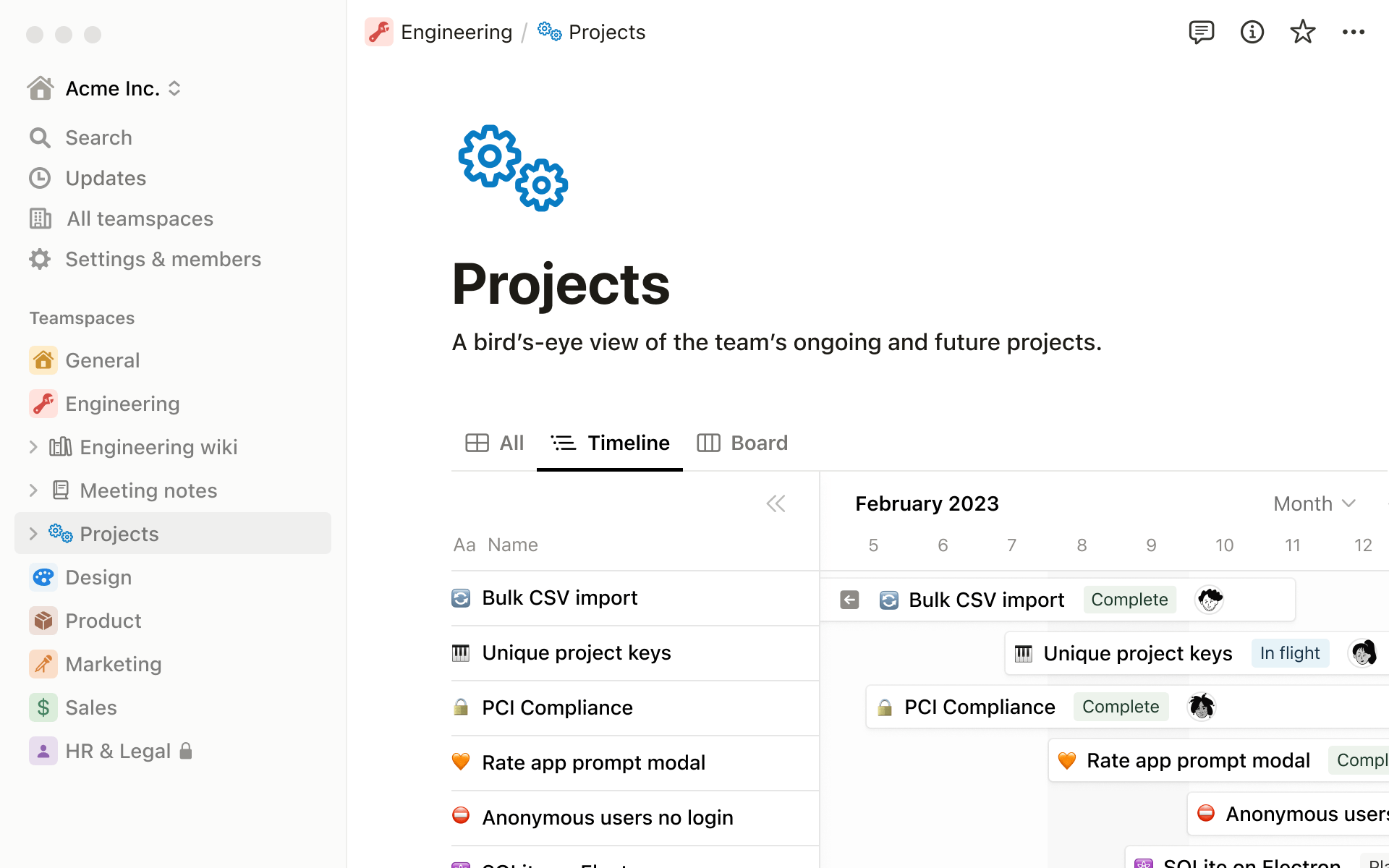
Miro
Miro is a robust project management and collaboration tool designed to enhance team efficiency and effectiveness. With its user-friendly interface and comprehensive features, Miro enables teams to plan, execute, and deliver projects seamlessly.
Top Features
Visual Collaboration: Users can create boards, add sticky notes, and invite team members to collaborate from anywhere in the world, facilitating real-time collaboration.
Integrations: Miro integrates with various popular tools like Trello, Slack, and Google Drive, enhancing workflow flexibility and efficiency.
Templates: Miro provides a library of templates for different project types, including product roadmaps, user story maps, and agile boards, helping teams kickstart their projects.
Pros
- Miro can be customized to fit the specific needs of a team or project, providing flexibility and adaptability.
- Miro’s mobile app enables teams to collaborate in real-time, regardless of their location, fostering efficient teamwork.
Cons
- Miro can be expensive for smaller teams and individual users, potentially limiting its accessibility.
- Some users, especially those unfamiliar with visual collaboration tools, may experience a learning curve when using Miro.
Pricing: Miro offers a pricing plan starting at $8/user/month with an annual subscription. A free plan is also available.
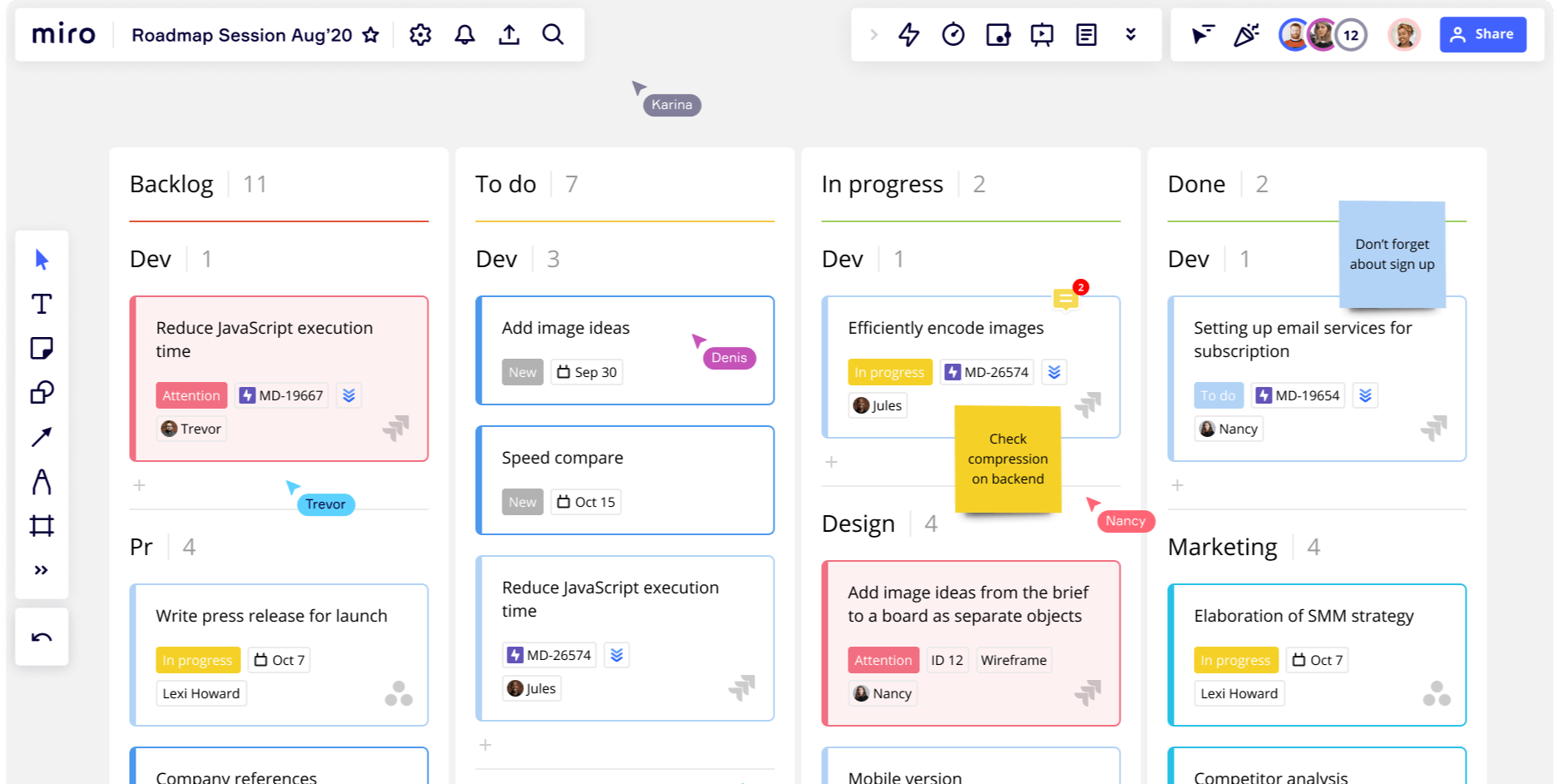
Airtable
Airtable is a web-based low-code productivity platform that enables users to build collaborative apps tailored to their specific needs. It is designed to facilitate custom workflow creation, collaboration, and communication on shared development projects.
Top Features
Custom Extensions: Airtable’s Blocks SDK allows users to create custom integrations, visualizations, and internal tools, enhancing flexibility and functionality.
Linked Records: The Linked Records feature enables users to connect records from multiple tables within a single base, creating complex relational databases that are easy to manage and navigate.
Automations: Airtable’s Automations feature allows users to automate repetitive tasks and workflows without the need for complex coding or integration, saving time and increasing efficiency.
Pros
- Airtable functions like a relational database, providing users with centralized data that updates in real-time, ensuring that teams have access to the latest information.
- Airtable’s no-code/low-code architecture makes it easy for users to build customized tools that meet their specific needs, even without extensive technical expertise.
Cons
- Airtable’s reporting capabilities may be limited compared to more advanced database software, potentially restricting the depth of analysis and insights that users can derive from their data.
- Airtable’s exporting options may be limited compared to more advanced database software, potentially constraining users’ ability to share or manipulate their data outside of the platform.
Pricing: Airtable offers a pricing plan starting at $20/user/month with an annual subscription. A free plan is also available, providing basic functionality for smaller teams or individual users.
Smart Work Management Software That Best Suits Your Business Requirements
Choosing the right work management solution can be challenging and time-consuming, and we are here to help guide you to find the right software solution as per your business needs.
Of course everyone prefers something with a complete and customized solution which makes your work easy and manageable.
KiteSuite offers all the custom and advanced features to keep your team informed, engaged, and on track.