Enhancing Project Quality Management with KiteSuite

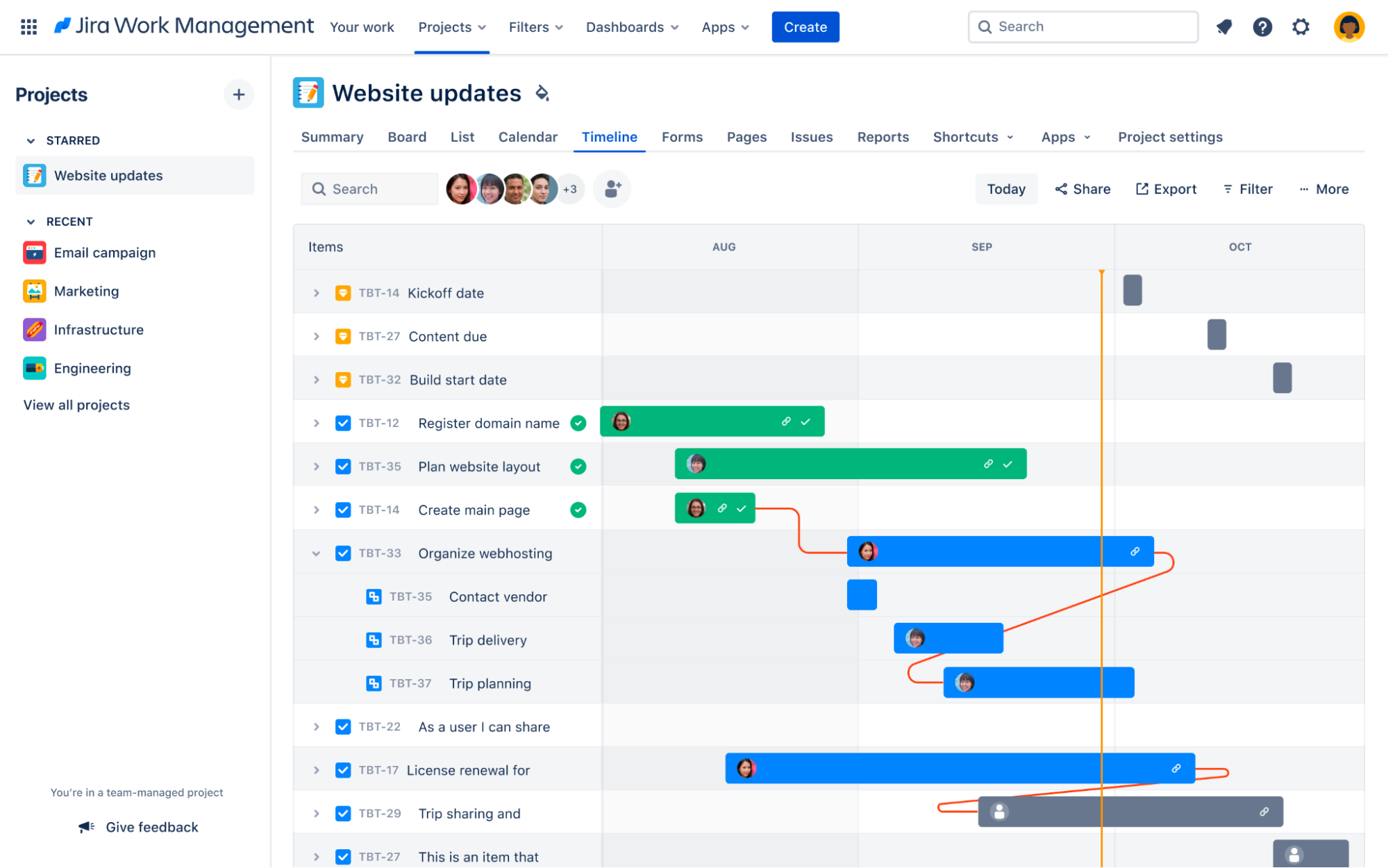
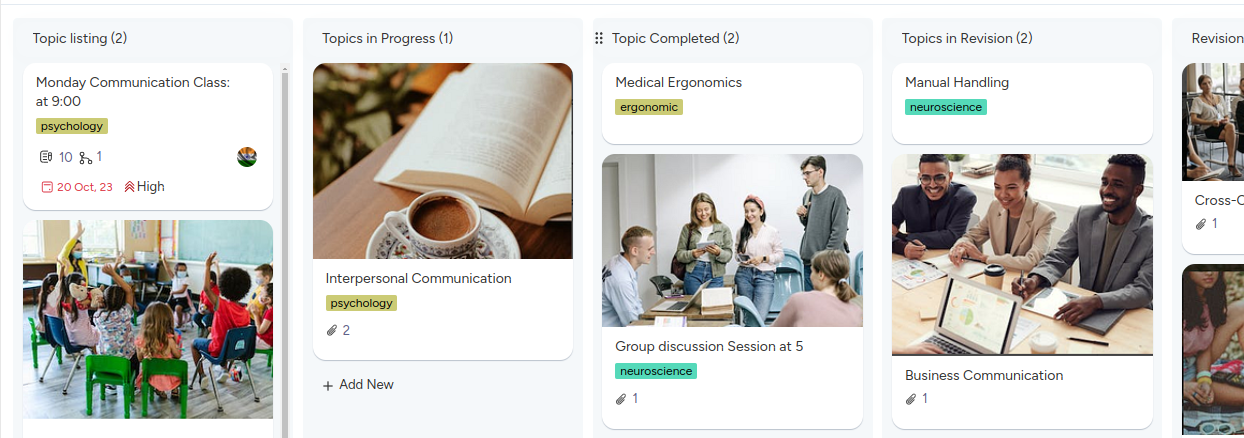
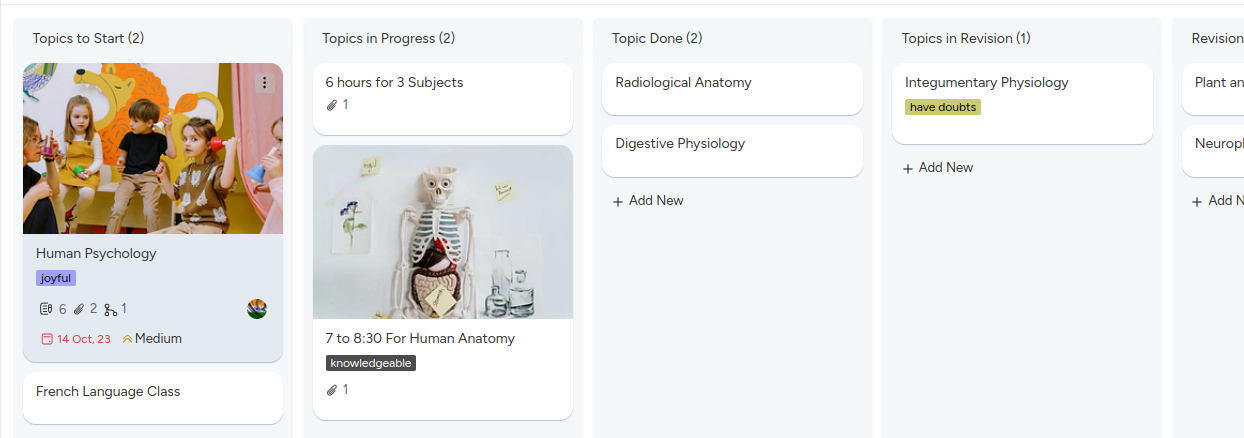
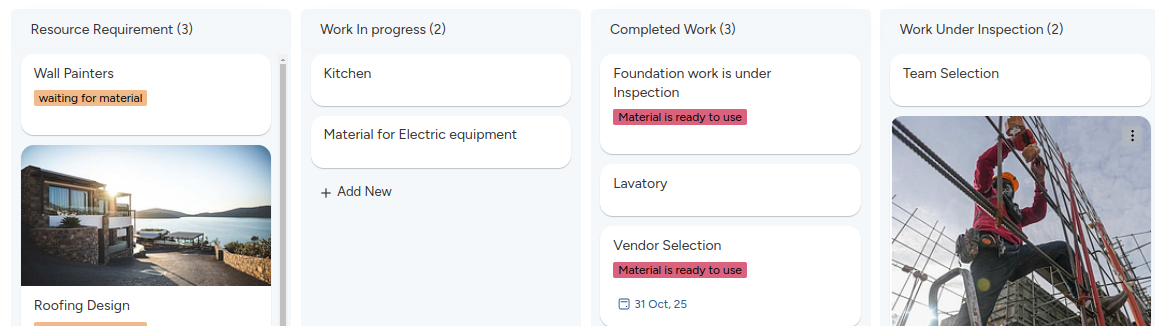
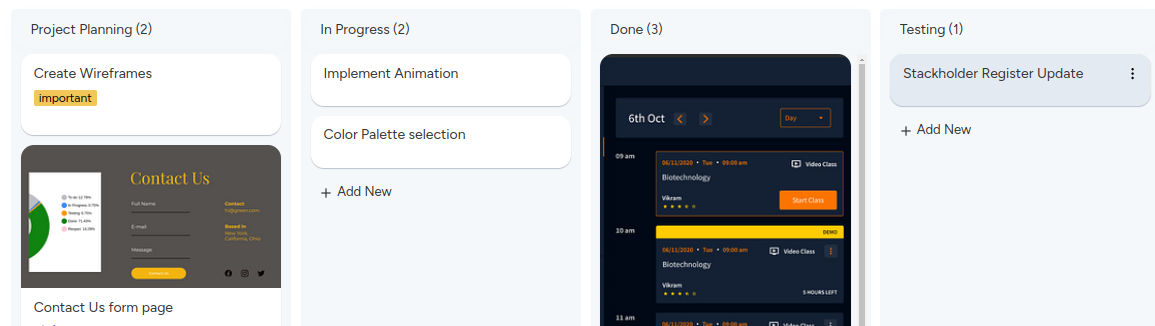
In today’s competitive software development landscape, ensuring high project quality is imperative for success. KiteSuite emerges as a powerful ally, equipping teams with the tools they need to streamline project management processes, foster collaboration, and gain valuable insights to drive project quality and success.

Making Project Management Easy

In the modern world of project management, easiness is a key. KiteSuite offers a user-friendly interface and a comprehensive set of tools to streamline project management processes. Let’s delve deeper into how KiteSuite simplifies project management:

A. Customizable Project Templates
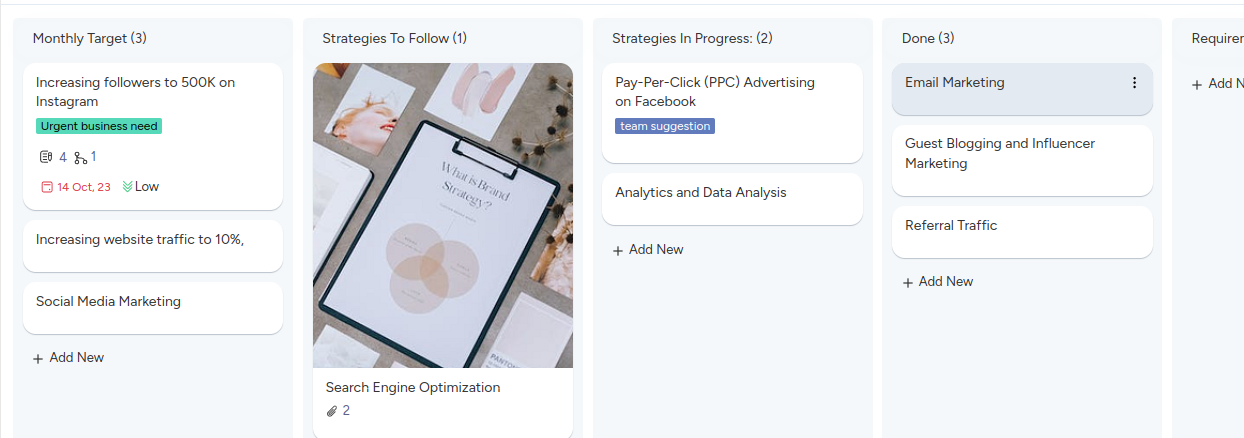
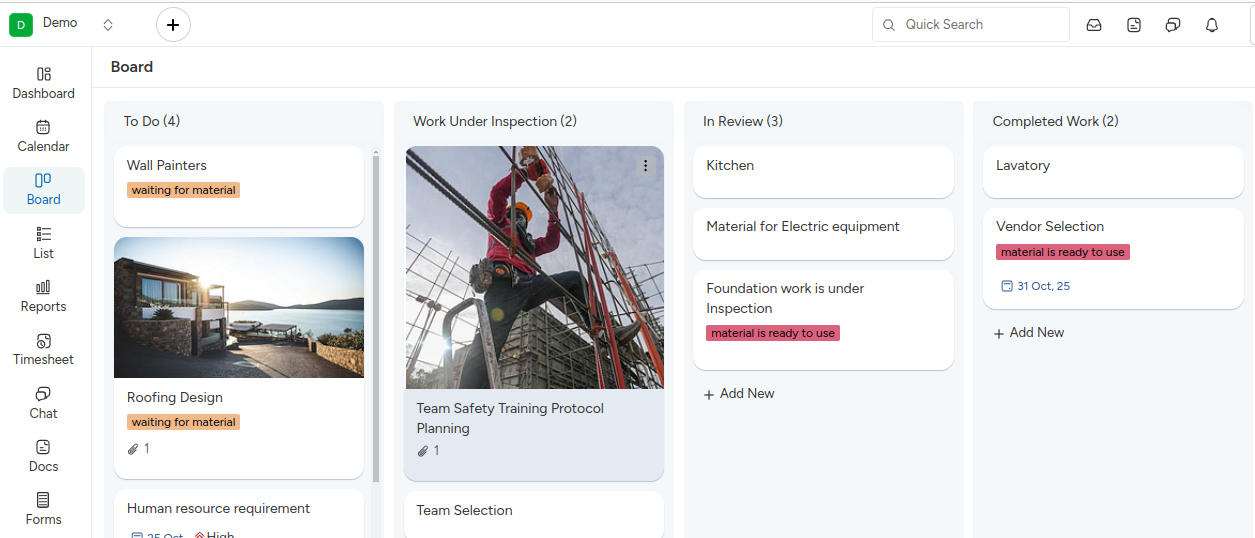
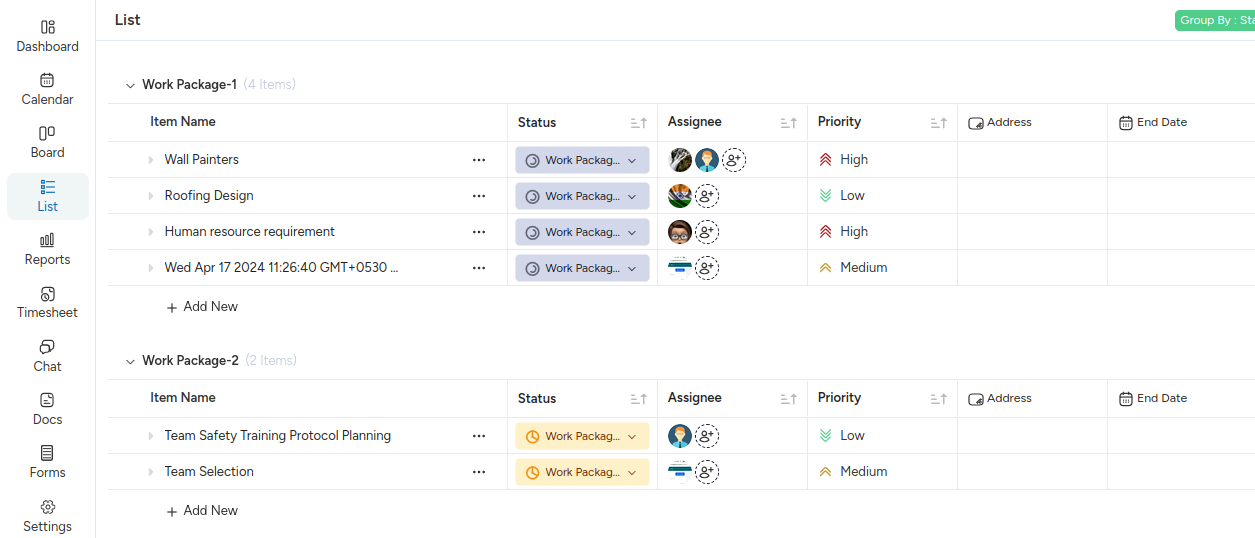
KiteSuite provides a variety of project templates, including scrum, kanban, and agile, allowing teams to choose the methodology that best suits their project requirements. Each template comes with predefined workflows, tasks, and milestones, enabling teams to kickstart their projects with ease.

B. Agile Planning and Execution
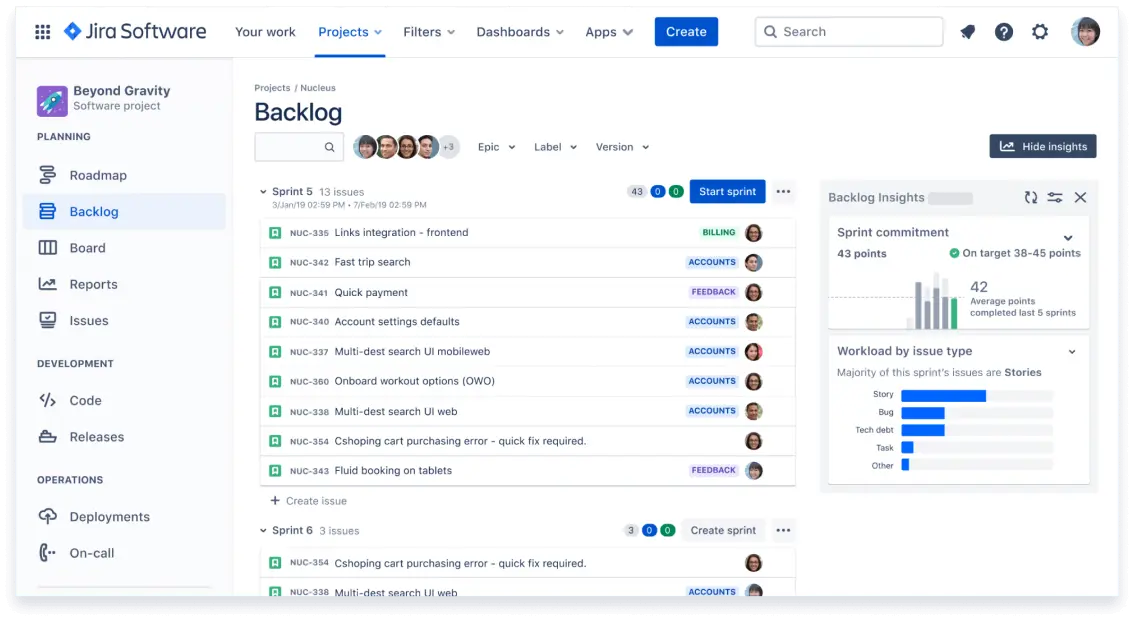
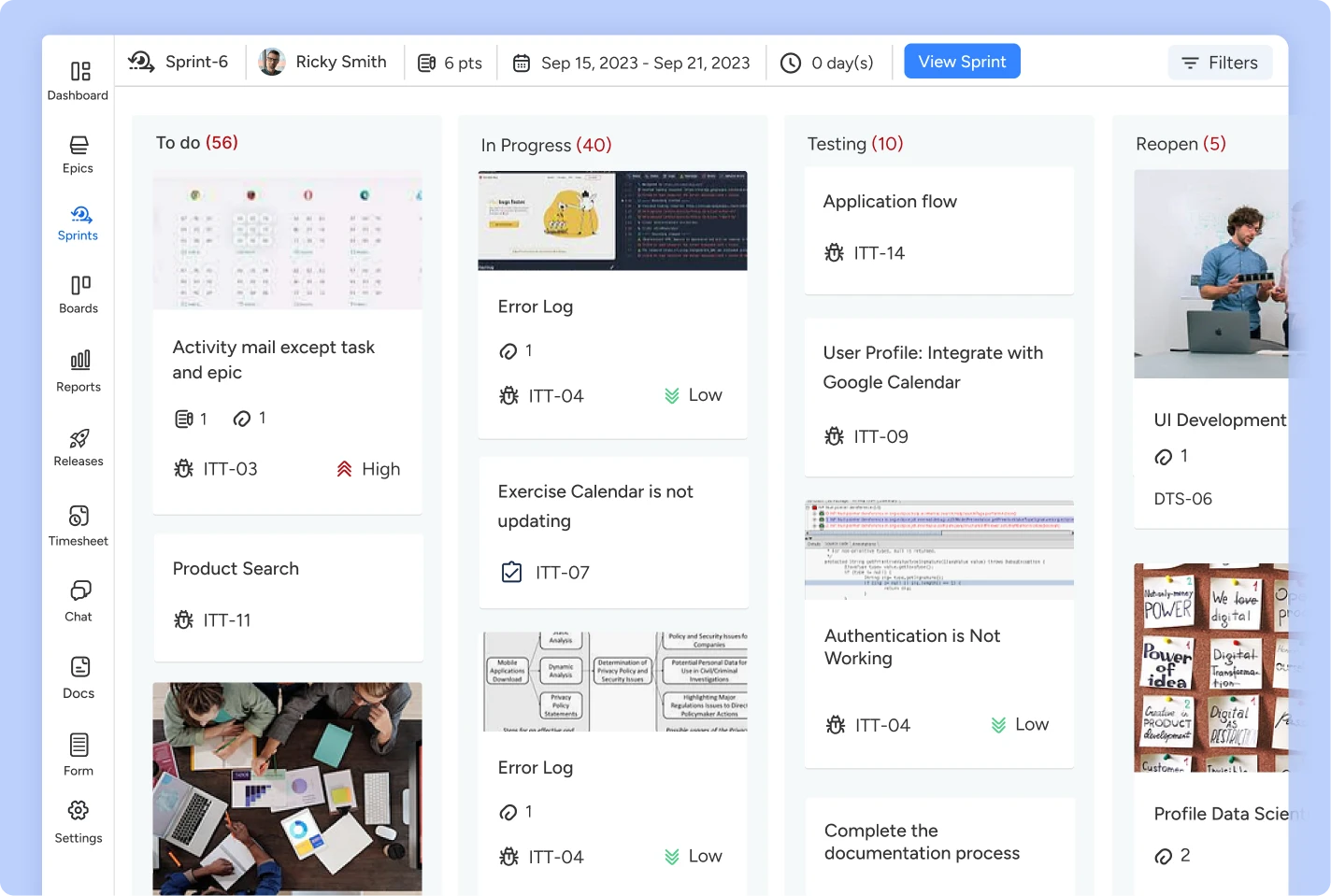
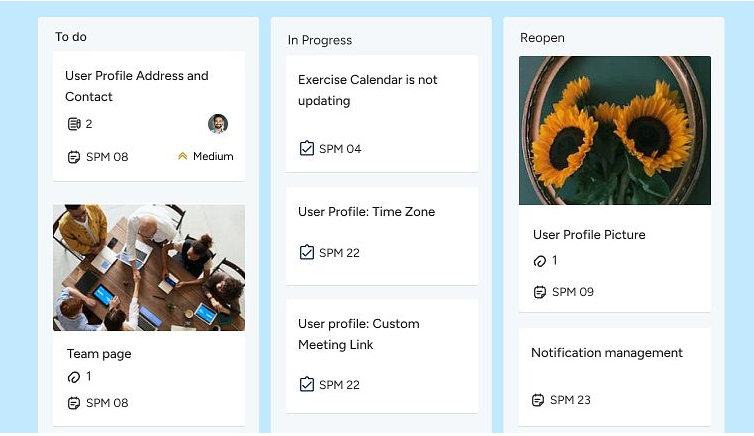
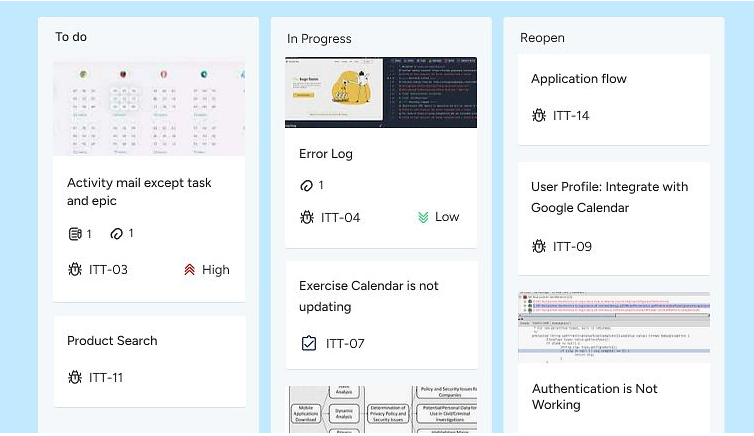
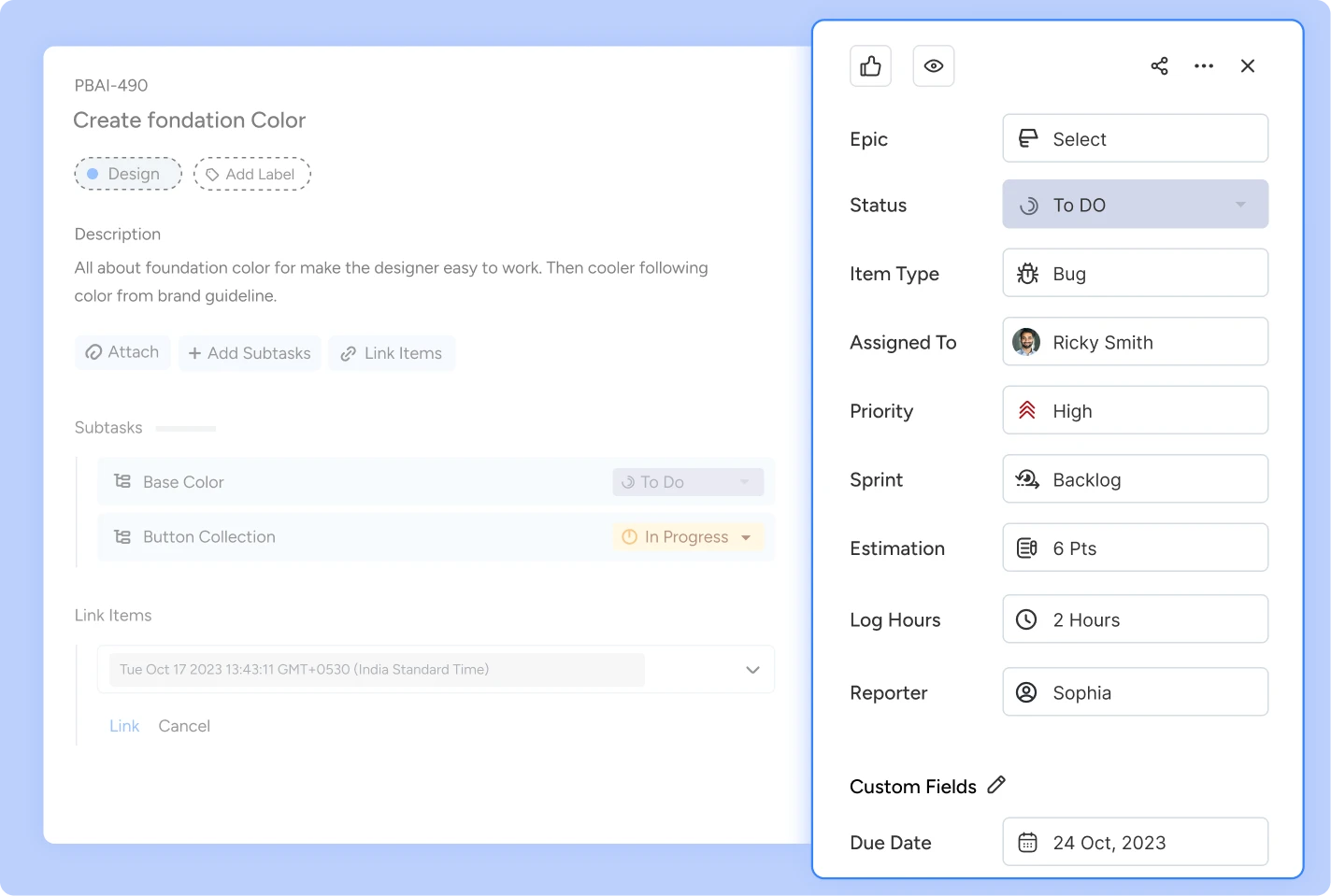
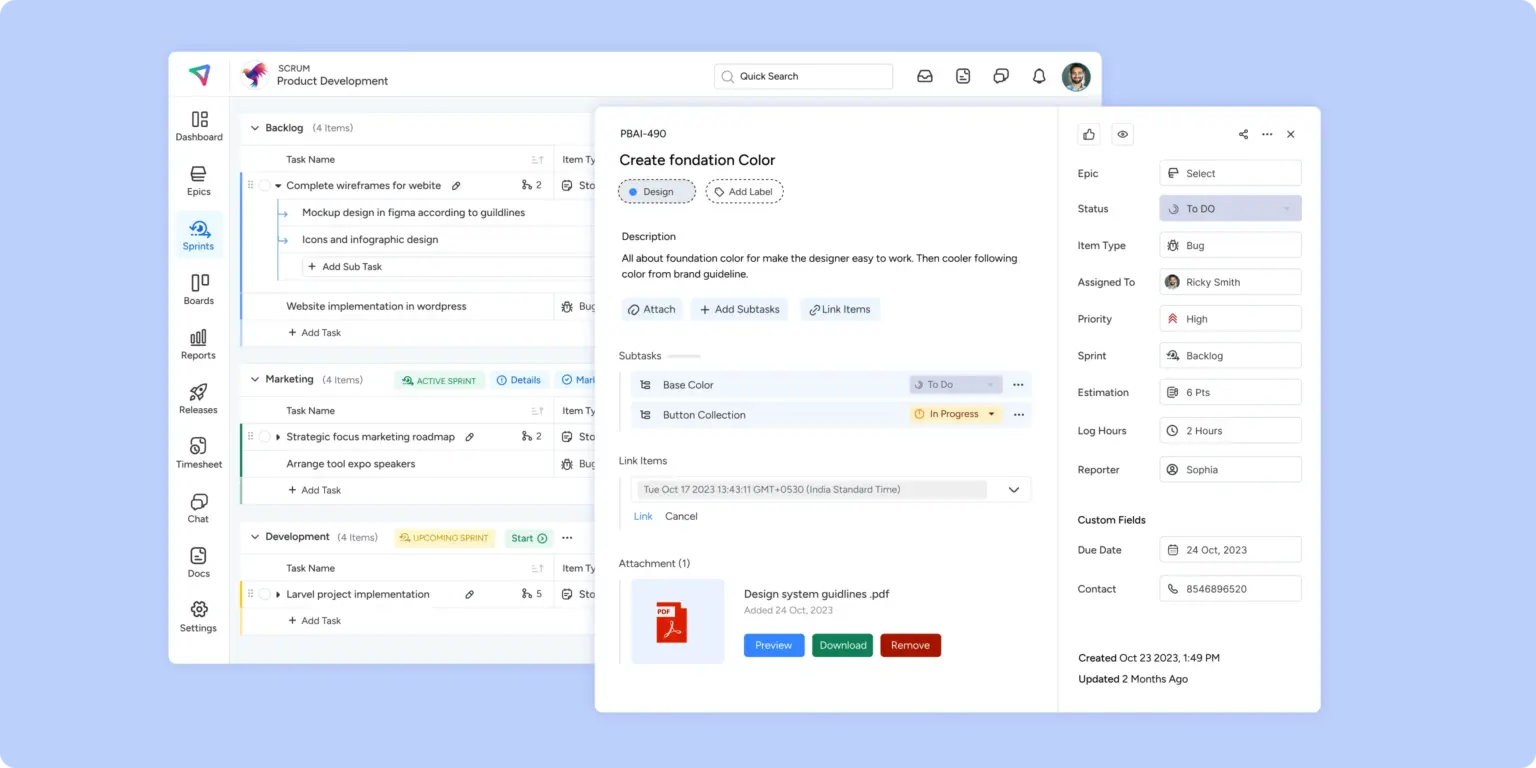
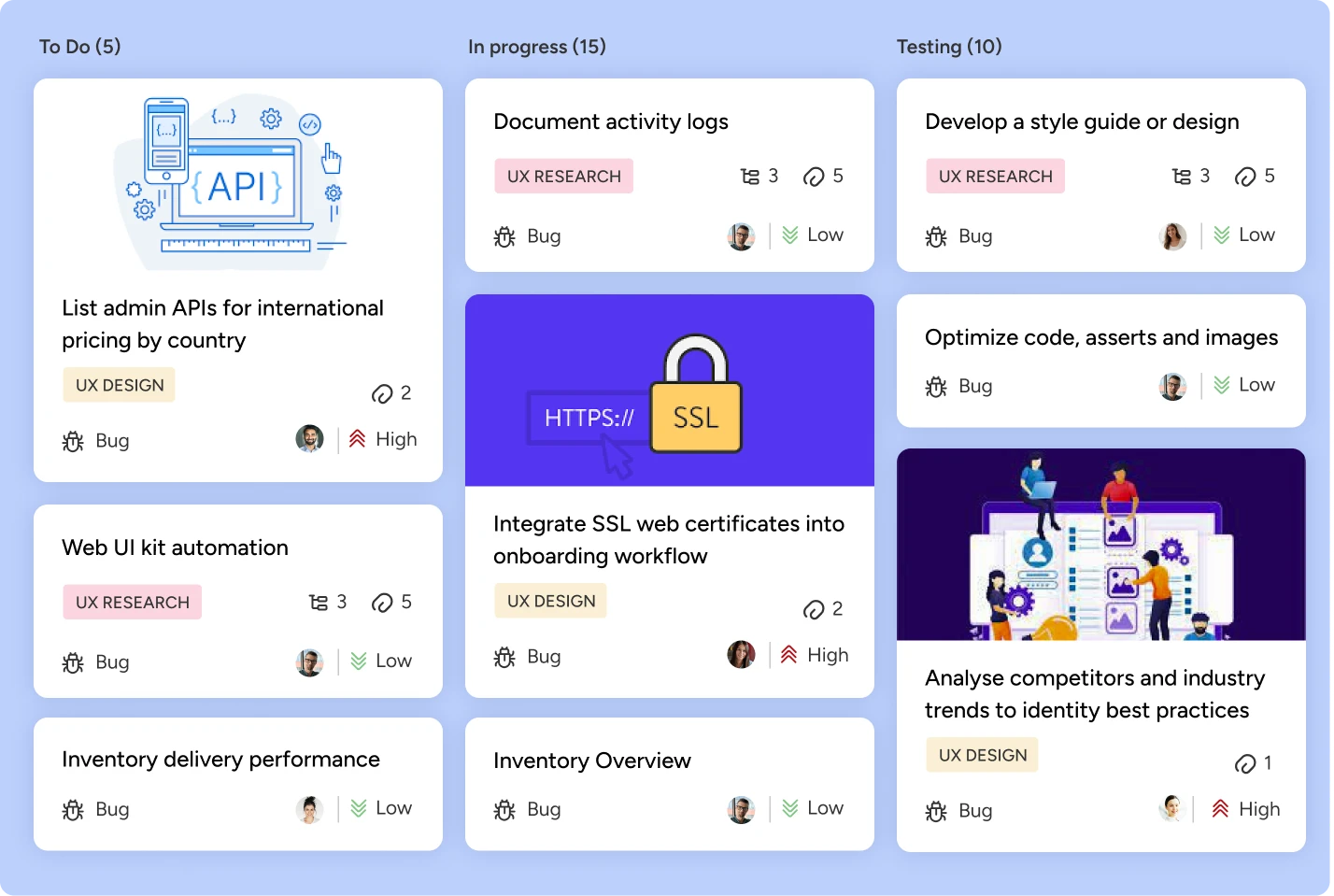
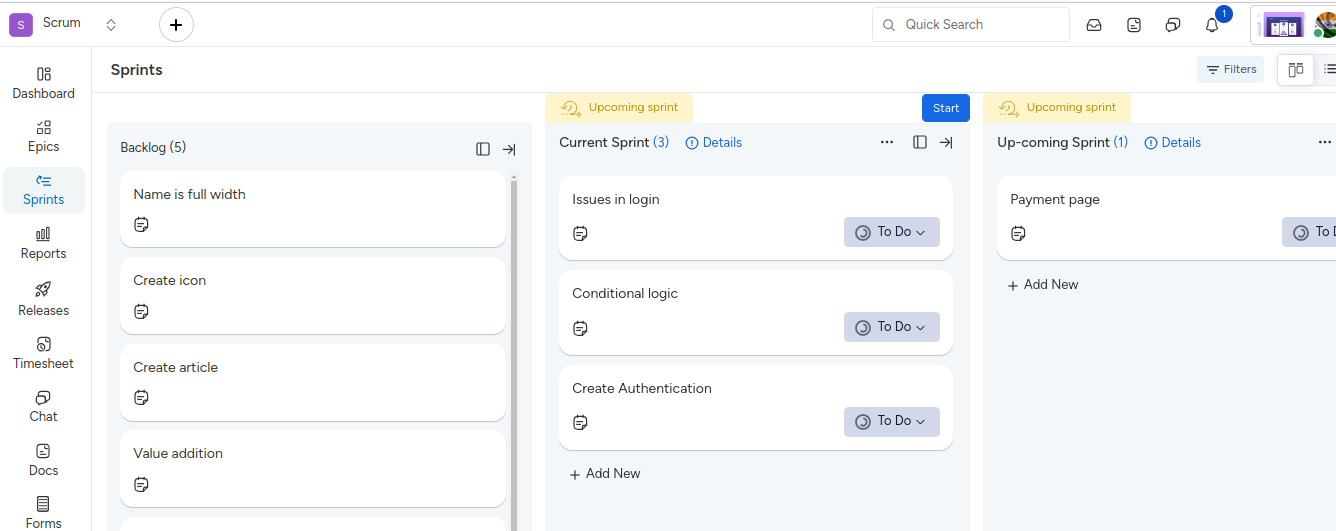
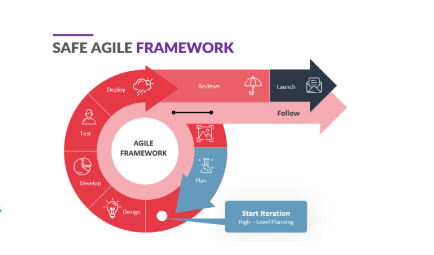
With KiteSuite, teams can embrace agile principles and practices, facilitating iterative development and continuous improvement. The platform offers features such as sprint planning, backlog management, and task tracking, empowering teams to plan, prioritize, and execute tasks effectively within the agile framework.

C. Resource Allocation and Tracking
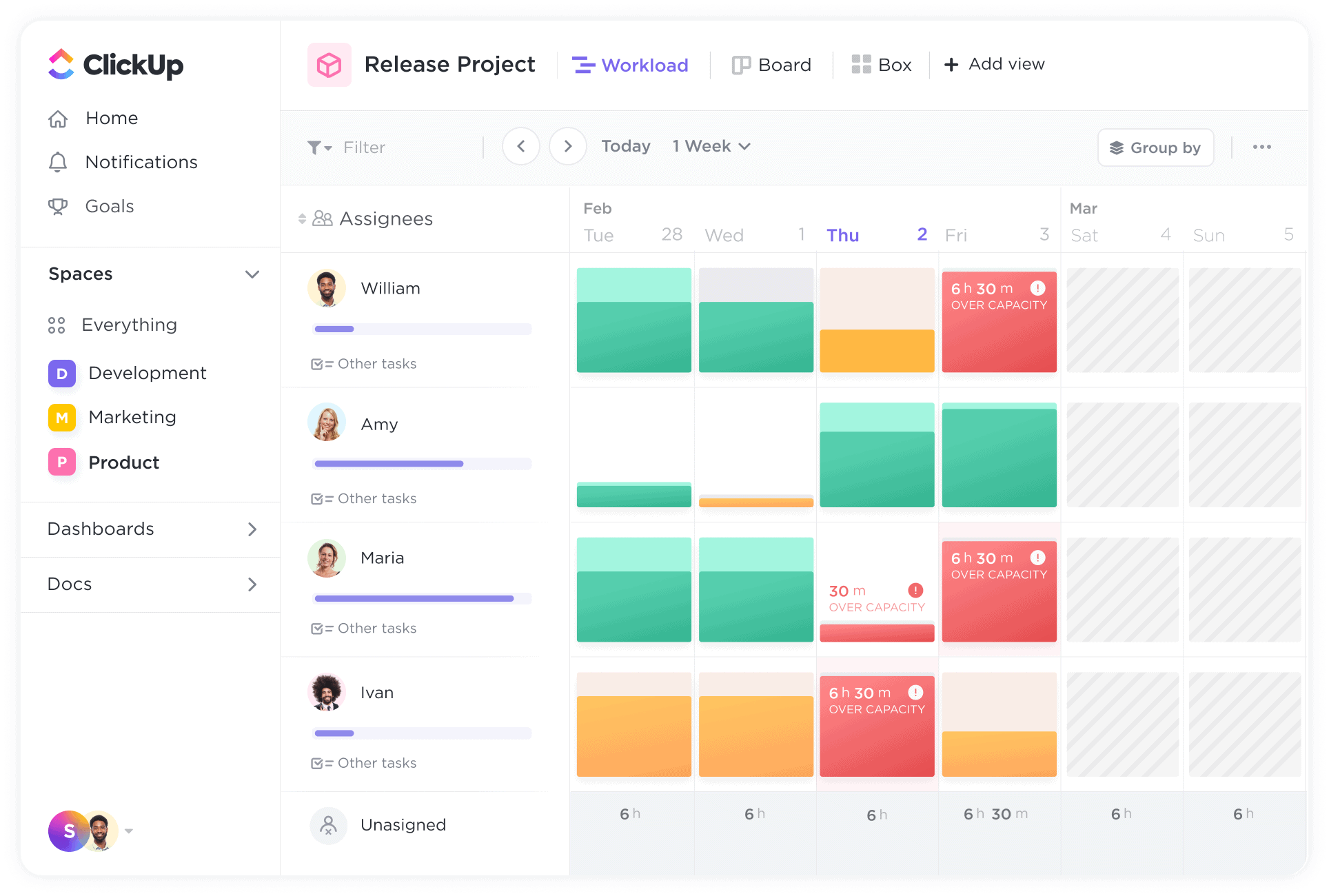
Efficient resource allocation is essential for project success. KiteSuite provides tools for allocating resources, tracking progress, and managing workloads effectively. Teams can assign tasks, set deadlines, and monitor progress in real-time, ensuring that resources are utilized optimally and projects stay on track.

Facilitating Collaboration and Communication

KiteSuite recognizes this importance and offers a comprehensive suite of collaboration tools to enhance communication, foster teamwork, and drive project success. Let’s delve deeper into how KiteSuite facilitates collaboration.

A. Real-Time Chat and Messaging
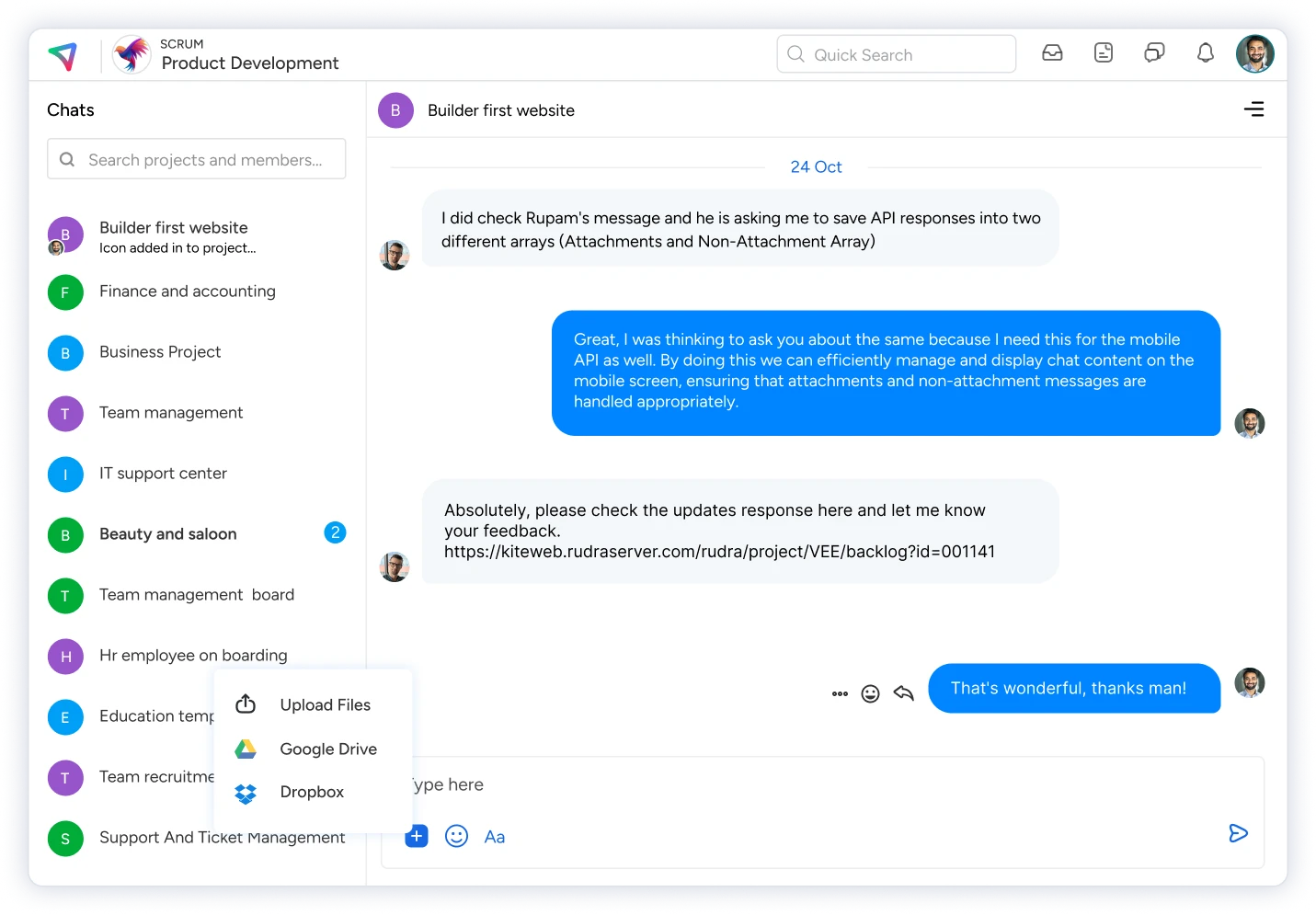
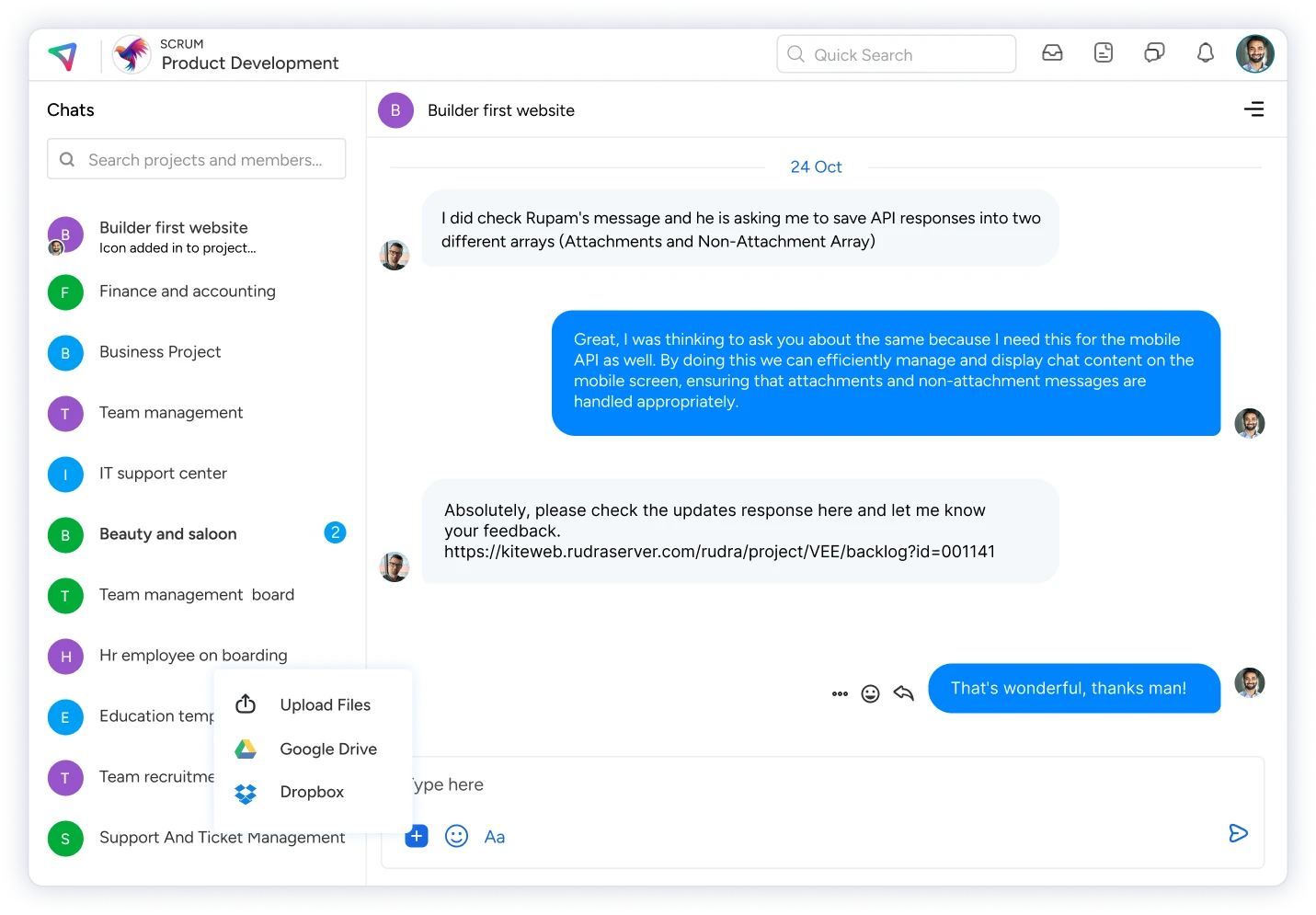
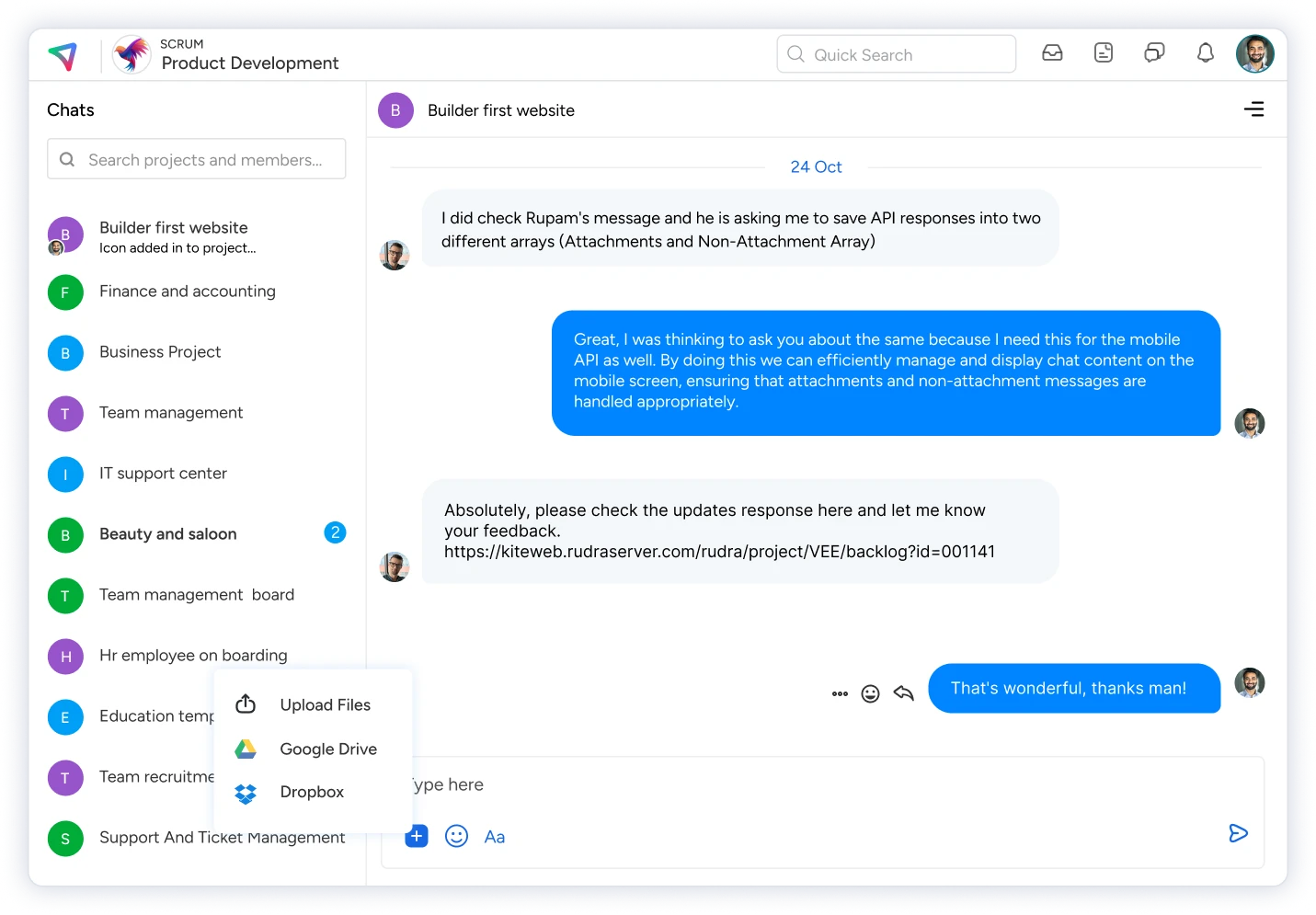
In today’s fast-paced work environment, timely communication is key to keeping projects on track. KiteSuite’s integrated chat and messaging features enable team members to communicate in real-time, facilitating seamless collaboration regardless of geographical location or time zone.

B. Agile Planning and Execution
With KiteSuite, teams can embrace agile principles and practices, facilitating iterative development and continuous improvement. The platform offers features such as sprint planning, backlog management, and task tracking, empowering teams to plan, prioritize, and execute tasks effectively within the agile framework.

Whether it’s discussing project requirements, sharing updates, or seeking feedback, team members can engage in meaningful conversations within the KiteSuite platform. By providing a centralized communication channel, KiteSuite empowers teams to stay connected, aligned, and focused on achieving project objectives.

C. Enhanced Collaboration Through Shared Workspaces
KiteSuite empowers teams to create shared workspaces, providing a centralized hub for collaboration and information sharing. Within these shared workspaces, team members can access project documents, share files, and collaborate on tasks seamlessly. Shared workspaces foster transparency, accountability, and teamwork, enabling team members to work together towards common goals effectively. By providing a centralized platform for collaboration, KiteSuite enhances communication, accelerates decision-making, and drives project success.

Organizing Workspaces and Projects

Central to effective project management is the ability to organize workspaces and projects efficiently. KiteSuite introduces the concept of workspaces, providing users with a structured framework for organizing projects and resources. Let’s explore how KiteSuite simplifies workspace organization:

A. Workspace Creation and Management
KiteSuite allows users to create and manage multiple workspaces, each serving as a dedicated space for organizing related projects and resources. Users can customize workspace settings, invite team members, and define access permissions, ensuring that projects are managed securely and efficiently.

B. Project Categorization and Grouping
Within each workspace, users can categorize and group projects based on their specific requirements. KiteSuite provides tools for organizing projects into folders, tags, or categories, making it easy to locate and manage projects within the workspace. With customizable sorting and filtering options, users can personalize their workspace organization to suit their workflow preferences.

C. Task Hierarchies and Dependencies
KiteSuite enables users to create task hierarchies and dependencies, allowing teams to visualize project workflows and identify critical path activities. Users can define parent-child relationships between tasks, set dependencies, and establish task priorities, ensuring that projects progress smoothly and efficiently.

Getting Insights with Reports and Analytics

Data-driven decision-making is essential for optimizing project performance and driving project quality. KiteSuite offers a range of reports and analytics tools to help teams gain valuable insights into project progress, performance, and trends. Let’s explore how KiteSuite empowers teams with actionable insights:

A. Burndown Reports and Progress Tracking
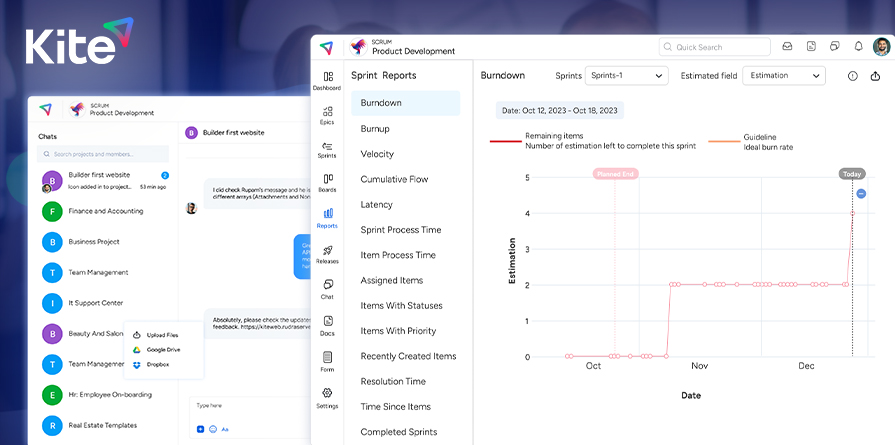
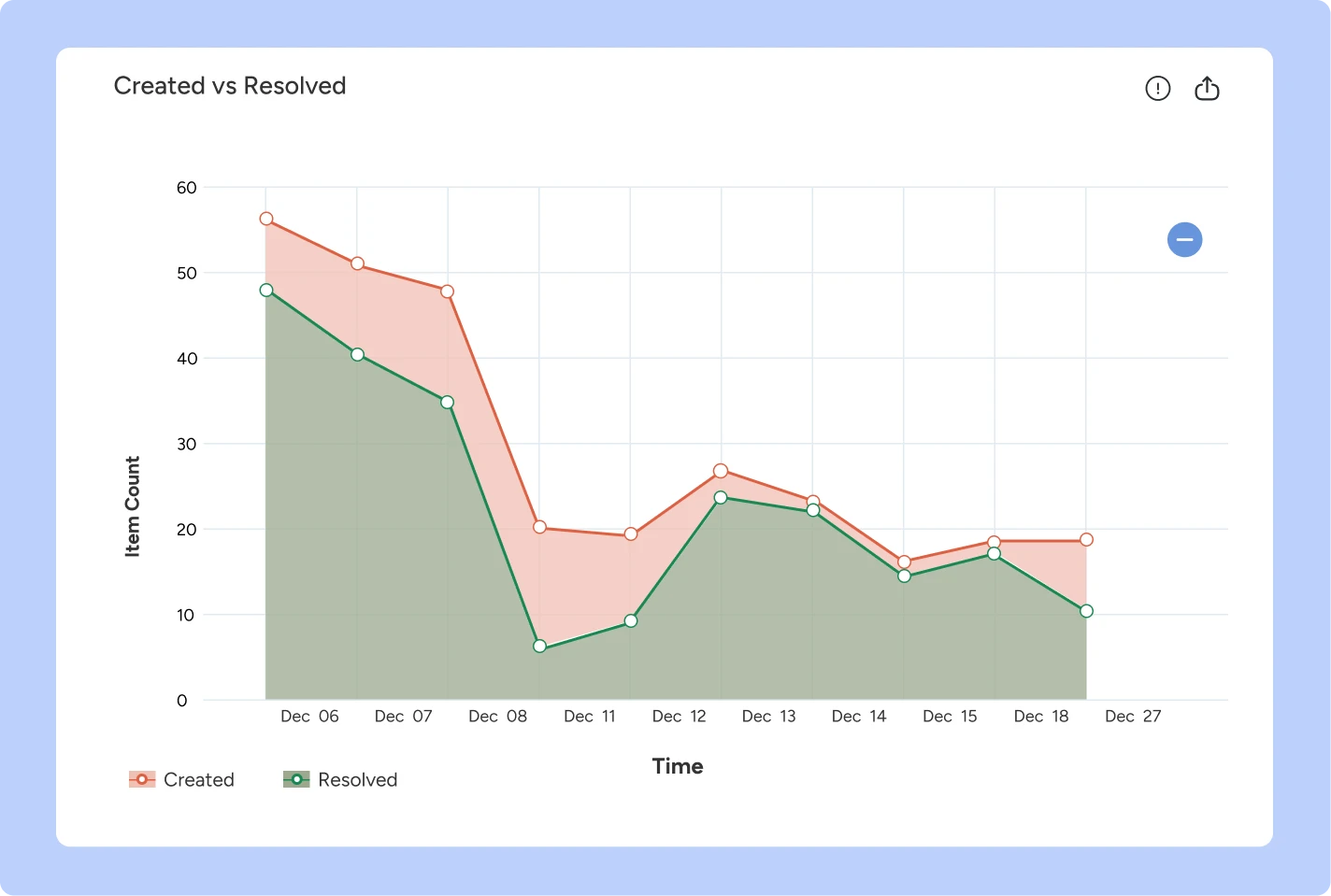
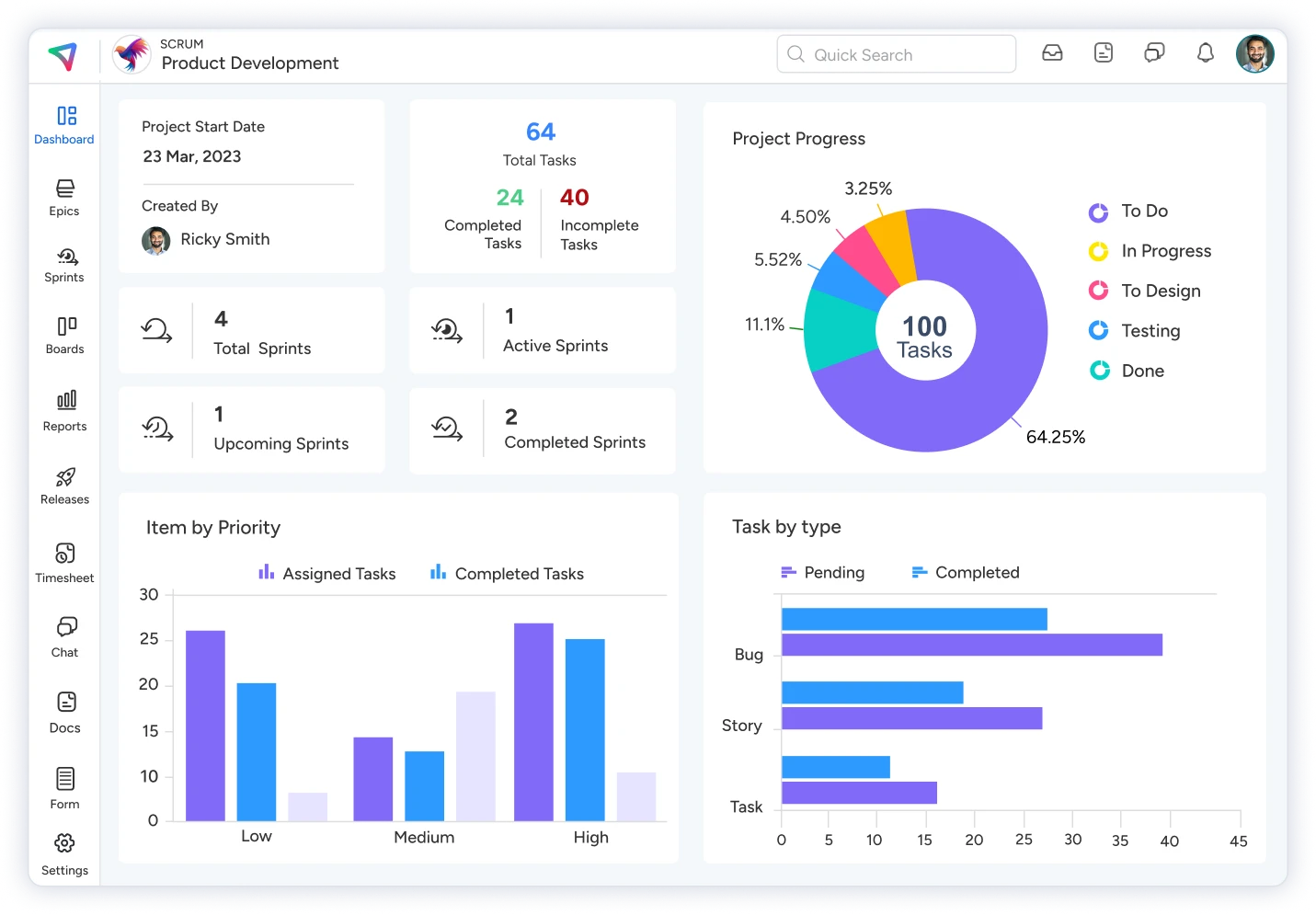
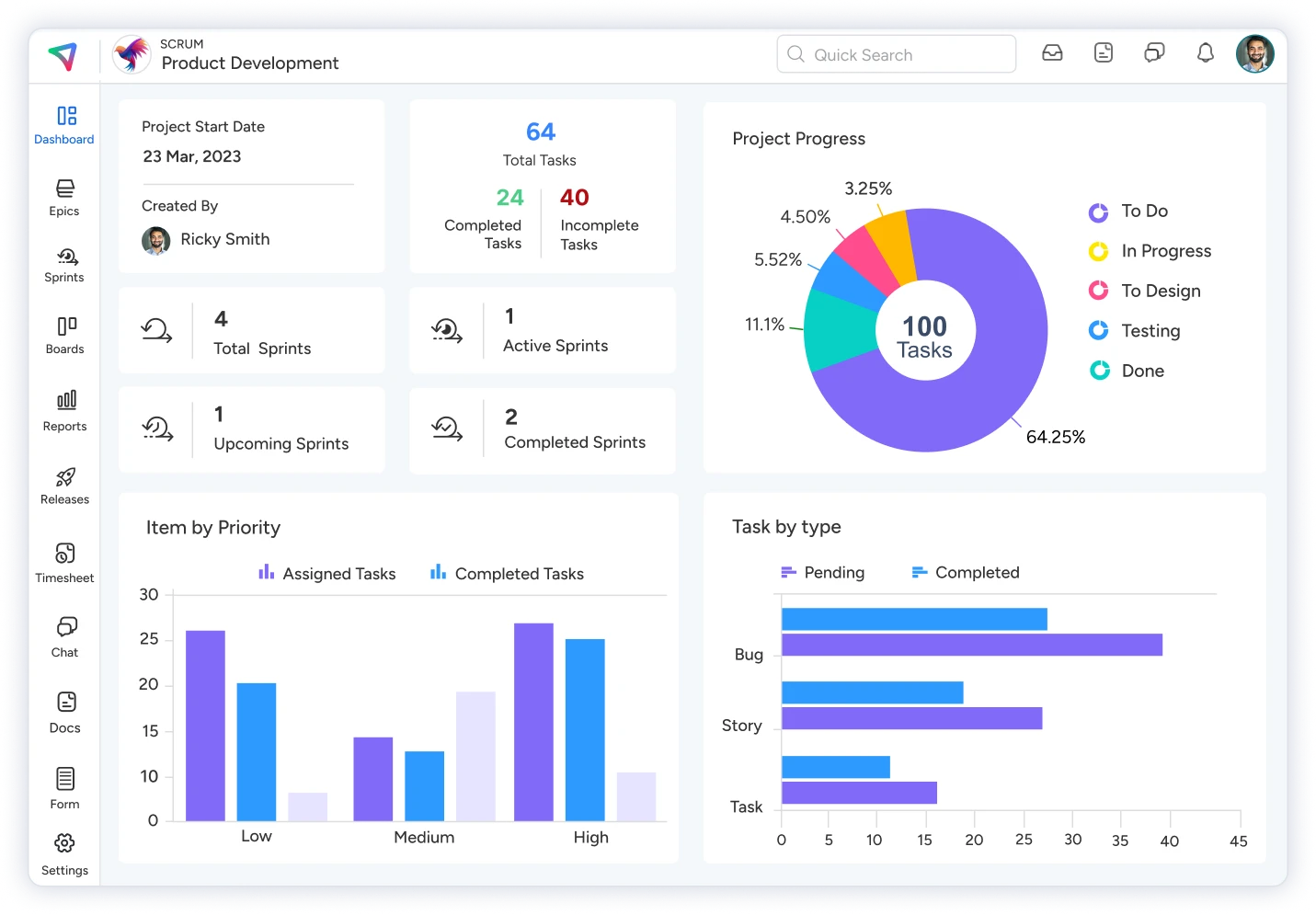
KiteSuite’s burndown reports provide teams with a visual representation of project progress over time. By tracking key metrics such as remaining work, completed tasks, and velocity, teams can monitor project performance, identify bottlenecks, and adjust plans accordingly. Burndown reports enable teams to stay on top of project timelines and ensure timely delivery of project milestones.

B. Resource Utilization and Workload Analysis
KiteSuite’s resource utilization reports offer insights into how resources are allocated and utilized across projects. By analyzing resource allocation, workload distribution, and task assignments, teams can optimize resource utilization, identify potential resource constraints, and make informed decisions about resource allocation. Resource utilization reports enable teams to balance workloads, prevent resource bottlenecks, and optimize project outcomes.

C. Team Performance Metrics and KPIs
KiteSuite’s team performance metrics provide valuable insights into team productivity, efficiency, and collaboration. By tracking key performance indicators (KPIs) such as task completion rates, cycle times, and team velocity, teams can assess team performance, identify areas for improvement, and implement strategies to enhance productivity and collaboration. Team performance metrics enable teams to optimize workflows, foster collaboration, and drive continuous improvement across projects.

Ensuring Cross-Platform Accessibility

Enhancing Project Quality Management with KiteSuite

In today’s digital age, where remote work and flexibility are increasingly prevalent, teams require project management solutions that offer seamless accessibility across various platforms. KiteSuite recognizes this need and provides cross-platform accessibility, ensuring that users can access their projects and collaborate with team members anytime, anywhere. Let’s delve deeper into how KiteSuite ensures seamless accessibility:

A. Desktop Application
KiteSuite’s desktop application delivers a native desktop experience, empowering users to access projects, collaborate with team members, and manage tasks directly from their desktop computers. The desktop application offers a familiar interface, reminiscent of traditional desktop software, providing users with a comfortable and intuitive environment for project management. Moreover, the desktop application boasts robust performance and offline capabilities, allowing users to remain productive and connected even in offline environments. Whether in the office or on the go, users can rely on KiteSuite’s desktop application to streamline project management tasks and stay on top of project progress.

B. Web Application
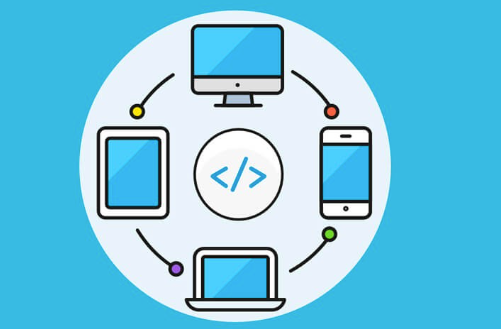
Complementing its desktop counterpart, KiteSuite’s web application offers browser-based access to projects and workspaces, catering to users who prefer a more lightweight and versatile approach to project management. The web application enables users to manage projects, collaborate with team members, and access project resources from any web-enabled device, including laptops, tablets, and smartphones. With its responsive and intuitive user interface, the web application ensures a consistent user experience across devices, allowing users to seamlessly transition between desktop and mobile environments. Whether in the office, at home, or on the move, users can rely on KiteSuite’s web application to stay connected, productive, and informed.

C. Mobile Application
Recognizing the prevalence of mobile devices in today’s work landscape, KiteSuite extends its project management capabilities to mobile devices through its dedicated mobile application. The mobile application empowers users to stay connected and productive on the go, providing a streamlined user interface optimized for smaller screens.

Users can manage tasks, communicate with team members, and access project resources from their smartphones or tablets, ensuring continuity of work regardless of location. Furthermore, the mobile application offers offline access, allowing users to work uninterrupted even in areas with limited or no internet connectivity. By leveraging KiteSuite’s mobile application, users can stay productive and connected wherever they are, enhancing collaboration and enabling teams to work effectively from any location.

Simplifying Data Import and Export

Seamless data import and export capabilities are essential for interoperability and data exchange between project management tools. KiteSuite simplifies the process of importing and exporting data, ensuring smooth integration with other platforms and tools. Let’s explore how KiteSuite facilitates data import and export:

A. Importing Data
KiteSuite allows users to import data from various sources, including spreadsheets, databases, and third-party applications. Users can seamlessly import project data, task lists, and user information into KiteSuite, ensuring that all relevant data is centralized within the platform. By simplifying the data import process, KiteSuite enables users to quickly onboard new projects and transition existing data into the platform with ease.

B. Exporting Data
Similarly, KiteSuite enables users to export data from the platform to external sources and formats. Users can export project data, reports, and analytics in formats such as CSV, Excel, PDF, and JSON, facilitating data exchange and collaboration with external stakeholders. By providing flexible export options, KiteSuite ensures that users can share project information effectively and integrate seamlessly with other tools and systems.

C. Integration with Third-Party Platforms
KiteSuite offers integration capabilities with third-party platforms and tools, allowing users to streamline data exchange and interoperability. Users can integrate KiteSuite with popular project management tools, collaboration platforms, and productivity software, ensuring seamless connectivity and data synchronization across systems. By fostering integration with third-party platforms, KiteSuite enhances collaboration, productivity, and flexibility for users.

Project management and Quality Assurance

In a nutshell,, KiteSuite emerges as a comprehensive project management solution that empowers teams to streamline project management processes, foster collaboration, and gain valuable insights to drive project quality and success. With its intuitive interface, robust feature set, and cross-platform accessibility, KiteSuite enables teams to manage projects effectively, communicate seamlessly, and make informed decisions based on actionable insights.

By simplifying data import and export, KiteSuite ensures interoperability and integration with other tools and systems, further enhancing its value proposition for users. As organizations strive to deliver high-quality projects in today’s competitive landscape, KiteSuite stands out as a trusted partner, enabling teams to achieve their project management goals and drive business success.


Get started now!

Project Risk Management: Top 10 Risk Management Software 2024

In today’s dynamic business environment, being able to anticipate and mitigate risks is crucial for success

Navigating the complexities of running a business or managing a large project often feels like venturing into uncharted territory armed with nothing but stone knives and bearskins. Every decision carries the weight of potential consequences, and a misstep could lead to disastrous outcomes.

But fear not, project risk management offers a strategic approach to navigate uncertainties. It is not about eliminating risks entirely – that would be as futile as attempting a tightrope walk without any experience. Instead, it’s about identifying, analyzing, and mitigating risks to minimize their impact and increase the likelihood of project success.

In this article, we’ll equip you with the top 15 risk management software useful to effectively manage risks throughout your project lifecycle.

From identifying potential risks to implementing proactive strategies, we’ll explore every facet of risk management, empowering you to confidently steer your project towards its desired outcomes.

What is Project Risk

Project risk management is a systematic process of identifying, analyzing, and mitigating, avoiding, or responding to potential risks that could jeopardize the success of a project.

It involves recognizing uncertainties that could arise during the course of a project and taking proactive measures to mitigate their adverse effects, ensuring the smooth progression towards project objectives without encountering significant setbacks.

These risks can manifest in various forms, from the mundane to the monumental. Simple precautions, such as regularly backing up project files to safeguard against computer malfunctions, exemplify the basic principles of risk management.

Conversely, large-scale endeavors, like conducting aerial mapping and 3D laser scanning to meticulously survey the terrain for a construction project, underscore the thoroughness required to mitigate substantial risks effectively.

Who is responsible for risk management?

Opposite to the common misconception where people think only the project manager or only the quality engineer is responsible for risk management, it is in fact a team responsibility.

Everyone involved in the project is equally responsible for identifying, evaluating, and mitigating project risks. During the concept phase, which precedes the formal launch of a project, overarching or high-level risks are often addressed concurrently with the clarification of project scope and objectives.

As the project progresses through initiation and planning stages, and subsequently into execution, monitoring, and control phases, the process of risk management continues to evolve and new risks invariably emerge throughout the project’s lifecycle.

Risk management is not a one-time exercise but an ongoing process. By maintaining a proactive stance towards risk identification and response, project teams can adapt swiftly to evolving circumstances and enhance the likelihood of project success.

Risk Management Components

The risk management process is a comprehensive and iterative approach aimed at identifying, analyzing, prioritizing, assigning ownership, planning for, and monitoring risks throughout the project lifecycle.

Let’s break down each component in detail

KiteSuite offers you all the tools to effectively mitigate risks with transparency and team collaboration.

With KiteSuite, every team member can identify, flag, and contribute to the risk issue log board. This transparency empowers teams to collaborate seamlessly, ensuring that no risk goes unnoticed or unaddressed.

Top 10 Risk Management Software 2024

KiteSuite

KiteSuite: an essential Risk Management tool

KiteSuite is your comprehensive solution for risk management, offering a robust range of features designed to streamline project management and enhance collaboration. With KiteSuite, you can effortlessly monitor project updates, manage risks, and collaborate with your team—all within a single, integrated workspace.

Experience the full potential of work management with KiteSuite, offering a feature-rich platform tailored to meet the needs of diverse teams across industries. From dynamic brainstorming forms facilitated by KiteSuite’s digital interface to the creation of comprehensive collaborative Docs, your KiteSuite Workspace transcends the limitations of traditional risk management software.

Equipped with essential features like assigned comments, real-time chat, task history, and dynamic reporting, KiteSuite empowers you to maintain seamless organization and informed decision-making. By averting overscheduling and addressing potential risk factors in real time, KiteSuite ensures that your organization operates with maximum efficiency and confidence. Here’s how.

KiteSuite’s Standout Features for Risk Management: Seamlessly integrating project management and collaboration into one dynamic solution, with KiteSuite, not only can you proactively address potential risks, but your team also fosters a sense of accountability and ownership over their tasks.

Dashboards: Experience the epitome of project oversight with KiteSuite’s Dashboards—an all-encompassing control center for project management.

From tables to external app integrations, workload tracking, roadmaps, custom charts, and more, every element is designed to empower you with actionable insights and unparalleled visibility. Harness the power of Dashboards to master every project detail and anticipate potential risks with precision.

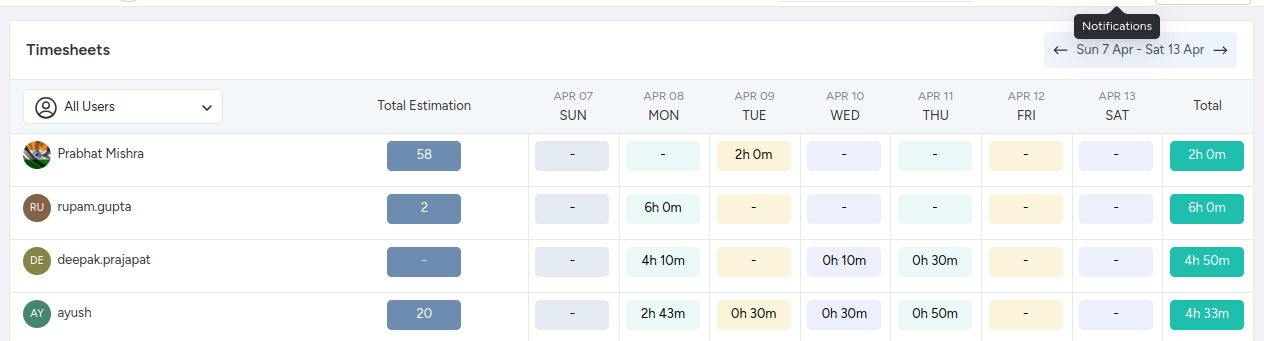
Time Tracking with KiteSuite: Experience the power of native time tracking with KiteSuite—a game-changer in reclaiming lost productivity and maximizing efficiency. Say goodbye to aimless task immersion and hello to strategic time management.

KiteSuite’s robust time tracking capabilities offer more than just basic stopwatch functionality. From setting precise time estimates to monitoring task progress and even tracking time across web browsers, KiteSuite empowers you to take control of your workflow like never before.

Gain insights into your time utilization with comprehensive reports that provide a consolidated view of all time spent on tasks and subtasks. By understanding how time is allocated, you can identify inefficiencies, optimize resource allocation, and mitigate potential risks.

Unlock the key to enhanced productivity and informed decision-making—because every second counts.

Real-Time Chat: Immerse yourself in seamless collaboration with KiteSuite’s real-time chat feature—an indispensable tool for fostering instant communication and enhancing team synergy.

Say goodbye to delays and email clutter—KiteSuite’s real-time chat keeps conversations flowing effortlessly, ensuring that no message goes unnoticed or task remains unaddressed.

Whether you’re brainstorming ideas, seeking quick clarifications, or sharing critical updates, the real-time chat feature empowers your team to stay connected and productive.

Experience the convenience of instant communication within KiteSuite’s unified platform, eliminating the need for multiple communication tools and streamlining your workflow.

With real-time chat, you can resolve issues swiftly, make decisions collaboratively, and mitigate risks proactively—because every moment counts in today’s fast-paced work environment.

Customized Templates: Dive into KiteSuite’s treasure trove of customizable templates—where possibilities abound! With custom templates at your fingertips, including specialized options for risk management, KiteSuite ensures that your team is equipped to tackle challenges and achieve goals with unparalleled efficiency.

Explore a diverse array of templates, ranging from dynamic Kanban boards and interactive List view to comprehensive Workspace and Project Docs, Mind Maps, and dynamic charts. KiteSuite’s templates cater to users of all skill levels, offering free templates tailored to every need.

Can’t find the exact template you’re looking for? No worries! With KiteSuite, you have the flexibility to customize pre-built templates or save your own processes, tasks, or views as templates within your Workspace—streamlining your workflow with just a few clicks.

KiteSuite Detailed Pricing

Keep your project risk in check and deliver value without any delays with KiteSuite pricing plans:

Introducing TimeCamp

an indispensable online timer app designed to help you track time effectively and mitigate potential risks before they escalate. With a comprehensive suite of built-in features, TimeCamp empowers you to stay ahead of project timelines and budget constraints with ease.

Top TimeCamp Features

Easy and Insightful Reports: Gain valuable insights into project profitability and budget tracking through intuitive reporting features.

One-Click Timesheet Approvals: Streamline the approval process with seamless one-click timesheet approvals, ensuring efficient workflow management.

Pros of TimeCamp

Effortless Expense Control: Simplify expense management and control leakage effortlessly, enhancing financial transparency.

Free Plan for Up to 5 Seats: Access essential features for free with unlimited users, projects, and tasks across both desktop and mobile apps.

Cons of TimeCamp

Occasional Loading Delays: Experience occasional sluggishness when loading content, impacting user experience.

Room for Mobile App Improvement: Although functional, the mobile app could benefit from enhancements to optimize usability.

TimeCamp Pricing Plans

Free Plan: Unlimited users, projects, and tasks, with access to both mobile and desktop apps.

Basic ($6.3/user/month)

Pro ($9/user/month)

Introducing A1 Tracker

an intuitive risk management software engineered to streamline your risk assessment processes with ease. Boasting numerous features including threat and risk assessments, alerts, log history tracking, risk audits, web portal integration, risk ratings, and more, A1 Tracker empowers organizations to mitigate risks effectively.

Top A1 Tracker Features

Workflow Automation: Simplify data review and approval processes with automated workflows, enhancing efficiency and accuracy.

Real-Time Notifications: Stay informed with automatic real-time alerts, ensuring timely response to emerging risks and threats.

Flexible Hosting Options: Choose from web-based, cloud hosting, or on-premise hosting solutions to suit your organization’s specific needs and preferences.

Pros of A1 Tracker

Unmatched Flexibility: Enjoy unparalleled flexibility and customization options, allowing you to tailor the software to your unique requirements.

Comprehensive Reporting: Access detailed reports to gain valuable insights into risk management performance and trends.

Seamless Adaptability: Effortlessly transition from existing solutions with A1 Tracker’s seamless adaptability and migration support.

Cons of A1 Tracker

Custom View Challenges: Some users have reported difficulties in building custom views, potentially impacting user experience.

A1 Tracker Pricing

For detailed pricing information, please contact A1 Tracker.

Discover CURA

an all-encompassing governance, risk, and compliance management solution designed to address the diverse array of threats faced by organizations. Whether predictable, recurring, or stealthy, CURA’s risk monitoring tools are engineered to track ongoing and resurfacing risks with precision.

Key Features of CURA

Configurable Risk Reporting: Leverage CURA’s flexible dashboards to tailor risk reporting to your organization’s unique requirements, providing invaluable insights into the probability of impact across industries.

Objectives Monitoring: Monitor the risks and performance of every team member with CURA’s Objectives feature, ensuring alignment with organizational goals and objectives.

Visually Interactive Reports: Gain actionable insights through visually engaging reports presented in various formats including graphs, tables, and lists, facilitating informed decision-making.

Pros of CURA

Comprehensive Vulnerability Assessment: Conduct vulnerability assessments at every stage of your project, enabling proactive risk management and mitigation strategies.

Versatile Report Exporting: Seamlessly export reports in multiple formats including PDF, Excel Spreadsheets, Word documents, and email, enhancing accessibility and sharing capabilities.

Risk Remediation and Internal Auditing: Empower your organization with robust risk remediation tools and internal risk-based auditing functionalities, ensuring compliance and accountability.

Cons of CURA

Steep UI Learning Curve: Some users may experience challenges with the initial learning curve of CURA’s user interface, requiring dedicated time and effort for mastery.

CURA Pricing

For detailed pricing information, please contact CURA directly through their support team.

Risk Cloud

Step into the future of risk management and compliance assessments with Risk Cloud—a revolutionary platform by LogicGate. Say goodbye to the chaos of scattered emails and cumbersome spreadsheets as Risk Cloud offers a centralized, streamlined, and no-code environment for all your risk and compliance activities.

Top Features of Risk Cloud

Graphic Database: Experience unparalleled agility and flexibility with Risk Cloud’s graphic database, allowing you to adapt effortlessly as projects evolve. Configure it to tackle mission-critical issues such as IT and third-party risk management with ease.

30+ Apps: Access over 30 apps designed for common Governance, Risk, and Compliance (GRC) use cases, ensuring comprehensive coverage of your organization’s risk landscape.

Custom Integrations: Seamlessly integrate Risk Cloud with your existing systems and tools, maximizing efficiency and collaboration across your organization.

Pros of Risk Cloud

Comprehensive Record-keeping: Benefit from a robust record-keeping and governance structure, ensuring compliance and accountability at every step of the risk management process.

Intuitive UI: Navigate Risk Cloud with ease thanks to its intuitive user interface, empowering users to focus on managing risks rather than grappling with complex software.

Cons of Risk Cloud

Limited Reporting Functionality: While Risk Cloud excels in many areas, some users may find its reporting functionality to be somewhat limited in scope.

Risk Cloud Pricing

For detailed pricing information, please reach out to the Risk Cloud support team.

Enter the world of streamlined credit management with Lendflow

a comprehensive credit platform designed to empower companies in embedding and launching credit-based products swiftly. By expediting the capital connection process, Lendflow alleviates the burdens associated with initiating credit products, ensuring a seamless journey for clients.

Top Features of Lendflow

Embedded Credit Tools: Seamlessly integrate credit tools into your offerings with Lendflow’s embedded credit platform, facilitating faster access to capital and simplifying the launch of credit-based products.

Pre-built Application Widgets: Utilize pre-built application widgets to streamline the credit application process, enhancing user experience and accelerating approvals.

Real-time Alerts: Keep customers informed with real-time alerts on terms and offers, ensuring transparency and fostering trust.

Advanced Data Security: Safeguard sensitive information with advanced data security measures, providing peace of mind for both you and your customers.

Re-share Component: Leverage the re-share component to drive additional revenue through commission opportunities, expanding your earning potential.

Pros of Lendflow

Customizable UI: Tailor the user interface to align with your brand voice, creating a cohesive and engaging user experience for your customers.

Bank-level Security: Rest assured with bank-level security protocols in place, guaranteeing the protection of your data and that of your clients.

Third-party Integrations: Seamlessly integrate with various third-party tools and services, enhancing the functionality and versatility of Lendflow.

Cons of Lendflow

Limited Online Resources: While Lendflow offers robust features, users may find resources and guides to be somewhat limited online, potentially impacting the learning curve.

Lendflow Pricing

For detailed pricing information, please reach out to the Lendflow support team.

Project Risk Manager

a user-friendly solution that prioritizes simplicity without sacrificing functionality. While easy to install, set up, and use, Project Risk Manager boasts a robust user interface with deep functionality, allowing organizations to navigate risks with confidence.

Top Features of Project Risk Manager

Pre-set Impact Categories: Streamline risk prioritization with pre-set impact categories and rank descriptions, ensuring efficient identification and management of potential threats.

Multiple Installation Copies: Benefit from the flexibility of multiple installation copies and a secure database, enhancing scalability and data security.

Automatic Risk Alerts: Stay ahead of potential risks with automatic risk alerts, enabling timely intervention and mitigation efforts.

Customizable Parameters: Tailor Project Risk Manager to your organization’s specific needs with customizable parameters, empowering you to adapt the tool to your unique requirements.

Pros of Project Risk Manager

Powerful Risk Management Applications: Harness the power of Project Risk Manager’s robust risk management applications and analysis features, facilitating comprehensive risk assessment and mitigation strategies.

Organized Risk Aggregation: Aggregate risks in an organized manner for swift action, ensuring that potential threats are addressed promptly and effectively.

Cons of Project Risk Manager

Desktop-only App: Project Risk Manager is limited to desktop use, potentially limiting accessibility for users who require mobile access.

Cost Considerations: The cost of purchasing, licensing, and training team members on Project Risk Manager may be a factor for some organizations, requiring careful budget planning.

Parameter Configuration Challenges: Setting the correct parameters for your team may pose challenges initially, necessitating thorough training and support.

Project Risk Manager Pricing

Free Plan (Up to 5 Members).

Pro Plan ($19/month Hosting + $1 per Member/Day).

LogicManager

an advanced platform equipped with state-of-the-art taxonomy technology, offering over 100 package variations tailored to your team’s specific needs. LogicManager is designed to enhance business performance by providing accurate insights and actionable data.

Top Features of LogicManager

To-Do Lists: Streamline risk management tasks with intuitive to-do lists, ensuring that critical activities are monitored and addressed promptly.

Pre-built, Configurable Risk Libraries: Boost threat detection capabilities with pre-built, configurable risk libraries, enabling organizations to identify and mitigate risks effectively.

Taxonomy Technology: Visualize dependencies and relationships with LogicManager’s taxonomy technology, facilitating a deeper understanding of risk factors and their interconnections.

Excellent Support: Benefit from exceptional support provided by account analysts, ensuring that organizations receive timely assistance and guidance when needed.

Single-Place Platform: Access accurate and actionable data from a centralized platform, empowering organizations to make informed decisions based on comprehensive insights.

Product Evolution: Stay ahead with regular product updates, allowing organizations to evolve and adapt to changing risk management needs seamlessly.

Pros of LogicManager

Comprehensive Feature Set: LogicManager offers a comprehensive feature set that caters to various risk management needs, ensuring that organizations can address a wide range of challenges effectively.

Centralized Data: Access all relevant data from a single platform, reducing complexity and enhancing efficiency in risk management processes.

Continuous Improvement: Benefit from ongoing improvements and updates, ensuring that LogicManager remains at the forefront of operational risk management technology.

Cons of LogicManager

Large Organization Limitations: Some features may not be as beneficial for large organizations with complex risk management requirements, potentially limiting their effectiveness.

Workflow Integration and Reporting: Integrated workflows and out-of-the-box reporting functionalities may require enhancements to meet the specific needs of some organizations.

LogicManager Pricing

For detailed pricing information, please contact LogicManager.

nTask

Say goodbye to complexity and embrace simplicity with nTask—a user-friendly project management solution designed to streamline risk management with ease. With its intuitive dashboard and pleasant neutral tones, nTask offers a refreshing approach to security risk management, allowing users to prioritize issues, assess potential risks, and delegate tasks efficiently.

Top Features of nTask

Custom Risk Matrix: Perform appropriate risk analysis with nTask’s custom risk matrix, providing a comprehensive overview of potential risks and their impact.

Search and Filters: Easily locate assets and tasks with robust search and filter functionalities, ensuring efficient task management and organization.

Custom Categorization: Accelerate management processes with custom categorization options, enabling users to categorize tasks for faster identification and action.

Risk Assessment Features: Identify potential issues and mitigate risks effectively with nTask’s risk assessment features, empowering teams to proactively manage project risks.

Intuitive UI: Navigate nTask effortlessly with its intuitive user interface, minimizing the learning curve and maximizing productivity.

Time Tracking and Kanban Boards: Track time and visualize workflows with nTask’s time tracking and Kanban board functionalities, enhancing transparency and collaboration.

Pros of nTask

Affordability: Enjoy the benefits of robust risk management features at an affordable price point, making nTask accessible to teams of all sizes.

Cons of nTask

Limited Integrations: nTask may have limited integration options with popular apps like Zoom, potentially limiting interoperability with existing tools and workflows.

Steep Learning Curve: Adjusting to nTask’s workflow and features may pose a steep learning curve for some users, requiring dedicated time and effort for mastery.

Challenges with Report Creation: Creating reports in nTask may be challenging for some users, impacting the ability to generate comprehensive project insights.

nTask Pricing

Free Trial: Free Trial is available

Premium ($3/month)

Business ($8/month)

Qualys

Qualys is a comprehensive software solution designed to identify and mitigate risk exposure across your organization. With its dedicated system, Qualys excels at uncovering even the smallest risk possibilities, enabling proactive problem-solving and risk mitigation.

Top Features of Qualys

Continuous Discovery: Inventory all your assets across a global hybrid-IT ecosystem with Qualys’ continuous discovery capabilities, ensuring comprehensive coverage of your infrastructure.

Powerful Search Tool: Locate assets swiftly and efficiently using Qualys’ powerful search tool, facilitating quick access to critical information.

Custom Tagging: Organize assets effectively with custom tagging capabilities, enhancing organization and streamlining asset management processes.

Customization Abilities: Enjoy some customization abilities with Qualys, allowing organizations to tailor the platform to their specific needs and requirements.

Unified Access: Access all apps from a single page with Qualys, simplifying navigation and enhancing user experience.

Ease of Use: Navigate Qualys with ease thanks to its intuitive interface and user-friendly design, minimizing the learning curve for users.

Pros of Qualys

Comprehensive Coverage: Qualys offers comprehensive coverage of risk exposure, ensuring that even the smallest vulnerabilities are identified and addressed.

Unified Platform: Benefit from a unified platform where all apps are accessible from a single page, enhancing efficiency and productivity.

Ease of Use: Qualys’ intuitive interface makes it easy to navigate and use, even for users with limited technical expertise.

Cons of Qualys

UI Differences: UI may differ due to independent upgrading, potentially causing inconsistencies in user experience across different versions.

Complicated Installation Process: Qualys’ installation process may be complex, requiring careful planning and implementation.

Qualys Pricing

Please contact the Qualys support team for pricing.

Discover the ultimate risk management solution with KiteSuite

With KiteSuite, you get the best of both worlds: seamless integration with your existing tech stack and a comprehensive set of features to optimize your product and project processes. From real-time reports and budget tracking to auditing and risk identification, KiteSuite has you covered.

Top Features of KiteSuite

Customizable Dashboards: Gain insights at a glance with customizable dashboards tailored to your team’s specific needs.

Goal Tracking: Keep your projects on track by setting and monitoring goals to ensure successful outcomes.

Multiple Communication Channels: Stay connected with your team through various chat options, facilitating seamless collaboration and information sharing.

Experience the power of KiteSuite risk management.

Get started now!

A Comprehensive Guide to Project Document: Documents Types, Examples, and Templates

Long-Term Benefits of Project Documentation

Quality project documentation serves long-term value. It not only helps to ensure the success of the project, but equally important serves as a reference for future projects and initiatives!

At its core, think of your project documentation as the heartbeat of your project, connecting every aspect necessary for successfully executing the project and smooth operation.

Effective documentation strikes a balance: It must be detailed enough to drive development forward yet flexible to accommodate adjustments in response to evolving circumstances.

Let’s delve deeper into the primary types of documentation, including those often scattered across inboxes that are better organized within project management software.

If you are seeking a streamlined solution, choose KiteSuite’s Project Documentation Template. With real-time collaboration features and the ability to assign comments within documents, it’s a surefire way to kickstart your documentation process.

Understanding Project Documentation

Project documentation includes all written and visual materials detailing the steps taken throughout a project’s lifecycle. From initial scoping and planning to development, change management, and quality assurance, it provides essential context for efficient work execution, and controls the project deliverables.

Documentation fosters collaboration, facilitates communication, aids in training, and serves as a repository for problem-solving throughout the project journey.

Examples of Project Documentation and Templates

Project documentation bridges the gap between people and the information they need when they need it. From diagrams and timelines to policies, reports, meeting minutes, and project plans, a diverse array of documents paints a comprehensive picture of the project landscape.

Maintaining accurate documentation is not only crucial for tracking progress and ensuring accountability but also essential for reviews and audits.

Common Types of Project Documentation

Project Proposal: Prepared by stakeholders to secure project approval and funding, this document outlines objectives, methods, timelines, budgets, and risks.

Project Charter: A foundational document illustrating project objectives and scope, essential for guiding the project team’s work and aligning stakeholders.

Project Plan (Scope of Work): A detailed roadmap outlining project objectives, tasks, deliverables, timelines, costs, dependencies, and risk mitigation strategies. Incorporating these key documents into your project management framework lays the groundwork for success, providing clarity, alignment, and direction for all stakeholders involved.

Examples of Project Documentation with Templates

Documentation serves as the bridge connecting individuals with the right content at the right time, ensuring projects progress smoothly from inception to completion.

A myriad of documents, including diagrams, timelines, policies, reports, meeting minutes, and project plans, coalesce to offer a comprehensive overview of project endeavors. Moreover, maintaining precise documentation proves indispensable for reviews and audits, enabling meticulous tracking of progress and ensuring accountability across all stakeholders.

Below are some of the most common types of project documentation templates:

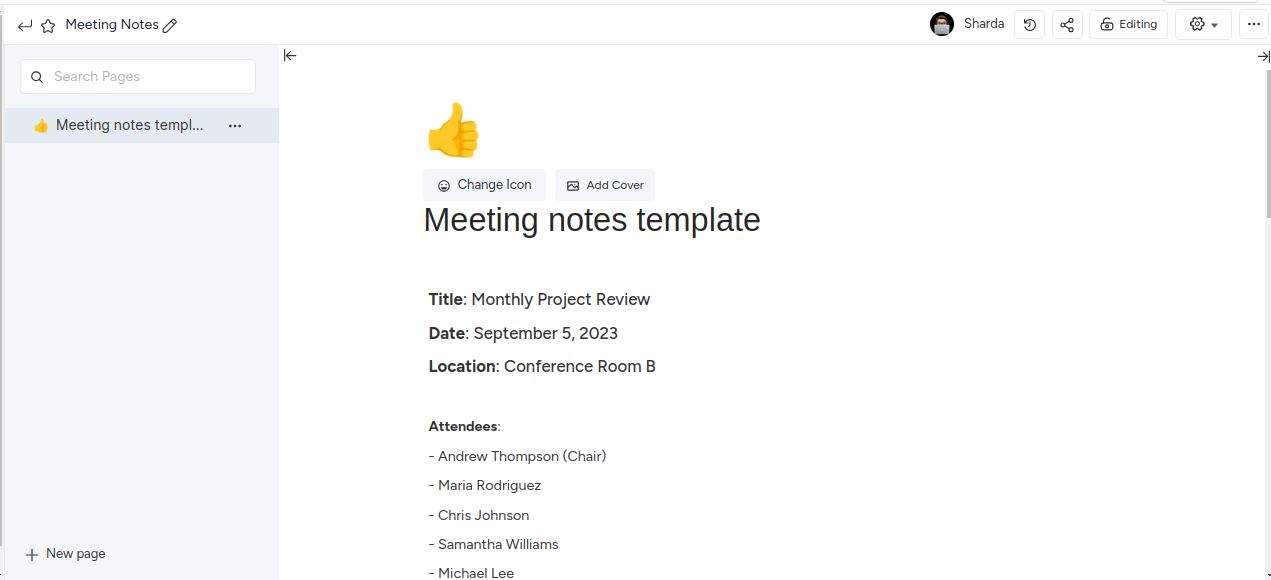
Meeting Minutes in KiteSuite Docs

Anyone from the meeting group can create the document and all participants can update or change as needed.

It primarily helps teams to build shared understanding and is easy to create, collaborate on, and refer to meeting notes for future reference. Start sharing meeting notes and minutes in KiteSuite MOM Docs now.

image2

Project Proposal

image6

The project proposal is owned by the project sponsors or primary stakeholders, and project contributors and team can take reference or update as needed.

A project proposal document delineates the objectives and scope of a proposed project. Typically authored by project stakeholders, its aim is to secure approval and necessary funding. The document comprises an executive summary, background information, objectives or goals, proposed methods, projected timeline, budget, and risks. Post-approval, the project manager utilizes this document to craft the project charter.

Streamline the entire voting process for agile estimation techniques using KiteSuite’s ready-made templates.

Download This Template

Project Charter

The project charter is owned by the project manager, created by the project sponsor and business analysts, and serves as a reference document for project contributors and team as needed.

A project charter serves as a visual representation of a project’s objectives and scope, derived from the project proposal. It stands as the foundational document guiding the project team’s efforts. Crafting the project charter necessitates a comprehensive understanding of the project, including careful consideration of the schedule, goals, objectives, and scope. Attention to detail and stakeholder needs is paramount.

In scenarios involving cross-functional teams or company-wide impacts, documenting the pertinent stakeholders beforehand mitigates scope creep down the line.

Organize your project, define success metrics, and identify potential problems with KiteSuite’s organized project charter template.

Go to the template

Discover project charter templates & team charters.

Project Plan / Scope of Work

The project plan is owned by the project manager, created by the project manager and business analyst, and serves as a reference document for project contributors and team as needed.

A scope of work document provides a comprehensive outline of project tasks, objectives, deliverables, timelines, cost estimates, dependencies, and other relevant details essential for guiding the project team to success. Additionally, the project plan addresses potential risks or challenges and proposes solutions to mitigate them.

Simplify your product development sprints with our personalized project plan template.

Download This Template

Learn how to write a comprehensive scope of work document to define project objectives, tasks, timelines, and more with KiteSuite.

Project Status Report

The project status reports are owned by the project manager, created by the project manager and business team, and serve as a reference document for project contributors and team as needed.

image5

A project status report offers a snapshot of the project’s current state, tailored for key stakeholders and project leaders. Typically sent weekly by the project manager, it condenses extensive data and task progress into a concise format. Key components include summarizing key milestones, major updates since the last report, issues and risks, blockers, wins, problems solved, and next steps.

Connect with project stakeholders and project managers through Email in KiteSuite. Send and receive emails anywhere in KiteSuite.

Project Change Management Plan

The project change management plan is owned by the project manager, created by the project manager, and serves as a reference document for the PMO, project contributors, and team as needed.

A change management plan outlines processes, procedures, and resources required for implementing changes to project deliverables, team members, or strategy. It ensures control over project scope and ensures stakeholders are informed about implemented changes. Components include an overview of the change, impact assessment, communication plan, timeline, required tools and resources, new roles and responsibilities, and potential risks.

Learn more about how project change management plans in KiteSuite help teams stay on track!

Project Post-Mortem (or Retrospective)

The retrospective document is owned by the project manager, and serves as a reference document for project contributors and team as needed.

image1

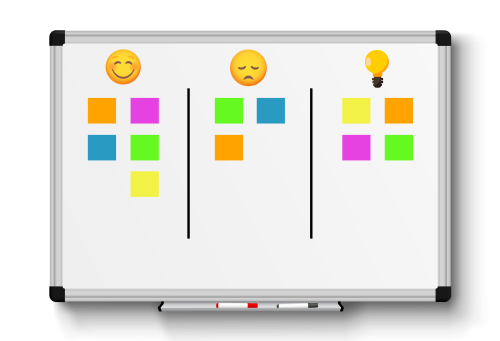
A project post-mortem captures key outcomes and lessons learned from a project. It assesses the project’s overall effectiveness, analyzes challenges, and evaluates tools used for project completion. The project manager initiates the retrospective document, and all project team members contribute feedback and questions. This process promotes awareness of blind spots, identifies areas for improvement, recognizes project successes, and enhances problem-solving methods.

Check out the best Sprint Retrospective templates for teams, or get started with KiteSuite’s Post-Mortem Template!

Collaborate in a team retrospective using KiteSuite’s real-time chat.

Manage Project Documentation with KiteSuite: Managing the project documentation process effectively is crucial for ensuring clarity, efficiency, and accountability throughout the project lifecycle. Here are some best practices to help streamline your documentation efforts:

Utilize Document Collaboration Tools: Avoid scattering project information across multiple channels by using dedicated document collaboration tools like KiteSuite Docs. Organize documentation based on audience needs and easily embed other resources for quick access.

Start Early and Document Often: Initiate project documentation early to provide the necessary context and guidance for project execution. Regularly update documentation to reflect changes and decisions made throughout the project.

Update Existing Templates: Maintain and update project templates regularly to ensure they align with evolving industry standards, customer needs, and internal procedures. This ensures that teams can efficiently kickstart new projects with minimal setup time.

Incorporate Visuals: Enhance project documentation with visuals to make content more engaging, comprehensible, and memorable. Visual aids help convey complex information quickly and break up large blocks of text for improved readability.

Archive Completed Projects: Archive projects upon completion to serve as a reference for future endeavors. Archived projects provide valuable insights, historical context, and lessons learned that can inform decision-making and improve future projects. By adhering to these best practices, you can effectively manage the project documentation process and unlock its long-term benefits:

image7

Increased Process Efficiency: Project documentation provides a reference for future projects, enabling teams to avoid reinventing the wheel and streamlining processes.

Enhanced Knowledge Retention: Documentation allows team members to share expertise and pass on knowledge to future teams, preventing loss of critical skills and information.

Improved Collaboration: Centralized project documentation facilitates better communication and collaboration between teams, fostering informed discussions and decision-making.

Increased Accountability: Clear documentation creates a chain of responsibility, reducing confusion and ensuring accountability remains intact even as team members change.

Improved Workflow: Well-structured and up-to-date documentation streamlines workflow by providing easy access to project information for all team members.

image3

Better Staff Onboarding: Comprehensive project documentation accelerates the onboarding process for new staff, enabling them to quickly familiarize themselves with project details and progress.

Reduced Errors: Consistent documentation minimizes errors resulting from misunderstandings or discrepancies, ensuring teams work from a unified source of information.

Increased Visibility: Up-to-date documentation enhances project visibility for stakeholders, providing accurate insights into project progress and performance.

image4

Project Documentation Made Easy with KiteSuite

Project documentation is the backbone of organized and successful teams. With KiteSuite, managing project documentation becomes effortless, empowering teams to streamline their project management and workflow processes, resulting in increased productivity and efficiency.

Say goodbye to the frustration of searching for scattered files across multiple sources. With KiteSuite, everything you need is accessible on one centralized platform. From project plans to meeting minutes, and everything in between, KiteSuite simplifies project documentation, making it easier than ever to stay organized and focused on what matters most.

Get started with KiteSuite for free today and experience the difference streamlined project documentation can make for your team!

Get started now!

Project Integration Management Process

Let’s learn the project Integration management process

Ever found yourself staring at a pile of unassembled Ikea furniture pieces, wondering how they’ll ever come together to form that sleek bookshelf you saw in the catalog? Project integration management is a bit like that, only much simpler.

Think of it as the glue that holds all the moving parts of your project together, ensuring everything runs smoothly from start to finish. And with KiteSuite, managing project integration is a breeze.

In this article, I’ll walk you through the basics of project integration management, why it’s crucial for project success, and how KiteSuite streamlines the process for you.

Let’s dive in and discover the power of seamless project integration.

Understanding Project Integration Management

Project integration management encompasses the processes and activities essential for orchestrating all facets of your project. This becomes particularly crucial when your project involves diverse teams with varying functions, necessitating a cohesive approach to project oversight.

In simpler terms, integrated project management (IPM) entails ensuring that every aspect of your project functions harmoniously – much like how Nick Fury orchestrates the Avengers!

Within IPM, you undertake the task of identifying, defining, integrating, and coordinating an organization’s myriad processes, including work divisions, procurements, deliverables, and more.

At times, this involves navigating trade-offs between competing objectives and process groups within your organization.

Purpose of Integrated Project Management

In traditional project settings, collaboration among teams from different departments is expected, yet often falls short of achieving a truly integrated approach to project management.

Instead, teams tend to operate within isolated silos, akin to separate islands disconnected by a sea of silence.

Objective of Project Integration Management

Its primary goal? To break down these silos and foster cohesion across teams, ensuring a seamless and unified approach to project management. Gone are the days of disjointed efforts and isolated islands.

Integrated project management brings stability and unity to various aspects of project execution, including:

Ready to learn how to implement this transformative approach? Let’s dive in.

Seven Project Integration Management Processes

Create a Project Charter

The project charter marks the inception of your project integration management journey. It’s a foundational document that outlines key project details, including scope, deliverables, stakeholders, sponsors, budget, and risks.

Think of it as the official decree that breathes life into your project, authorizing the project manager to utilize company resources for project activities. Essentially, it sets the stage for a unified understanding of the project’s objectives from the get-go.

Crafting a project charter involves gathering essential information such as:

While creating a project charter traditionally involves cumbersome tools like Excel or Word, why not streamline the process with KiteSuite Docs?

KiteSuite, a top-rated project management software, offers a user-friendly platform to create and manage project charters effortlessly. With KiteSuite Docs, you can customize document appearance, embed URLs, regulate access rights, and collaborate seamlessly with team members.

Ready to embark on your project integration journey? Start by creating a project charter with KiteSuite Docs and lay the foundation for project success.

image1

Developing a project management plan is the cornerstone of successful project execution. Without it, you risk plunging into chaos, facing unclear goals, missed deadlines, and budget overruns.

Creating a Project Management Plan

Think of it as your project’s roadmap, encompassing all processes and steps necessary for its completion. Unlike the project charter, which provides a high-level overview, the project management plan delves into the nitty-gritty details across various knowledge areas:

Within the project management plan, you’ll find detailed descriptions of your project’s goals, schedule, standard processes, roles, and responsibilities.

Creating such a comprehensive plan may seem daunting, but it doesn’t have to be. Thanks to project management software like KiteSuite, you can streamline the planning process and ensure seamless collaboration.

With KiteSuite, you can:

Define and assign tasks, subtasks, and checklists: Break down your project into manageable tasks, assign them to team members, and track progress as you go.

Set up Goals: Establish project objectives and milestones to monitor progress and celebrate achievements along the way.

Place Milestones: Divide your project into phases and mark significant progress points with milestones, keeping your team focused and motivated throughout the journey.

With KiteSuite’s intuitive features, creating and executing your project management plan becomes a breeze, paving the way for project success.

Direct and Manage Project Work

Directing and managing project work is the hands-on phase where your meticulously crafted project plan is put into action. It’s where the rubber meets the road, and your team’s efforts translate into tangible progress. Here’s how KiteSuite can help you navigate this critical phase with ease.

Task Assignment and Tracking: With KiteSuite, you can assign tasks to team members, set deadlines, and track progress in real-time. The platform provides a centralized space where everyone can see their responsibilities and collaborate effectively to move the project forward.

Resource Allocation: Efficient resource allocation is key to project success. KiteSuite allows you to allocate resources based on availability, skills, and project priorities, ensuring that tasks are completed on time and within budget.

Collaboration Tools: Effective communication and collaboration are essential for directing and managing project work. KiteSuite offers a range of collaboration tools, including chat, comments, and file sharing, allowing team members to communicate seamlessly and share important updates and documents.

Time Tracking: Keeping track of time spent on various tasks is crucial for monitoring progress and identifying areas where adjustments may be needed. KiteSuite’s time tracking feature enables team members to log their hours accurately, providing insights into project performance and productivity.

Quality Assurance: Ensuring that deliverables meet quality standards is paramount during project execution. KiteSuite helps you establish quality assurance processes, conduct reviews, and address any issues promptly to maintain high-quality outcomes.

By leveraging KiteSuite’s comprehensive features for directing and managing project work, you can streamline workflows, optimize resource utilization, and drive your project towards successful completion.

Project Execution Development

Project execution can often feel like a hair-pulling experience, but it’s a critical stage where your well-laid plans come to life. It’s where the rubber meets the road, and you’re in the driver’s seat, steering your project towards success.

During project execution, you’ll find yourself juggling multiple tasks, managing team collaboration, ensuring milestones are met, and addressing any issues that arise along the way. As the project manager, you’re responsible for keeping everything on track and reporting progress to stakeholders.

But fear not! With KiteSuite, managing project execution is a breeze.

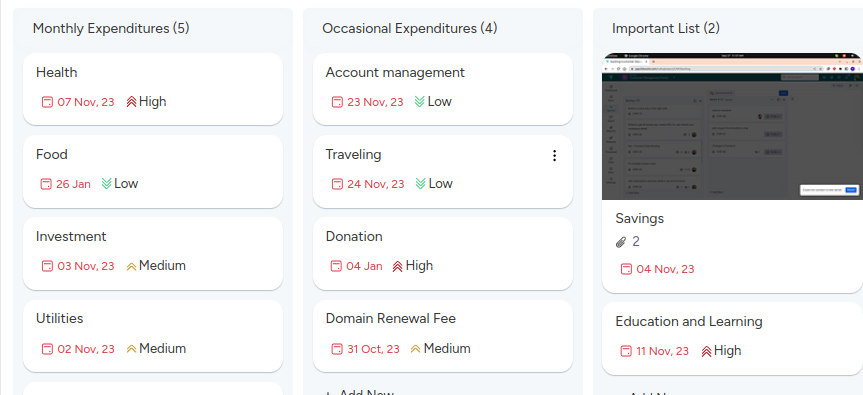
Choose from multiple views: Whether you prefer a Kanban board, a list view, or a calendar, KiteSuite offers various views to manage your workflow from different angles.

Utilize the Workload View: This feature allows you to plan and monitor your team’s capacity, ensuring resources are allocated efficiently.

Create Custom Statuses: Tailor your workflow by defining custom statuses for different stages of your project. Whether it’s an “Update Requested” stage for Agile software development or “Content Ideas” for a content marketing agency, KiteSuite lets you get as detailed and creative as you need.

With KiteSuite’s intuitive tools and customizable features, executing your project master plan becomes smoother and more efficient, leaving you free to focus on driving your project forward.

Monitor and Control Project Tasks

Monitoring project work is like keeping your finger on the pulse of your project’s health. It’s crucial for staying on track, identifying potential issues, and ensuring that everyone is working together effectively. With KiteSuite, project monitoring becomes a seamless part of your workflow:

Keep track of progress with interactive Gantt charts: Stay updated on project timelines, manage deadlines, and address bottlenecks with ease using Gantt charts.

Visualize team activity with Pulse: The Pulse feature allows you to see your team’s work activity at a glance, making it easy to identify trends and areas for improvement.

Utilize Dashboards for project insights: KiteSuite’s Dashboards feature provides various graphs like Burnup, Burndown, Velocity, and Cumulative charts, allowing you to monitor project performance and make data-driven decisions.

These monitoring tools empower you to quickly spot potential issues, communicate effectively with your team, and make necessary adjustments to keep your project on course.

Performance Change Control

Performing change control is another essential aspect of project integration management. In the dynamic landscape of project management, unexpected challenges and requests for modifications are inevitable. KiteSuite offers an integrated change control process to address these challenges efficiently:

Streamlined change request management: With KiteSuite, you can manage change requests seamlessly within the platform, ensuring that all stakeholders are informed and involved in the decision-making process.

Accountability and transparency: By centralizing change control within KiteSuite, you can maintain accountability and transparency throughout the change management process. This helps eliminate confusion and enable transparency among team members.

Don’t let unexpected changes derail your project. With KiteSuite’s integrated change control process, you can adapt to evolving circumstances while keeping your project on track towards success.

Close the Project

Closing a project marks the culmination of your team’s efforts and signifies the end of the project life cycle. It’s a critical phase that involves wrapping up loose ends, documenting key learnings, and ensuring a smooth transition to project closure. Here’s how KiteSuite can assist you in closing your project effectively:

Documenting Project Closure: KiteSuite provides a centralized platform where you can document all aspects of project closure, including final deliverables, lessons learned, and any outstanding tasks. With customizable templates and document management features, you can create comprehensive project closure reports that capture the project’s entire journey.

Client Communication: Communicating with clients during the project closure phase is essential for ensuring their satisfaction and gathering feedback. KiteSuite’s communication tools, such as email integration and messaging features, allow you to keep clients informed about project progress, address any concerns, and facilitate a smooth handover of deliverables.

Knowledge Transfer: As part of the project closure process, it’s crucial to transfer knowledge gained during the project to relevant stakeholders within your organization. KiteSuite’s knowledge management capabilities enable you to capture and share valuable insights, best practices, and lessons learned, ensuring that future projects benefit from past experiences.

Financial Closure: Closing a project also involves finalizing financial matters, such as billing clients, settling invoices, and closing out project budgets. KiteSuite’s financial management features streamline these processes, allowing you to track project expenses, generate invoices, and reconcile accounts with ease.

Celebrating Success: Don’t forget to celebrate your team’s achievements! KiteSuite’s collaboration tools make it easy to organize virtual celebrations, recognize team members’ contributions, and foster a positive team culture even during remote work. By leveraging KiteSuite’s comprehensive features for project closure, you can ensure that your projects end on a high note, leaving a lasting impression on clients and stakeholders alike.

Use of KiteSuite Software for Project Integration Management

Did you know that about 75% of organizations are already utilizing project management software? It’s a significant number, highlighting the importance of digital tools in today’s project landscape.

But how exactly does work management software, like KiteSuite, contribute to effective project integration management?

When it comes to managing project integration, having a platform that offers instant visibility into project progress is essential. With KiteSuite, all project information is consolidated in one place, providing clarity on what tasks are complete, in progress, or lagging behind. This visibility enables project managers to identify integration points and ensure seamless coordination across teams.

Moreover, KiteSuite’s collaborative features allow team members to add notes, comments, and updates to specific tasks, facilitating clear communication and alignment on integration requirements. This real-time collaboration ensures that everyone involved in the project is aware of what needs to be done and when.

Additionally, KiteSuite supports post-project review and analysis by storing all project data in a central digital workspace. This makes it easy to evaluate project performance, identify areas for improvement, and capture valuable insights for future projects.

In a nutshell, KiteSuite serves as a valuable tool for project integration management, offering visibility, collaboration, and post-project analysis capabilities to drive successful project outcomes.

Get started now!
Your Comprehensive Guide to the RACI Matrix

Setting roles and responsibilities in project management is one of the most important aspects to make sure you deliver value on time, within defined costs, and improve team performance, just to name a few.

How often do we need to arrange roles and responsibilities within our project team before diving in? While skills are crucial, it’s not the only factor determining the success of a project. According to a Project Management Institute survey, about 30% of respondents cited poor upfront planning as a factor in project failures.

Defining obligations for all stakeholders before project commencement could be the key to success. One effective tool for this purpose is the RACI chart, better known as role and responsibility matrix. It allocates roles and responsibilities for all project tasks and activities.

In this article, we will discover everything you need to know about RACI charts, including its benefits, pitfalls, and how to leverage KiteSuite to create a winning strategy.

Definition of RACI

The abbreviation RACI means Responsible, Accountable, Consulted, and Informed. In a responsibility assignment matrix, these terms are used to define individuals’ roles and responsibilities for project activities and deliverables.

Here’s a breakdown of each RACI term

Responsible: The individual assigned as Responsible is responsible for performing the work required to complete the task.

Accountable: The person in the Accountable role is responsible for ensuring that the work is completed satisfactorily. They are the one who signs off on the task’s completion to the required standard. Only one person should be assigned as a task accountable.

Consulted: In some cases, tasks may require input or advice from a subject matter expert. The Consulted role is allocated to individuals whose advice is necessary for task completion.

Informed: Individuals in the Informed role need to be kept informed about the progress of a task. While they do not provide input on how the task is completed, they are key stakeholders who need to be aware of what is happening.

Creating a RACI Chart involves several steps, and using a digital workspace like Kitesuite can streamline the process. Here’s how you can create a RACI Chart:

Choose a Platform: Opt for a digital workspace like KiteSuite, which offers a RACI chart template to simplify the process.

Organize Tasks: On the left side of the RACI diagram, break down your project into logical phases or tasks. It is important to have all the action items listed to effectively completed them. Define Roles: Across the top of the matrix, the four project roles of the RACI model (Responsible, Accountable, Consulted, Informed) are already provided.

Assign Responsibilities: In the intersecting cells where a task and role meet, assign the person who will fulfill that role. For example, if Mary is responsible for Packaging Design, you would place her name in the cell where Packaging Design and Responsible intersect.

Here’s a simplified example:

Work Package Responsible Accountable Consulted Informed
Packaging Design Sandra Thomas Alex Henry
Advertising Campaign Ram Susan Emma Gringer
Manufacturing QC Pamla Jessica Skyler Mike
Shipping Logistics Walter Gustavo Holly Jennet

Responsibility Assignment: Ensure that each task has someone allocated as Responsible to ensure completion.

Accountability: It’s best practice for every work item to have someone designated as Accountable to sign off when the task is finished.

Flexibility: For larger tasks, you can assign multiple people to each role, if necessary. Also, you can assign the same person to both Responsible and Accountable roles for certain deliverables.

Optional Roles: Not every task requires a Consulted or Informed person. You can skip assigning these roles if they are unnecessary for specific tasks.

Understanding these steps and adhering to the rules can help you effectively define roles and responsibilities for your project using a RACI diagram.

Advantages of RACI Matrix

RACI chart model offers tone of advantages, especially in complex project management scenarios:

Clarity and Role Definition: By clearly defining roles and responsibilities, the RACI chart eliminates role confusion and ensures everyone understands who is accountable, responsible, consulted, or informed for each task. This clarity helps in decision-making processes and reduces ambiguity.

Enhanced Communication and Collaboration: The RACI chart promotes teamwork and communication among project members by setting clear expectations. It encourages open dialogue and collaboration, leading to better coordination and problem-solving.

Optimized Resource Allocation: With a clear understanding of each team member’s responsibilities, the RACI chart prevents over or under-allocation of resources. It ensures that resources are utilized efficiently and can be reallocated smoothly when necessary, without overlooking any tasks.

Streamlined Processes: By streamlining communications and resolving conflicts proactively, the RACI chart helps in eliminating bottlenecks and delays. It fosters a culture of trust and engagement within the project team, leading to smoother operations and improved efficiency.

Time Savings and Improved Efficiency: Ultimately, the RACI chart improves project efficiency by facilitating effective communication, reducing role conflicts, and enhancing collaboration. It saves time by ensuring that tasks are completed promptly and without unnecessary delays.

Effective Stakeholder Management: The RACI chart ensures that all stakeholders, whether they are customers, sponsors, clients, or regulatory bodies, are appropriately engaged and managed throughout the project lifecycle. This ensures that all stakeholders are kept informed and involved, leading to successful project outcomes.

In summary, the RACI chart model offers a comprehensive approach to project management, promoting clarity, collaboration, and efficiency across all project activities. Whether in B2B or B2C settings, its benefits make it an invaluable tool for successful project execution.

When you should implement RACI Chart in your organization

Role confusion: If your project is suffering from role confusion or lack of clarity about who is responsible for what tasks, the RACI chart can help bring transparency and structure to the team’s roles and responsibilities.

Undefined roles and tasks: When there is ambiguity around authority, responsibilities, roles, and tasks within your project team, the RACI chart can provide clarity and ensure that everyone understands their role in the project.

Task allocation issues: If you’re facing challenges with task allocation, such as multiple people working on the same task or tasks not being completed because no one is clear on who should be responsible, the RACI chart can help streamline task assignment and improve efficiency.

Complex projects with multiple stakeholders: The RACI chart is particularly beneficial for larger, complex projects involving multiple stakeholders. It helps ensure that everyone is aligned and accountable for their respective contributions to the project’s success.

Avoiding project bottlenecks: By clearly defining roles and responsibilities upfront, the RACI chart can prevent project bottlenecks caused by indecision or lack of clarity, allowing for smoother project execution.

However, it’s essential to note that while the RACI chart is effective for larger, more complex projects, it may not be suitable for smaller, fast-moving projects where decision-making needs to be agile and streamlined.

Create RACI chart model, steps by step guide

Define deliverables: Identify the main project tasks or deliverables that need to be completed and list them on the left side of the RACI chart. Avoid including too many granular details to keep the chart manageable.

Identify project roles: Determine the roles within the project team, including Responsible, Accountable, Consulted, and Informed. List these roles at the top of the chart, ensuring each role is clearly defined.

Connect tasks and roles: Assign the Responsible and Accountable roles for each task or deliverable. Consider carefully who needs to be Consulted for input and who should be Informed about progress. Connect the tasks with the appropriate roles on the chart.

Resolve conflicts: Ensure that each team member is assigned to a reasonable number of responsibilities, ideally no more than two or three. If there are many empty cells or too many Accountable roles, consider reallocating resources or adjusting roles to streamline decision-making. Aim to have just one person accountable for each task to avoid delays and confusion.

By following these steps, you can create a clear and effective RACI chart model that helps define roles and responsibilities within your project team.

RACI Matrix Examples and Use Cases with KiteSuite

KiteSuite offers versatile tools for creating and managing RACI matrices, allowing you to streamline your project management processes effectively. It provides robust tools in other views to create and visualize RACI charts.

Let’s explore some examples of RACI matrices using KiteSuite

Simple RACI Chart in Doc View
With KiteSuite’s Doc view, you can create a straightforward RACI chart without unnecessary complexity. Organize stakeholders on the left and roles on the top and right. Assign responsibilities clearly, ensuring there’s only one person accountable for each task. This clarity helps prevent role confusion and ensures smooth project management.

Create RACI Matrix with KiteSuite List View
Utilize KiteSuite’s list-view to create an effective RACI matrix, bringing vibrancy to your project management. Choose custom colors for each role by assigning labels, such as blue for Responsible and green for Accountable. List project tasks vertically and display names and responsibilities horizontally. This visual representation helps team members quickly grasp their roles and priorities.

RACI Model in board View
Dive deeper into your RACI chart with KiteSuite’s board view, offering comprehensive tracking of tasks, roles, and statuses. Customize task statuses and colors to reflect their progress. Filter and group tasks based on various parameters like name, role, status, and priority. This granular control ensures efficient management of project tasks and responsibilities

By leveraging KiteSuite’s versatile platform, you can create, visualize, and manage RACI matrices with ease, promoting clarity, efficiency, and collaboration within your project teams.

Unlock Project Success with RACI in KiteSuite!

RACI is your go-to solution for defining roles and responsibilities within your projects. Unlike a traditional project plan, RACI provides a comprehensive framework for allocating tasks and ensuring clarity and accountability throughout your team.

With KiteSuite, you have the power to leverage RACI to its fullest potential. Here’s why it’s essential:

Clear Role Definition: RACI goes beyond simple task lists. It defines who is Responsible, Accountable, Consulted, and Informed for each project activity, eliminating ambiguity and promoting ownership.

Streamlined Workflow: By clarifying roles and responsibilities upfront, RACI helps prevent confusion and bottlenecks in your project’s execution. With KiteSuite, you can seamlessly integrate RACI matrices into your project management workflow for maximum efficiency.

Template Customization: Take advantage of KiteSuite’s customizable templates to tailor RACI matrices to your specific project needs. Whether you’re managing a small team or a large-scale project, KiteSuite provides the flexibility to adapt RACI to any scenario.

Now it’s your turn to harness the power of RACI in KiteSuite! Explore our intuitive templates, to customize them to suit your preferences, and watch as your team delegates tasks and responsibilities with precision and confidence.

Take Charge of Your Projects with KiteSuite

Effective project management hinges on clear roles and responsibilities. Without proper upfront planning, projects can quickly spiral into chaos, with team members duplicating efforts or stepping beyond their designated tasks.

Enter the RACI chart—a powerful tool for defining and organizing stakeholder roles and responsibilities. By leveraging KiteSuite to create your RACI chart, you can tap into a wealth of features to streamline your project management process.

Here’s how KiteSuite can help you craft your first RACI chart

Comprehensive Templates: Get started quickly with KiteSuite’s practical RACI chart templates. These customizable templates provide a solid foundation for outlining roles and responsibilities tailored to your project’s needs.

Enhanced Visibility: Gain a clear understanding of each team member’s role with KiteSuite’s intuitive interface. Visualize task ownership, decision-makers, and stakeholders at a glance, empowering you to keep projects on track and stakeholders informed.

Integration Capabilities: Seamlessly integrate your RACI chart with other project management tools and workflows in KiteSuite. Whether you’re tracking tasks, setting deadlines, or monitoring progress, KiteSuite keeps all your project information in one centralized location.

Don’t let poor planning derail your next project. Take control with KiteSuite and unlock the full potential of your team’s collaborative efforts. Get started today with our practical RACI chart template and experience the difference firsthand.

Get started now!

Which project management tool is better to use in 2024

Discover KiteSuite, the premier alternative to Jira, ClickUp, and Monday.

Certainly it can be a daunting task to compare and choose the right project management tool that best suits your business needs.

In this article we will do comparative analysis of popular project management tools and share insight details about KiteSuite, features and the kind of business it is most suitable for. This will help you make informed decisions tailored to your business needs.

Comparing different Project Management Tools

Jira is best known for its robust features for software development including issue tracking, managing tasks, projects, and workflows. It helps you enhance your overall work productivity.

Jira Top Features

Jira provides users, agile boards to easily check and monitor assigned roles, projects & tasks, and monitor overall progress. It comes with automation features which allows its users to manage custom workflows depending on the needs of individual teams.

Jira offers two stand alone features. Robust tracking system which helps in track work progress and advanced reporting and graphical analysis tools

Tracking functionality

Jira provides tools to manage projects in agile manar, issue tracking, and collaboration. And it is a versatile, server-based workflow management solution that centralizes tasks and projects for enhanced productivity.

image8

Configuration

Highly customizable with precise control over security, privacy, and workflows.

Timeline View

Utilizes Gantt Chart for effective mapping of dependencies and project plans. Ensure everyone works towards common deadlines regardless of time zones.

image4

Cross-Project Syncing

Easily duplicate tasks across projects for seamless collaboration between teams. It helps the team to link and break down tasks into manageable parts for better organization.

image10

Pricing

Monday

monday.com is a work management system which is mainly used by organizations to track, monitor, manage tasks and projects, and collaborate with different teams. It is quite straightforward to use and provide you all the project related information as you progress with the development lifecycle.

Similar to Jira, monday also offers kanban boards to easily manage, take by it priority, assign, and manage overall progress. It also offer automation and tailoring approach to easy manage progress as per your organization’s unique need.

image9

Monday Top Features

Project Portfolio Management: Gain a comprehensive overview of multiple projects with the new project portfolio solution.

Kanban Board

Monday offers kanban boards, there are limitations in terms of customization, specifically with creating cards only with labels in the status columns. Monday’s advanced features are particularly suited for task management. Gain a comprehensive overview of multiple projects with the new project portfolio solution.

Despite these strengths, Monday’s Kanban View is restricted in its card creation, only allowing labels within the Status Columns, which could pose limitations for users seeking greater customization in their project management tools.

File Management Feature

Customize workflows with hundreds of automation recipes to synchronize integrations and streamline processes. Monday provides the capability to customize workflows with a range of automation, which enables users to synchronize integrations and streamline processes efficiently. It allows users to automate repetitive tasks, trigger actions based on specific conditions, and ensure seamless communication and collaboration across teams.

API Integration

Monday provides its API which enables developers to build custom integrations, automate workflows, and extend the functionality of the platform. Monday API provides access to a wide range of endpoints and resources, allowing developers to interact with boards, items, users, and other elements of the Monday ecosystem programmatically. It offers lot’s of third-party options which make it easy for you to connect with the right system/tool.

Pricing

ClickUP

ClickUp is a cloud-based collaboration and project management platform designed to streamline team workflows. It offers a wide range of features to enhance productivity, including custom statuses, time tracking, document collaboration, and reporting which makes it easy to suitable for a wide range of industries.

Workload view

Clickup provides users with a comprehensive overview of team members’ workloads, enabling efficient resource management and workload balancing. In this view, users can visualize tasks assigned to team members, monitor their capacity, and identify potential bottlenecks or overloads

image1

Multitask Toolbar

The multitask toolbar allows users to edit multiple tasks simultaneously, saving time and effort. Proving users with quick and convenient access to essential tools and actions while working within the platform. Designed to streamline productivity and multitasking, the Multitask Toolbar offers a range of functionalities to help users efficiently manage their tasks and workflows

image5

Custom Fields

ClickUp’s custom fields enable users to tailor the platform to their specific workflow, enhancing efficiency and effectiveness by adding custom data fields. These fields can capture additional information beyond the standard task details, providing greater flexibility and customization options.

image12

Document Create, Manage, Share

ClickUp offers document creation features with nested pages, styling options, embedded bookmarks, tables, and more. It offers the real time edit, tag others with comments, assign them action items, and convert text into tasks. Which makes it really helpful for organizations to keep all the project related information at one centralized platform. ClickUp provides agile project management tools to help users keep track of team progress and adjust workflows as needed. Users can set, track, and measure progress towards objectives, ensuring alignment and collaboration.

image11

Pricing

Let’s figure out the “winner” Monday.com Vs. Jira Vs. Clickup

Though each tool has its strengths and weaknesses, nevertheless the best choice depends on your team’s specific needs and preferences.

Ease of Use
Monday best known for its user-friendly interface and intuitive design, it is easy to navigate and requires minimal training. Jira on the other hand is powerful too yet has a steeper learning curve, especially for non-technical users. It offers extensive customization options but may feel overwhelming for some teams. ClickUp strikes a balance between power and simplicity, offering a user-friendly interface with advanced features. It’s designed to be customizable to fit various workflows.

Customization and Flexibility
Monday.com is highly customizable with a wide range of templates and automation options. It’s great for teams that value flexibility and want to tailor their workflows.Jira, offers extensive customization capabilities, especially for software development teams. It allows users to define custom workflows, issue types, and fields to suit their specific needs. ClickUp is customizable with features like custom fields, task dependencies, and automation. It provides flexibility for teams with diverse requirements.

Collaboration and Communication
Monday.com: Strong emphasis on collaboration with features like @mentions, file sharing, and real-time updates. It’s ideal for teams that prioritize communication.Jira: Offers collaboration features like commenting, issue linking, and built-in chat (with Jira Service Management). It’s well-suited for teams focused on project tracking and issue management. Clickup offers collaboration tools like comments, document sharing, and threaded conversations, but there is no specific way to communicate directly with desired team members.

Pricing

ClickUp Pricing
Personal Use: free forever
Unlimited: $7/member per month
Business: $12/member per month
Enterprise: Contact the sales team

Monday Pricing
Individual: free forever
Basic: $9/member per month
Standard: $12/member per month
Pro: $19/member per month
Enterprise: Contact the sales team

Jira Pricing
Always free for 10 users
Standard: $8.15 per user
Premium: $16 per user
Enterprise: Custom pricing according to required features.

Integration Ecosystem
Monday.com: Offers integrations with popular tools like Slack, Google Drive, and Trello, but its integration ecosystem is not as extensive as Jira and clickup. Jira and clickUp extensive integration ecosystem with hundreds of third-party apps and services, particularly suited for software development and IT teams.

image3-10
image13-4
image6-12

KiteSuite: your trusted companion for project management best alternative e Compared to Monday, Jira, and Clickup

For now, we’ve delved into the strengths and nuances of each tool, explored standout features, and even touched on payment options. However, if you’re seeking an alternative that aligns better with your needs, look no further than KiteSuite!

You must be wondering why KiteSuite? Well, to begin with, it offers everything you might need to efficiently manage your project and offers a free trial period with extended time so that you can check everything to align with your requirement to make a final decision.

Unlike many platforms that operate on a strict “freemium” model, KiteSuite lets you explore its tools without paying. Its free plan boasts an impressive range of features, including:

Create Unlimited Workspaces and Project

Add unlimited members
Real Time chat
Time-tracking
500 GB storage
In-app video recording and more.

Let’s discuss how these features measure up against the offerings of Monday, ClickUp and Jira? Are you ready to dive in and compare?

Integrative Agile Board (Scrum/Kanban)

KiteSuite’s Integrative Agile Board combines the best of Scrum and Kanban methodologies, tailored to suit diverse project management approaches. For Scrum projects, it features detailed backlog management, sprint planning, and a comprehensive board displaying task progress throughout each sprint cycle.

The Kanban board offers a visual representation of workflow stages, facilitating seamless workflow management. Additionally, users can effortlessly switch between board and list views, ensuring flexibility to accommodate various workflow preferences and project requirements.

image2-11

Real time visual Reports

It will help you understand whether you should continue with the current planning, process and team, or it is time to modify. Additionally it will tell you if you are on the right trajectory in earning value management according to your benefit management plan with your project progress and expectations.

KiteSuite offers an exclusive reporting system tailored to different project types (Including, Sprint, Kanban, Business, and custom templates). The built-in reports enable all project sponsors and stakeholders to track progress, understand overall health of the project. It gives access to key metrics such as project cost, delivery timeline, so that you can swiftly assess project performance and make informed decisions.

image14-3

Here is another great tool from KiteSuite for project management with its advanced calendar and meeting management functionality. There are different views to check your daily, weekly and monthly meetings and tasks across different timeframes.

Calendar and Meeting Management

You can create custom meetings effortlessly, enabling seamless collaboration among team members by adding an easy joining meeting with your team. Furthermore, the meeting feature comes with notification functionality where you can add customized notifications when and how you like to notify your invite by email or KiteSuite. Multiple notification types can be set as per your preference.

You can create custom meetings effortlessly, enabling seamless collaboration among team members by adding an easy joining meeting with your team. Furthermore, the meeting feature comes with notification functionality where you can add customized notifications when and how you like to notify your invite by email or KiteSuite. Multiple notification types can be set as per your preference.

image15-4

User Timesheet Management

KiteSuite timesheet provides comprehensive tracking of estimated and logged time by different project team members every week. You have an ability to filter data to view and trace different members, check historical data according to your preference to gain insight about project performance.

It will foster the culture of honesty and transparency into project progress and resource allocation. It will give project managers identify trends, monitor sprint velocity, track productivity, and make informed decisions. Additionally team members will also be able to optimize their workflow and timelines for better performance on project activities.

timesheet

Elevate Your Workflow with KiteSuite in 2024

Looking for the best project management solution in 2024? Look no further than KiteSuite! While Monday, ClickUp, and Jira offer solid free tools, it’s smart to compare features, pricing, and support services.

But don’t overlook KiteSuite! It packs more features at a better price, positioning itself as the ultimate all-in-one solution.

KiteSuite shines with cool features like assigning comments, simplifying team communication, and task management. Ready to see the difference? Create your first workspace today and discover why businesses are switching from Jira and Monday to KiteSuite!

Get started now!
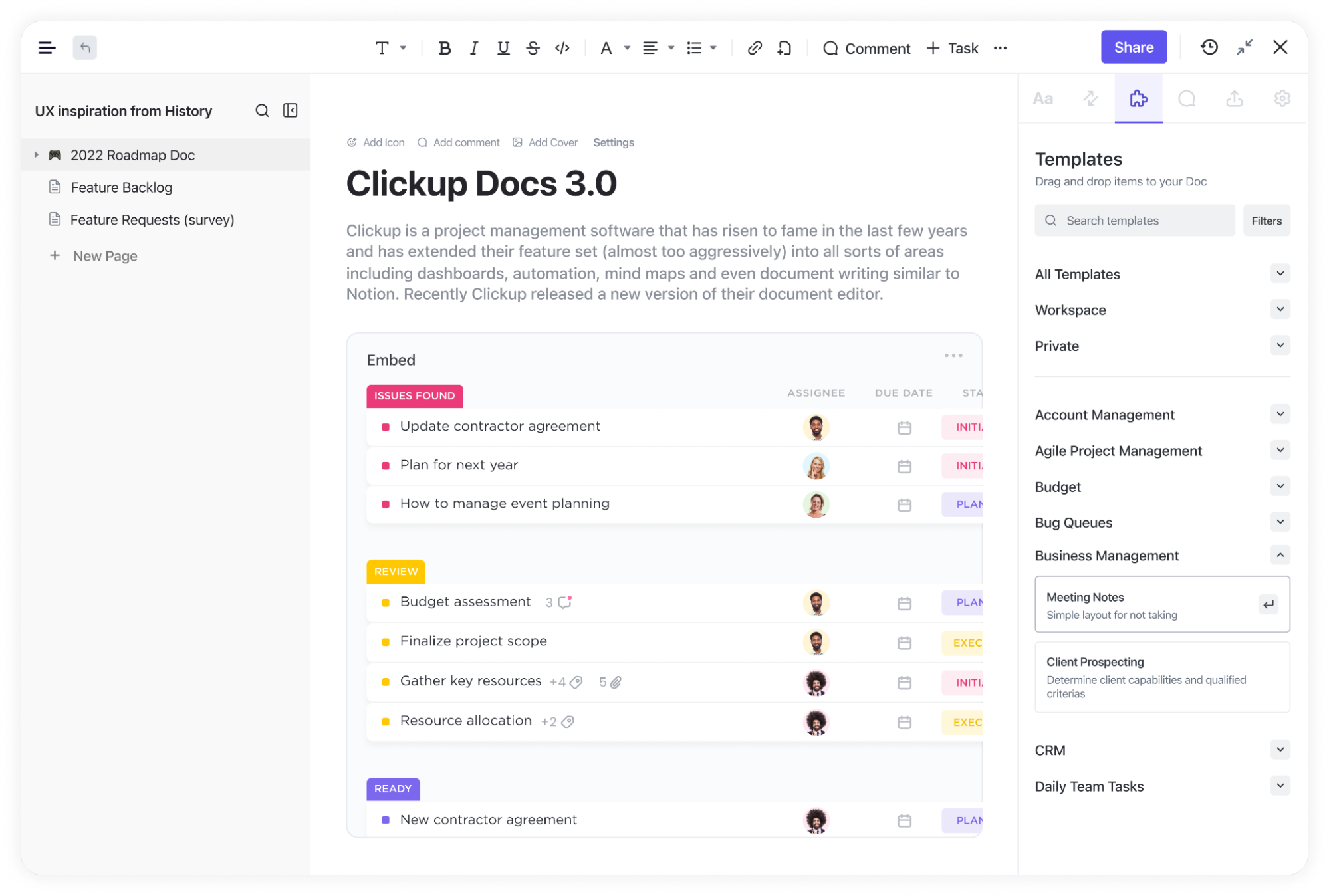
What is Kanban, and Top 10+ Kanban Templates to Use in 2024

What is Kanban

Kanban is a dynamic Agile management approach rooted to the principle of continuous enhancement, facilitating the seamless progression of work items from a product backlog into. This method harnesses the power of Kanban boards, which serve as visual aids in project management. Within these boards, tasks are visualized as cards and progress through various stages of completion, delineated by columns. This visual representation grants teams real-time insight into the status of their work.

Kanban is particularly favored among product managers, engineers, and software development teams. Kanban’s versatility in nature can extend to any group striving for enhanced organization and workflow efficiency.

Kanban Board

A Kanban board serves as a visual depiction of your workflow processes, featuring straightforward status indicators arranged across columns. It’s the cornerstone tool of the Kanban method, an Agile approach emphasizing team communication, continuous improvement, and transparency.

Within a Kanban board, you establish standardized task queues such as To-Do, In Progress, and Done to align with your workflow requirements.

Here’s a brief breakdown of the fundamental Kanban board structure

Mainboard: Provides a comprehensive view and management of the entire project.

Columns: Organized lists of tasks corresponding to specific workflow steps.

Cards: Task representations that can be moved through various project stages via drag-and-drop functionality.

Work-in-progress limits: Imposes constraints on the number of tasks permissible within different stages to optimize workflow efficiency.

Kanban swimlanes: Horizontal divisions facilitating differentiation between activities, teams, or services.

The beauty of Kanban boards lies in their accessibility; no formal Kanban certification is required, making them a favorite among Agile teams. Furthermore, project managers appreciate their user-friendly nature, as minimal employee training is necessary for effective utilization.

Software Project Management

Kanban boards offer unparalleled flexibility for industries like SaaS, manufacturers, and software developers, allowing teams to streamline their processes with ease. Consider this example of a product management Kanban board with KiteSuite:

image15

Here are some common stages you can incorporate into different product development Kanban boards:

For software development

In manufacturing and Construction

In SaaS Product Development

Issue Tracker

Go To Kitesuite

image11

As we know Kanban boards are most famous for their effectiveness in tracking progress, and KiteSuite’ Kanban view takes it a step further by offering custom task statuses. This feature empowers you to tailor your Kanban workflow to match your project’s unique requirements, enhancing your ability to track issues and monitor progress precisely.

Nevertheless, with the option to sort cards by Statuses, you can effortlessly maintain visibility over your project’s advancement, ensuring nothing falls through the cracks.

While Kanban boards excel at progress tracking, they don’t directly handle time tracking. On the brightside with KiteSuite’s Native Time Tracker you can seamlessly integrate with your Kanban board, to easily monitor time spent on tasks without disrupting your workflow.

As the saying goes, trying to do everything often leads to accomplishing less. With KiteSuite’s intuitive tools, you can focus on what matters most while efficiently managing your projects with confidence.

Human Resource → Team Recruitment

image10

Investing in top-notch Kanban software apps for your HR department can transform it from being perceived as the fire department to a well-oiled machine. Here’s why:

With an HR Kanban board, recruiters gain the ability to efficiently hire and retain top-tier candidates while maintaining their own sanity. The enhanced efficiency not only benefits the HR team but also leads to a more favorable candidate experience.

With detailed phases like those depicted, recruiters can effortlessly track each candidate’s status, manage interview schedules, and monitor key HR performance indicators.

Tips: Elevate your HR processes to the next level with HR project management software like KiteSuite. From customizable Hiring Candidates Templates to streamlined application tracking via the Form view, KiteSuite offers all the tools you need in one comprehensive solution!

With a Kanban board, your sales team can automate processes and guide customers seamlessly through the entire pipeline—from initial contact to final purchase and onboarding. This ensures a smooth and efficient journey for both your team and your customers.

Human Resource → On Boarding

With the KiteSuite employee onboarding Kanban board, HR teams can efficiently guide new hires through each step of the onboarding journey, ensuring nothing falls through the cracks and that the process remains organized and transparent. This not only enhances the experience for new employees but also boosts retention rates and overall employee satisfaction.

Take a look at this example of an Employee Onboarding Kanban board:

image3

With detailed stages such as those shown, HR professionals can effortlessly track the progress of each new hire, manage tasks related to paperwork, training, and orientation, and monitor key onboarding metrics.

Tips: Streamline your employee onboarding processes with dedicated HR project management software like KiteSuite. With features like customizable Onboarding Templates and intuitive task tracking, KiteSuite simplifies the onboarding process for HR teams and new hires alike!

Furthermore, by leveraging a Kanban board, your HR team can automate repetitive tasks, set reminders for important deadlines, and ensure that every new employee receives the attention and support they need to thrive from day one. This proactive approach not only saves time and resources but also sets the stage for long-term success within your organization.

Marketing Campaign Management

image5

For marketing teams, staying on top of marketing activities, managing budget, and client integration/response is crucial for success. However, without an effective way to track progress, it’s challenging to gauge whether your team is meeting objectives or falling behind.

With KiteSuite enter the Kanban board—a versatile tool that empowers marketing teams to manage various activities, from website design to SEO, with ease.

Your marketing Kanban board can feature stages tailored to your team’s workflow, such as

Utilizing Kanban swimlanes allows teams to differentiate between different marketing activities, such as “marketing metrics” and “weekly newsletter,” streamlining workflow management and improving clarity.

With a well-structured Kanban board tailored to your marketing team’s needs, you can effectively track progress, maintain transparency, and drive campaigns forward with confidence.

Educational Template for Tutors

In educational institutions, safeguarding both Tutors and student information is paramount, yet it poses significant challenges.

External and internal threats alike can lead to data breaches within educational organizations. For instance, a student downloading a free textbook from but you can noot track or see progress.

Fortunately, your IT department can leverage Kanban boards to visualize security incidents, ensure compliance with regulatory requirements, and efficiently manage backlogs and updates.

Consider this example of an education admin Kanban board:

image12

Tips: Simplify IT division management with secure education project management software like KiteSuite. With features such as Two-Factor Authentication and comprehensive task tracking, KiteSuite empowers your IT team to safeguard sensitive information and uphold data security standards effectively.

Educational Template for Students

Creating a Kanban board using Excel or Google Sheets is a smart way for students to organize their projects, collaborate effectively on group assignments, and stay on top of schedules and tasks.

Here are some suggested columns you can incorporate into your student Kanban board

You may create multiple boards with subject names to manage your study plan effectively as it is key to staying organized and focused. For instance, if your assignment is to read William Shakespeare’s play, Hamlet, instead of listing “read the entire play” under the “To-Study” column, you may further break it down or create subtasks under the same topic.

This approach helps prevent overwhelm and ensures steady progress toward your goals.

Furthermore, for group projects, students can divide tasks and assign them to specific team members using KiteSuite Multiple Assignees feature. This enables students to monitor each other’s progress, collaborate efficiently, and ensure timely completion of the group assignment.

Here’s a basic Kanban board template tailored for students:

image1

With this customizable template, students can effectively manage their tasks, stay organized, and achieve academic success with ease.

Construction Project Template

A construction Kanban board serves as a valuable tool for both small and large-scale organizations, aiding in the scheduling and management of construction projects efficiently.

Here are some typical phases of a construction project that can be managed using a Kanban board:

By utilizing a Kanban board, each construction phase can be further broken down into smaller, more manageable tasks. For instance, the construction phase can be divided into

These detailed Kanban card examples enable agile construction teams to visualize project stages, identify resource shortages, and detect potential issues before they escalate into significant problems or structural failures.

Here’s a basic example of a Kanban board tailored for construction teams:

image9

Constructive tip: Enhance your construction project management process with KiteSuite, the ideal construction project management software. With KiteSuite, you can streamline project management tasks and achieve consistent success. Need immediate results? Utilize our professional, pre-built KiteSuite Construction Templates for seamless project execution.

Creative and Media Design

Kanban boards are invaluable tools for creative teams, enabling them to effectively manage ideas, schedules, client feedback, and more. Here’s how different media management Kanban boards can be structured:

Project planning

Photoshoot

Content and social calendar Kanban boards

Here’s an example of a media production Kanban board:

image4

The KiteSuite Video Production Kanban Board Template is designed to streamline your media shoot process, from pre-production to post-production and everything in between. With this template, you can effectively plan, manage, and produce your videos, ensuring a seamless workflow and high-quality output.

Financial and Accounting

Financial and accounting teams can also benefit from using Kanban boards to streamline their processes and manage tasks efficiently. Here’s how you can structure Kanban boards for financial and accounting purposes:

Budgeting and Financial Planning

Accounts Payable

Accounts Receivable

Financial Reporting

Here’s an example of a financial and accounting Kanban board

image7

Team Management

Team management becomes a breeze with Kanban boards, whether you’re managing Project Management, Recruitment, Finance & Account, Sales or other.

To craft a perfect team management Kanban board, start with standard columns and incorporate images of team members, list out their experiences and skills, and other inspirations to spark creativity. If you’re wanting your team to smoothly pass from Bruce Tuckman’s five stages of development simply add columns such as:

Take a peek at this example of a projectized organization team planning Kanban board

image2

Here’s a fun tip: Elevate your team management with top-notch project management software like KiteSuite. Trust us, it’s a match made in heaven!

Real Estate Property Management

Managing the property selling process can be simplified with the use of Kanban boards, allowing real estate professionals to efficiently track listings, leads, showings, negotiations, and more.

To create an effective property selling Kanban board, begin with standard columns and include relevant information such as property details, listing status, client preferences, and key milestones. You can also incorporate images of properties, client profiles, or neighborhood highlights to enhance visualization and engagement.

If you want to guide your team through the stages of the property selling process, consider adding columns such as

Here’s a glimpse of how a property selling Kanban board might look

image8

Elevate your property listing process with advanced real estate management software like KiteSuite. It’s the perfect tool to streamline your workflow and maximize your selling potential!

Holiday Planner

Designing a holiday planner Kanban board can revolutionize your travel organization process. With columns tailored to itineraries, activities for the day, completed activities, and missed activities, you’ll stay on top of your vacation plans with ease.

Here’s how you can structure your holiday planner Kanban board:

Itineraries: This column serves as the starting point for your holiday plans. List out the details of each day’s itinerary, including destinations, reservations, and important timings.

Activities for the Day: In this column, outline the activities you have planned for each day of your vacation. Whether it’s sightseeing, dining at local restaurants, or engaging in adventure sports, jot down everything you intend to do.

Activities Complete: As you complete each activity, move it to this column. It serves as a visual indicator of your progress and allows you to track how much you’ve accomplished during your holiday.

Activities Missed: Unfortunately, not everything goes according to plan during vacations. Use this column to note down any activities that you missed or couldn’t complete for various reasons. It helps you keep track of what you may want to revisit on future trips.

Here’s a visual representation of your holiday planner Kanban board

image14

Pro tip: Enhance your holiday planning experience by incorporating KiteSuite. By leveraging technology and embracing spontaneity, you’ll create a well-rounded and fulfilling holiday experience.

Support and Ticket Management

Support and ticketing teams play a crucial role in retaining customers by swiftly addressing their issues. To ensure seamless resolution, Kanban boards offer invaluable support to your team.

For instance, imagine a customer reports a bug on your e-commerce site. The support team logs the issue on the Kanban board and assigns it to a developer. The developer then analyzes and resolves the issue promptly, moving it to the “Done” column.

Here’s an example of a Kanban board tailored for support teams

image6

Pro Tips: Enhance your ticketing system’s efficiency with KiteSuite integrations, seamlessly connecting with platforms like Salesforce, Slack, Github and more.

Business and Inventory Management

Kanban boards are invaluable for businesses seeking to streamline their inventory flow.

For instance, the work-in-progress limits in Kanban boards empower teams to maintain optimal stock levels, preventing over-purchasing and warehouse congestion. With Kanban boards, your inventory management team can break free from constraints and operate with agility.

To enhance inventory efficiency further, you can include essential details like cost, location, and delivery dates on Kanban cards.

Here’s a glimpse of how an inventory management Kanban board might look in KiteSuite:

image13

With KiteSuite’s intuitive features, you can optimize your inventory processes and keep your operations running smoothly.

Pro Tips: Elevate your inventory management game with KiteSuite Custom Fields feature. By adding unique statuses like unit cost, order quantity, and upcoming order quantity, dates to your work process, so that you can maintain comprehensive oversight of your inventory at every stage.

Get started now!
Measuring your Team’s Productivity: Using Product Management Software to Enhance Efficiency

Let’s learn more about productivity

To measure team and individual productivity, it often requires continuous involvement and clear communication to observe how well the team is performing.

For example → “Team A” may appear more productive in terms of the number of tasks completed, but if there’s a significant amount of rework, it could indicate issues with efficiency. On the other hand, → “Team B” may complete slightly fewer tasks, but if they consistently deliver high-quality work with minimal rework, it suggests a more efficient and effective approach.

Ultimately, while measuring performance may not always be straightforward, the complexity arises from the multifaceted nature of performance.

In this article, we’ll dissect key best practices for boosting productivity in both work and personal life. We’ll also delve into specific details to cultivate a more productive working environment for your team.

What is productivity

We all grow up in society where everyone believes that if you are working more time you are more productive. This misconception leads to people sacrificing their well-being by putting in extra hours, pulling all-nighters, and jeopardizing their health just to be a so-called more productive person.

Is this approach truly efficient?

Well the answer is “No” and I’ll share the proof to support my claim.

Shockingly, the average worker spends nearly 50% of their workweek in nonverbal communication activities rather than engaging in actual productive work. While individuals appear busy, that doesn’t necessarily translate to productivity.

In fact, surveys reveal that the typical office worker is only productive for about 3 hours per day.

In essence, true productivity isn’t about working harder or longer—it’s about working smarter and optimizing the use of time and resources to achieve meaningful outcomes.

We also analyze that modern teams often waste significant amounts of time on activities that don’t contribute to progress.

Here are a few reasons why?

Poor Prioritization: A Barrier to Productivity

According to Pareto, the 80/20 rule, 80% of results come with 20% of work, and vice versa. In this context of organizational productivity. There are only a few crucial activities that produce results and many trivial ones that might not be essential to complete the work. Traditional workflows struggle to adapt to changes once a project is underway, often requiring formal change management processes.

Identifying Vital Activities

In any organization, there are key activities that significantly contribute to results, alongside numerous trivial tasks that may or may not be essential. Many teams struggle with productivity because they haven’t pinpointed these vital activities. And every task for them is equally important whether to support customer needs or prepare length documents for the team. Traditional workflows prioritize processes and tools over individual interactions.

Thinks you should focus to achieve maximum work productivity:

Thorough Analysis: Conduct a comprehensive analysis of your business.

Identify Key Activities: Determine the top 20% of activities that drive 80% of your results.

Prioritization Plan: Develop a clear prioritization plan.

Execution: Execute your plan by focusing on the identified priorities, these are the vital activities.

Productivity image

Using a Prioritization Matrix

A Priority Matrix can be a useful tool in this process. This matrix helps you and your team assess the urgency and importance of tasks, guiding decisions on where to allocate time and resources effectively. Traditional workflows prioritize processes and tools over individual interactions.

Decision Fatigue: A Barrier to Effective Decision-Making

It refers to a psychological phenomenon that restricts decision making capabilities in people. The more decisions one makes, the more depleted their willpower and clarity become, leading to poorer decision-making over time.

Reducing Decision Overload

To enhance decision-making quality, it’s crucial to minimize the quantity of decisions made daily. Minimize decisions that aren’t directly relevant to individual core responsibilities.

Just by removing trivial decisions from daily work, individuals can enhance the overall decision-making, help them think more clearly, and operate more efficiently in everyday job.

Strategies for Mitigating Decision Fatigue

Prioritize Decision-Making: Allocate peak mental energy to critical decisions by prioritizing them early in the day or after breaks when cognitive resources are replenished.

Delegate Responsibilities:
Delegate decision-making authority for routine tasks to team members or utilize support staff to handle administrative duties, freeing up mental bandwidth for strategic decision-making.

Establish Decision Criteria: Develop decision criteria or guidelines for common situations to facilitate quicker, more consistent decision-making, minimizing deliberation time.

Implementing these strategies use powerful product management tools like KiteSuite. Combat decision fatigue, optimize your cognitive resources, and unlock the power of full productivity.

Decision fatigue image

Decentralized Workspaces: Enhancing Productivity through Effective Communication

Poor communication within organizations can significantly hinder productivity. When departments operate in silos, inconsistencies arise, impeding efficient collaboration and workflow.

Centralizing Communication for Efficiency

To address these challenges, organizations need systems that centralize communication and integrate existing tools and applications to establish a single source of truth.

KiteSuite offers a solution by bringing entire teams together on one platform. With powerful collaboration features enclind comments, mention members and dedicated real time chat feature, so teams can streamline communication and workflows, saving time and improving efficiency.

Communication image

Seamless Integration with Leading Tools and Apps

KiteSuite seamlessly integrates with over 40 popular platforms across various industries, including Mailchimp, Salesforce, Slack, Github, Google Drive and more. This integration ensures that all relevant information and tools are accessible within a centralized workspace, enhancing productivity and collaboration.

Integrations image

Scalable Solutions for Every Organization

Whether a small team seeking to enhance efficiency or a large organization managing multiple projects, KiteSuite provides a scalable solution to centralize work processes under one roof.

Unlocking Productivity Potential

By using KiteSuite, you can eliminate communication barriers, streamline operations, and establish a unified workspace where teams can collaborate seamlessly, leading to enhanced productivity and performance.

Get Started with KiteSuite

5 productivity tips for highly-productive people

Exploring the problem is essential to understand the solution. Now you have clearly understood the productivity problem, so let’s discuss how you can actually be more productive?

Live by essentialist values

Greg Mckeown’s perspective in “Essentialism: The Disciplined Pursuit of Less” emphasizes on the principle of focusing on the essential and making the wisest use of time and energy.
According to his book “Essentialism”

“Productivity isn’t about doing more tasks but rather doing the right tasks. Essentialism entails prioritizing what truly matters and investing time and energy wisely to operate at our highest level of contribution. It’s not simply about doing less for the sake of it, but about discerning what is essential and optimizing our efforts accordingly.”

Focus on your well being

It is important to keep your health to stay productive in your work, but many individuals simply ignore the importance. Research from Colonial Life reveals nearly 40% employees are “high” or “moderate” daily stress, where as a research from OSHA reports that 83% of U.S. workers suffer from work-related stress and 54% report that work stress affects their home life

Unfortunately, stress is becoming the new norm in today’s fast paced worlds.

However, neglecting health can severely limit your potential productivity. Consider this: pulling an all-nighter may seem like a solution, but it often leads to fatigue and impaired cognitive function the next day, increasing the risk of accidents.

A fundamental principle, the healthier you are, the more productive you’ll be.

Take care of yourself and be well by following a few minimal activities

Sleeping Well: Adequate sleep is essential for us all.

Exercising: Regular physical activity not only boosts physical health but reduces stress.

Eating Healthy: A balanced diet fuels your body, providing the energy for optimal performance.

Staying Hydrated: Hydration is crucial for maintaining overall health.

Remember, investing in your well-being is not just beneficial for you—it’s essential for your professional success and overall quality of life.

Set Boundaries

Don’t fall for the misconception that taking excessive workloads will make you more productive. Ultimately it will make you exhausted and hinder your ability to perform effectively.

Also before saying yes for help it is important to prioritize your own assignments. Constantly prioritizing others’ needs can detract you from your own responsibilities and productivity.

However, while it’s important to be helpful, ensure to prioritize your own well-being and tasks before helping others.

Manage your focus

I absolutely agree that you can multitask like listening to music while driving or exercising.

But can you be multi focused at once?

Well, the answer is No! True productivity comes from focusing on one task at a time without distractions. It’s impossible to give undivided attention to someone while solving a complex math problem.

To boost productivity, prioritize removing distractions and concentrating on one task at a time.

Don’t forget to make time for play

Recent studies show that structured play into your routine can significantly boost both productivity and happiness at work. Reports show a 85% increase in productivity and an 87% increase in overall happiness when play is systematized.

By including physical activity into your workflows, you’ll not only increase productivity but also find more enjoyment in your work.

While it is a complex discipline, here are some simple ideas to get started:

Prizes and Rewards

Establish a rewards program based on performance to stay motivated and productive.

Contests

Organize contests and giveaways as incentives for hard work and achievement.

Start Simple

You don’t need elaborate systems, just start with what you have and find ways to make tasks more engaging and enjoyable for your team.

Best practices

Centralized Workspace to deal with decentralized workforces

Without an appropriate solution your teams might face challenges like misunderstandings, delays, and inconsistent approaches.

KiteSuite offers a prime example of a centralized workspace in action. Providing you with all work and information into a single platform, facilitating seamless collaboration with powerful features like:

Tagging

Easily tag all your stakeholders for efficient communication with KiteSuite task comment, documents and chat to stay updated.

Real-Time chat

Customized real time chat features makes team engaged so that they can have shared understanding to keep information transparent within the group or individual chat.

Video Conferencing

Integrate preferred video conferencing apps for seamless communication.

Notifications

Keep everyone informed with timely notifications to prevent tasks from falling.

Create, Share and Manage File

Share important files and documents with appropriate access, ensuring everyone has just the accurate access as per individual roles.

By leveraging these features, KiteSuite eliminates silos between departments and accelerates organization-wide communication, leading to increased efficiency and productivity.

Features image

Powerful Reporting

Exclusive reporting system tailored to different project management methodologies. KiteSuite’s built-in reports enable all project sponsors and stakeholders to track progress, understand overall health of the project.

It gives access to key metrics such as project cost, delivery timeline, so that you can swiftly assess project performance and make informed decisions.

It will help you understand whether you should continue with the current planning, process and team, or it is time to modify.

Additionally it will tell you if you are on the right trajectory in earning value management according to your benefit management plan with your project progress and expectations.

Reporting image

Customized Interface

There was a time when companies had to invest significant time and resources in software development to add new features. The process was often daunting and expensive, involving outsourcing or hiring developers.

However, things are much simpler thanks to no-code platforms.

Platforms like KiteSuite empower teams to create custom apps and features without any coding skills. Its visual and interactive interface allows you to build a tailored workspace just in a few minutes.

Customization image

KiteSuite offers a plethora of customizable features right from the start, including:

Agile Boards: Choose from our visualizations such as Kanban, Scrum, List, Calendar, and Timeline

Dashboard Widgets: Access over 20 widgets to enhance your reporting capabilities.

Comments: Make use of all the historical information how the task went through different stages and who did what to maintain transparency in your project management process.

Integrations: Seamlessly integrate with all the popular tools for enhanced functionality.

Make use of filter: Apply filter (assignee, epic, estimate, and more) and sort by functionality to easy search.

Drag-and-Drop Functionality: All these features come with drag-and-drop functionality, allowing you to rearrange and design your platform to suit your organization’s needs perfectly.

KiteSuite gives you full flexibility to create a customized interface that aligns precisely with your team’s workflow and preferences.

Third party Integrations

Centralize all your data in KiteSuite to enhance team alignment and streamline business organization. Say goodbye to juggling disconnected apps and ensure nothing goes out of your reach.

Boost productivity and eliminate repetitive tasks by integrating tools that automate your daily workflows. Schedule notifications, automate emails, sync meetings, and more effortlessly.

With KiteSuite, syncing all your tools takes just a few clicks – no coding required. Enjoy seamless integration of your favorite tools without disrupting your workflow.

Powerful Form: Collect Feedback and More

Easily create online forms surveys, market research and user feedback forms with KiteSuite. Your data is automatically stored in your KiteSuite project backlog or your preferred program (including Excel, Google Sheets, Dropbox, etc.).

Have fun with custom and default fields: KiteSuite forum offers users an ability to create custom fields to add into their form or utilize default fields as per their preferences.

Advance Design: Keep your form relevant to your branding or project need by utilizing KiteSuites advance design feature you can easily customize color, structure, font, button, and more.

Receive payment: Yes, you can also receive payments with KiteSuite forms, whether you want to sell something or receive payment for an event or make a purchase from an outside organization you can effectively use KiteSuite form

Let get started with the right tool

Productivity isn’t about doing more—it’s all about doing less, better.

Contrary to popular belief, productivity isn’t just about increasing output; it’s about focusing on the right tasks and working smarter, not harder.

To achieve peak efficiency, pinpoint the key activities that have the most impact and concentrate your efforts there. Additionally, identify bottlenecks in your processes and leverage automation to streamline routine tasks.

If you’re seeking a platform that simplifies process optimization, consider KiteSuite Its versatile features make it easy to streamline any type of workflow. Get Started!
Get started now!
Best Agile Workflow Management Techniques

Agile Workflow Management Techniques

In this era of modern technology advancement the project management demand has rapidly evolved. As most of the project managers you might find yourself grappling with rigid processes, cumbersome documentation, and inflexible timelines. These challenges can hinder team’s productivity and adaptability, leading to missed deadlines, budget overruns, and team frustration.

It can be difficult for people to work in an agile environment when we are not agile enough and it can lead to overhead cost, timeline, and compromise overall team’s productivity.

Agile project management gives you full flexibility that helps your team to communicate effectively, adept to quick changes, and keep your project work on track. Moving further I’ll share techniques on how to manage projects smoothly with agile workflow.

Key Characteristics of Agile Workflows

Approach

Agile underscores the importance of ongoing customer engagement and feedback throughout the entirety of the development process. Traditional workflows involve less direct customer engagement until later stages or final product delivery.

Customer Involvement

Agile underscores the importance of ongoing customer engagement and feedback throughout the entirety of the development process. Traditional workflows involve less direct customer engagement until later stages or final product delivery.

Adaptability

Agile workflows easily accommodate changes in requirements and priorities, allowing teams to respond quickly to feedback and market shifts. Traditional workflows struggle to adapt to changes once a project is underway, often requiring formal change management processes.

Emphasis on Individuals

Agile methodologies prioritize collaboration, communication, and teamwork among individuals. Traditional workflows prioritize processes and tools over individual interactions.

Delivery Frequency

Agile workflows typically result in more frequent product deliveries, with working increments delivered at the end of each sprint. Traditional workflows may have longer development cycles with infrequent delivery, culminating in the final product delivery after all phases are completed.

Types of Agile Workflows

Scrum

Known for its flexibility and responsiveness, Scrum involves iterative development with structured stages like Product Backlog and Sprint Planning. Benefits cross-functional teams and suits small teams focused on timely releases. Traditional workflows may have longer development cycles with infrequent delivery, culminating in the final product delivery after all phases are completed.

Kanban

Visualizes progress through a Kanban board, allowing teams to manage tasks through columns like To Do, In Progress, and Done. Ideal for managing diverse tasks and adapting to changing product needs.

Lean Software Development

Focuses on efficiency by producing only what the product truly needs, emphasizing delivering value to customers with minimal waste. Benefits experienced teams capable of independent decision-making.

Extreme Programming (XP)

Customized for agile sprint teams, prioritizing continuous development and customer delivery within intervals or sprints. Prioritizes simplicity, quick feedback, collaboration, and quality work.

Feature-Driven Development (FDD)

Built on consistency and detailed documentation, FDD focuses on progressing features through a structured development process flow. Suitable for complex projects beyond regular Scrum teams.

5-Phases of Agile Workflows

Ideation

Involves brainstorming and defining project scope, objectives, and requirements, setting the foundation for the entire project.

Inception

Assembles cross-functional teams, allocates tasks, and establishes timelines and resources needed to start the project.

Iteration

Executes project tasks, addresses backlog items, and refines the product through continuous collaboration and feedback.

Release

Delivers completed iterations to stakeholders and end users, collects and evaluates feedback, and improves the product.

Production

Rolls out the product to end users, provides ongoing support, and implements continuous updates based on user feedback.

Understanding the Agile Workflow Structure

Agile workflows involve continuous movement of work from ideation through production, adapting as needed along the way. This journey involves continuous movement from ideation through production, with teams adapting as needed along the way.

As teams progress through the agile workflow, they seamlessly move from one phase to the next, refining their approach based on feedback and delivering incremental value.

Efficiently managing this flow process is vital for successful project management. Tracking the status of tasks or user stories as they move through various stages of development is a critical component of this process. This tracking provides visibility, helping teams identify bottlenecks, prioritize tasks, and ensure timely delivery.

Common workflow statuses used in agile development include:

To Do

Tasks or user stories that are ready to be worked on but haven’t been started yet.

In Progress

Indicates tasks that team members are actively working on.

Blocked

Tasks that are hindered by dependencies, issues, or impediments, and therefore unable to advance.

Review

Tasks those are complete but not yet verified by the integral quality team or stakeholders/sponsors.

Done

Here it shows all the completed tasks/stories, to be complete it should meet the acceptance criteria or definition of done.

By leveraging these workflow statuses, cross-functional teams can effectively manage the progress of work items and maintain transparency throughout the development process.

Use of Agile methodology in software development in Project management

Agile software development methodology revolutionized how software is created by emphasizing flexibility, customer collaboration, and delivering high-quality products. It was first started officially in 2001, prioritizing individuals and interactions over processes and tools, fostering a culture of communication and collaboration.

User stories and user experience (UX) design are integral to agile workflows, ensuring a customer-centric approach. User stories capture feature descriptions from the user’s perspective, guiding development priorities. UX designers work closely with teams to translate user stories into intuitive interfaces, continually improving user experience.

Implementing Agile in project management software modernizes processes, offering real-time insights and enabling swift adaptation to changes. Agile software boasts a higher success rate compared to the traditional Waterfall model, making it a preferred choice for many organizations.

Steps to Implement Agile Workflows

Learn Agile Principles: Familiarize yourself and your team with agile principles through education and training, fostering open communication.

Choose a Framework: Explore agile frameworks like Scrum, Kanban, or Lean, aligning them with project needs and organizational culture.

Develop a Roadmap: Define goals, objectives, and a transition plan, sharing an agile template with the team to stay on track.

Breakdown Tasks: Divide project requirements into smaller tasks and sprints, create product backlogs, plan sprints, and form cross-functional teams.

Start Using the Workflow: Implement the agile workflow, gather feedback, and conduct regular retrospective meetings for continuous improvement and adaptability.

Agile workflows offer greater flexibility, efficiency, and connectivity among team members, making project management smoother and more successful.

Implementing Agile Workflows with KiteSuite

Agile workflows, at the core of KiteSuite’s approach, represent a modern project management methodology that emphasizes flexibility, collaboration, and continuous improvement. These workflows break down projects into smaller, manageable cycles—often referred to as sprints—allowing teams to focus on specific tasks and gather rapid feedback for refinement.

Unlike traditional workflows, which follow a linear progression and often lack customer involvement until later stages, agile workflows prioritize continuous customer engagement throughout the development process. This collaborative approach ensures that customer feedback is integrated seamlessly, leading to products that better meet user needs and expectations.

Key Differentiators of Agile Workflows

KiteSuite distinguishes itself through its adherence to agile principles, offering a range of features and functionalities tailored to agile workflows. Here are some key differentiators:

Flexibility and Adaptability: Agile workflows, supported by KiteSuite, embrace change and allow teams to adapt quickly to evolving requirements and priorities. This flexibility ensures that teams can respond swiftly to feedback and market shifts, minimizing the risk of project delays or disruptions.

Customer-Centric Approach: KiteSuite prioritizes continuous customer involvement and feedback, fostering collaboration, communication, and teamwork among individuals. By keeping customers at the center of the development process, teams can ensure that their products deliver maximum value and user satisfaction.

Iterative Delivery: With KiteSuite, agile teams can achieve more frequent product deliveries, with working increments of the product delivered at the end of each sprint. This iterative delivery approach enables teams to validate assumptions, gather feedback, and make course corrections early in the development cycle.

Implementing Agile Workflows with KiteSuite

KiteSuite simplifies the implementation of agile workflows through the following steps:

Choose a Framework: Select an agile framework that aligns with your project needs and team dynamics. KiteSuite offers support for various frameworks, allowing teams to experiment and customize their approach.

Learn Agile Principles: Familiarize yourself and your team with agile principles, emphasizing collaboration, flexibility, and continuous improvement. KiteSuite provides resources and training materials to support agile learning and adoption.

Develop a Roadmap: Define goals, create a transition plan, and establish timelines for transitioning to agile workflows. KiteSuite’s customizable templates and planning tools facilitate roadmap development and execution.

Breakdown Tasks: Divide project requirements into smaller tasks and sprints, ensuring manageable increments of work. KiteSuite’s backlog management and sprint planning features support task breakdown and prioritization.

Start Using the Workflow: Implement agile workflows with KiteSuite, encouraging collaboration, transparency, and accountability among team members. Regular feedback and retrospective meetings facilitate continuous improvement and adaptation.

Optimizing Agile Workflows with KiteSuite

KiteSuite offers a range of features and functionalities to optimize agile workflows, including:

Customizable Workspace: Tailor agile workflows to your team’s needs with KiteSuite’s customizable workspace, defining statuses, labels, and task structures.

Backlog Management: Streamline task prioritization and backlog management with KiteSuite’s Kanban boards and custom fields.

Versatile Views: Visualize work progress with KiteSuite’s list, board, calendar, and timeline views, catering to different aspects of agile workflows.

image1

Versatile Views: Visualize work progress with KiteSuite’s list, board, calendar, and timeline views, catering to different aspects of agile workflows.

image2

Collaboration Tools: Foster teamwork and communication with KiteSuite’s comments, mentions, and real-time chat features.

image4

Real-Time Reporting: Gain valuable insights into project progress with KiteSuite’s dashboards and reporting tools, tracking key metrics and performance indicators.

dashboard

Integration Capabilities: Maximize efficiency by integrating KiteSuite with your favorite tools and platforms, ensuring seamless workflow management across your ecosystem.

image5

By leveraging KiteSuite’s comprehensive features and agile methodologies, teams can streamline their work management processes, adapt to change effectively, and deliver value consistently. Ready to elevate your project management game?

Agile methodologies empower teams to swiftly respond to evolving requirements, promoting collaboration and productivity.

Try KiteSuite today and experience the power of agile workflows firsthand!

Get Started Now!

10 Best Project Management Techniques for Every Project

We’re all about those top 10 lists! Whether it’s the travel destination or the latest must-watch movies, we love to search for the top 10.

Now this year we are flipping the script and crafting a top 10 list of our personal favorites.

We’re excited to unveil the top 10 project management techniques for 2023—what they are, why they work, and how you can implement them.

No matter if you’re just dipping your toes into project management or if you’re a seasoned pro, we’ve got something for you.

From planning to execution, these techniques are versatile enough to be applied across any industry and project size. So get ready to discover some game-changing strategies that’ll challenge you to step up your project management game.

Let’s dive in and start mastering these techniques with KiteSuite!

Project management

According to PMI Project management Institute, “project management is the practice of using knowledge, skills, tools, and techniques to complete a series of tasks to deliver value and achieve a desired outcome”

In the realm of project management, the journey begins with identifying the project’s necessity and defining its objectives.

From there, it’s all about diving into the nitty-gritty details—meticulously planning each step, executing the plan with precision, and keeping a close eye on progress. Along the way, project managers play a pivotal role, ensuring tasks stay on track and navigating any unexpected twists that may arise. Ultimately, their aim is to shepherd the project to successful completion, delivering the desired outcomes. It’s a journey marked by dedication, attention to detail, and unwavering commitment to achieving results.

Best Project Management techniques

Before diving into a project, it’s important to assess which project management techniques and methodologies align best with your project and team dynamics. It is proven that best practices maximize your chances of success.

In this article, we delve into the top ten project management techniques tailored to your needs.

Scrum

sprints

As we all accepted that every project is unique in nature and breaking the project into different phases to deliver continued value to its customers. You can create a scrum duration between two-to-four weeks and your team picks high priority tasks (eating dessert first) from the product backlog. Scrum aids in planning, scheduling, and budgeting. It facilitates tracking progress and communicating needs effectively.

Scrum tools such as the KiteSuite Scrum project management board which includes Epic, Backlog, Sprints, release, provide a user-friendly interface for implementing the extreme project management approach.

The collaborative nature of the Kitesuite allows your team members to contribute in real-time, ensuring that every detail is meticulously covered before project commencement. This interactive environment fosters comprehensive planning and promotes team alignment, ultimately enhancing project success.

To get started, check out KiteSuite Scrum Project.

Kanban Board

Kanban, a versatile agile method, finds application across various industries, owing to its straightforward board layout facilitating the visualization of project tasks and their statuses. Typically, a Kanban board comprises three columns.

Unlike Scrum, Kanban does not enforce strict timelines for task completion. However, implementing a work-in-progress (WIP) limit for each column helps prevent team overwhelm.

board

Utilizing KiteSuite’s digital Kanban view to streamline workflow management by enabling easy creation, updating, and monitoring of the board online and across devices. Customizable columns with labels, along with the ability to set WIP limits and effortless task movement via drag-and-drop functionality, enhance project management efficiency.

This methodology proves ideal for handling ongoing work scenarios where priorities may shift dynamically, such as managing live applications, handling support tickets, or managing blog and social media publications.

Waterfall

Waterfall, one of the oldest project management techniques, follows a linear and sequential approach to project completion. Tasks are grouped into distinct stages, and each stage is completed before the next one begins. These stages typically include:

Requirements: Gathering product details.

Design: Planning how to build the product.

Implementation: Taking action on the planned design.

Testing: Checking if the product meets the initial requirements.

Deployment: Delivering the product to the client or end user.

Maintenance: Addressing any issues that arise while the product is in use.

Unlike agile methodology, Waterfall assumes that project requirements are well-defined and unlikely to change. This approach is well-suited for projects such as event planning, construction, manufacturing, and book publishing.

Work Breakdown Structure

Work Breakdown Structure (WBS) is a strategy employed by smart project managers to tackle overwhelming projects by breaking them down into more manageable tasks.

It is quite straightforward, rather than simply dividing a complex project into smaller parts for the sake of simplicity, the WBS technique enables the organization of these smaller tasks into a structured workflow.

WBS, break down projects into smaller components allows teams to identify task dependencies and prioritize their completion. Additionally, it facilitates more accurate estimation of time and resources required for each task, leading to smoother resource planning and better management of stakeholder expectations.

To kickstart your WBS implementation, explore KiteSuite’s comprehensive Work Breakdown Structure template.

Unlike agile methodology, Waterfall assumes that project requirements are well-defined and unlikely to change. This approach is well-suited for projects such as event planning, construction, manufacturing, and book publishing.

list

Utilizing KiteSuite’s digital Kanban view to streamline workflow management by enabling easy creation, updating, and monitoring of the board online and across devices. Customizable columns with labels, along with the ability to set WIP limits and effortless task movement via drag-and-drop functionality, enhance project management efficiency.

This methodology proves ideal for handling ongoing work scenarios where priorities may shift dynamically, such as managing live applications, handling support tickets, or managing blog and social media publications.

SAFe (Scaled Agile Framework)

image2

SAFe empowers organizations to implement Agile project management at scale, catering to varying sizes and requirements through four distinct levels: Essential, Large Solution, Portfolio, and Full.

Operationalizing SAFe involves leveraging Agile practices to support business growth, enabling teams to develop and deliver products to market within three-month cycles. The effectiveness of the platform lies in its ability to foster improved collaboration among teams and enhance overall efficiency, as evidenced by research conducted in 2020.

For an insightful evaluation of the SAFe framework by users, refer to the accompanying screenshot.

Stakeholder Management

Stakeholder management is integral to every project, involving individuals with varying levels of influence or interest in project deliverables. To streamline this process, stakeholder mapping templates are invaluable for identifying these key individuals before project initiation.

Once stakeholders are identified, understanding their expectations and identifying communication methods are essential. Throughout the project lifecycle, providing regular updates and organizing feedback sessions on critical issues are crucial for stakeholder engagement.

With KiteSuite’s calendar and real time chat features, managing stakeholder communication and engagement activities becomes effortless. You can conveniently schedule and track all interactions in one centralized space, ensuring no details are overlooked. Additionally, syncing with Google Calendar helps prevent scheduling conflicts, while reminders for upcoming meetings ensure timely engagement. Experience seamless stakeholder management with KiteSuite’s intuitive features.

image4

Earned Value Management (EVM)

EVM is a powerful technique for assessing a project’s overall performance concerning budget and schedule. To gauge your project’s progress accurately, you rely on three crucial values:

Planned Value (PV): Represents what you initially planned to achieve by the current point in the project timeline.

Actual Cost (AC): Signifies the total expenditures incurred up to the current point in time.

These values serve as the foundation for calculating essential metrics such as the Cost Performance Index (CPI) and Schedule Performance Index (SPI). A CPI below one indicates a budget overrun, while an SPI below one signifies a delay in the project schedule.

image5

Utilizing these metrics enables data-driven adjustments, such as optimizing project costs, securing additional funding, or reallocating resources to accelerate workflows.

In KiteSuite, streamline EVM computations effortlessly using number reports. Additionally, create custom dashboards to visually represent these metrics and track project goals. This intuitive approach ensures that you and other stakeholders can quickly grasp key insights without navigating through extensive project details.

Risk management

Risk management is the art of mitigating potential threats to minimize their impact on your project’s success. It begins by identifying conceivable risks, ranging from budgetary constraints and schedule fluctuations to scope alterations and, in more extreme scenarios, market fluctuations or natural disasters.

Leverage KiteSuite’s Project Management Risk integrative reports to meticulously analyze these risks and devise appropriate response plans. Throughout the project lifecycle, it’s essential to maintain vigilant oversight of these risks using risk registers, thereby averting unforeseen obstacles.

In need of brainstorming solutions? Harness the power of KiteSuite’s document to prepare notes. These tools facilitate the visualization of your ideas, enabling the creation of robust strategies to counter any risks that may arise.

Critical Chain Project Management

CCPM is a bit different from the traditional Critical Path Method (CPM) by considering resource availability and constraints when determining the critical path, resulting in the identification of the critical chain.

The primary objective of CCPM is to safeguard the critical chain by strategically allocating resources, adjusting task schedules to accommodate limited resources concurrently, and incorporating buffers to mitigate delays.

This technique is particularly advantageous for projects characterized by constrained resources, such as specialized team members or equipment, where timely delivery is imperative. By implementing CCPM, organizations can optimize resource utilization and enhance project delivery efficiency, ensuring successful outcomes even under challenging circumstances.

Prience

Prience2 which stands for PRojects IN Controlled Environments 2, is a widely-used project management framework consisting of 7 principles, 7 themes, and 7 processes.

The 7 principles serve as the foundation of Prince2, providing clear guidelines for project justification and decision-making at each stage.

The 7 themes delineate how projects are governed and managed on a day-to-day basis, emphasizing the importance of documentation and delineating team responsibilities.

The 7 processes outline the management of each stage of the project life cycle, ensuring a structured approach to project execution.

Prince2 is particularly suited for complex and high-risk projects, such as government procurement and construction, where clarity of purpose and meticulous management are paramount.

At KiteSuite, we facilitate the articulation of project goals and alignment with business objectives through customizable project proposal templates. Continuous monitoring ensures that projects remain aligned with strategic objectives and deliver tangible value.

Effortlessly Manage your project with KiteSuite

Prience2 which stands for PRojects IN Controlled Environments 2, is a widely-used project management framework consisting of 7 principles, 7 themes, and 7 processes.

As a comprehensive project management software, KiteSuite streamlines the process, allowing you to focus on strategic planning and achieving your project management objectives. Impress your stakeholders and clients with seamless project execution and superior results.

Sign up with KiteSuite today and experience the ease and efficiency of our platform for yourself. Start your free trial now!

Get started now!