Must have Integrations for your Project Management Software

In organizational project management, building and nurturing strong business relationships are essential for success. By having a robust system to manage them all from a centralized software can make a significant difference. It helps teams to streamline communication, track interactions, and ensure that everyone involved in a project is on the same page.

This not only fosters better collaboration among teams but also enhances your overall project management experience by providing a more personalized and consistent experience and keeping all different teams and departments in sync. Additionally, a complete CRM system can help identify opportunities for growth , anticipate customer needs, and ultimately contribute to the overall success of the organization’s projects and initiatives

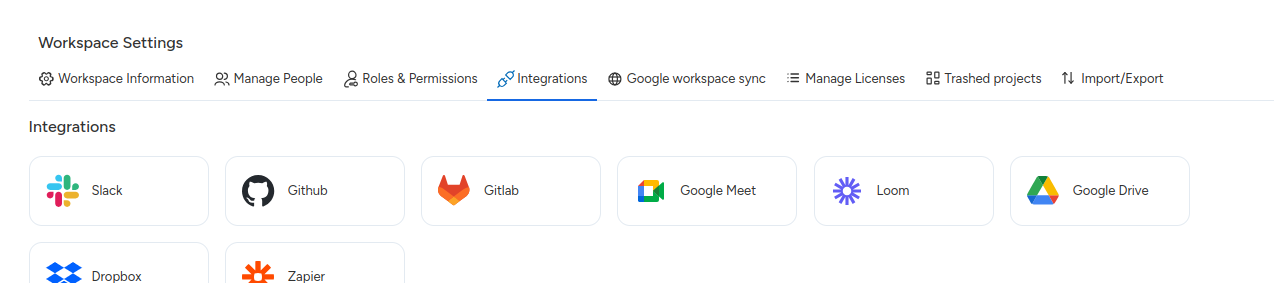
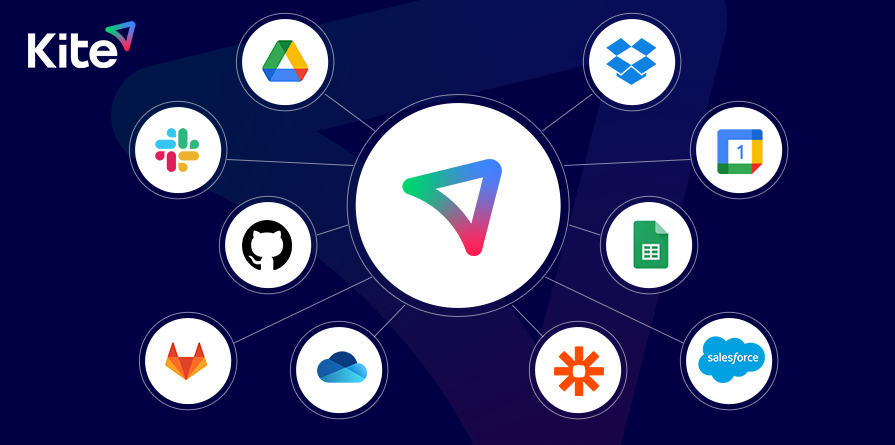
CRM integrations allow businesses to connect their CRM software with other tools and platforms such as marketing automation software, Email, Calendar, Github, Zapier, and more. This enables a smooth flow of data between systems, providing a comprehensive view of customer interactions and behavior.

By integrating CRM with other tools, businesses can

Improve Efficiency: Streamlining data flow between systems reduces manual data entry and ensures data accuracy, saving time and resources.

Enhance Customer Insights: Consolidating data from various sources provides a unified view of customer interactions, enabling better understanding and segmentation of customers.

Personalize Customer Interactions: Help you to access comprehensive customer data allowing your organization to have personalized communication techniques and tailored marketing campaigns.

Optimize Processes: Integrating CRM with other tools helps automate processes and workflows, improving overall efficiency and productivity.

Higher revenue generation: CRM integrations provide your businesses with a comprehensive view of customer data, including purchase history, preferences, and behavior. Ensure that your sales team has accurate information allowing them to identify cross-selling and upselling opportunities more effectively. ds using streamlined workflows, personalized outreach, and timely lead nurturing.

Data-Driven Decision Making: By integrating CRM with Reporting tools, you can gain valuable insights about customer behavior, sales performance, and market trends. This enables data-driven decision-making, allowing your business to optimize sales and marketing strategies for maximum revenue generation.

Common CRM Integration Challenges

CRM integration challenges can arise due to various factors, including the dynamic nature of software and the evolving landscape of communication channels and business tools. These minor adjustments can disrupt the flow of information, below are some common challenges example:

Compatibility Issues: As CRM platforms and technology evolve, compatibility issues may arise, particularly when integrating an older technology with newer ones. This may lead to data discrepancies and hinder the seamless flow of information between systems.

Data Quality and Consistency: Maintaining data quality and consistency across different solutions can be challenging, especially when data is entered manually or originates from different sources. Inaccurate or incomplete data can impact decision-making by diminishing integration effectiveness.

Security Concerns: Integrating CRM systems with other applications raises security concerns, particularly regarding data privacy and protection. Ensuring data security and compliance with regulations such as GDPR requires robust security measures and careful management of access permissions.

Integration Complexity: Integrating CRM systems with multiple applications and platforms can be complex, particularly when dealing with legacy systems or custom-built solutions. Managing integration workflows, data mappings, and synchronization processes requires careful planning and expertise.

Cost Considerations: Integrating CRM systems with other applications often incurs costs related to software licenses, development resources, and ongoing maintenance. Balancing the cost of integration against the expected benefits and ROI is crucial for decision-making.

The most effective way to mitigate these challenges, you should stay proactive in monitoring changes to CRM platforms to make sure it stays relevant and provides the services you opt for.

Additionally, having a flexible integration strategy that allows for scalability and adaptability to changes in technology can help businesses navigate integration challenges more efficiently.

For example: CRM platforms like Slack are ideal for requirements, including creating project tasks through your Slack group conversation. Plus, it offers seamless connectivity and several integrations, including a KitSuite and Slack integration.

It helps you sync data in both ways. You can simply trigger the integration from KiteSuite platform workspace setting just by verifying your Slack account and selecting your chat group
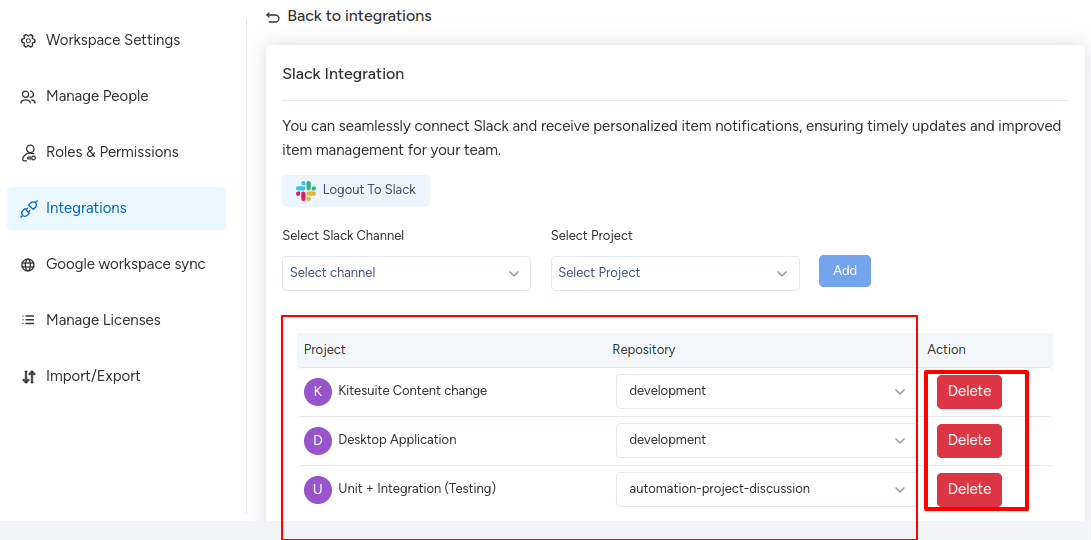
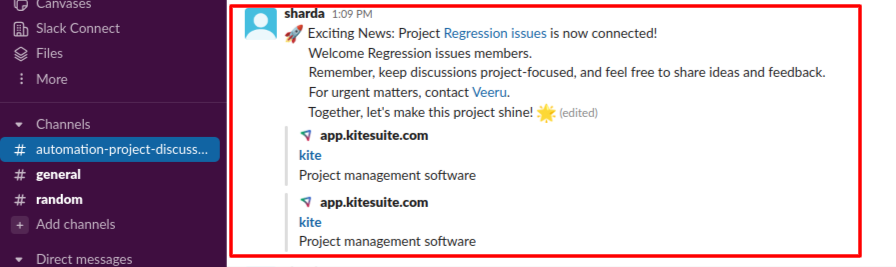
image9

image8

Automate your work between KiteSuite and Slack.

Integration Type in CRM

There are various types of tools and CRM integrations available and each CRM solves specific business problems to enhance its overall productivity. You can opt for any specific CRM as per your business requirements and budget. Below are a summary of key points related to integration types in CRM:

Calendar Integration

Want to create customized meetings directly from your project management software? Calendar integrations within your CRM offer a powerful solution. With this feature, you can effortlessly track and manage appointments, schedule key customer events, and automate tasks like sending invites, reminders, and notifications. By centralizing these functions, you eliminate the risk of missing or doubling your bookings and gain a comprehensive overview of your team’s schedules. KiteSuite provides you an option to integrate your software with Google calendar to streamline your business process.
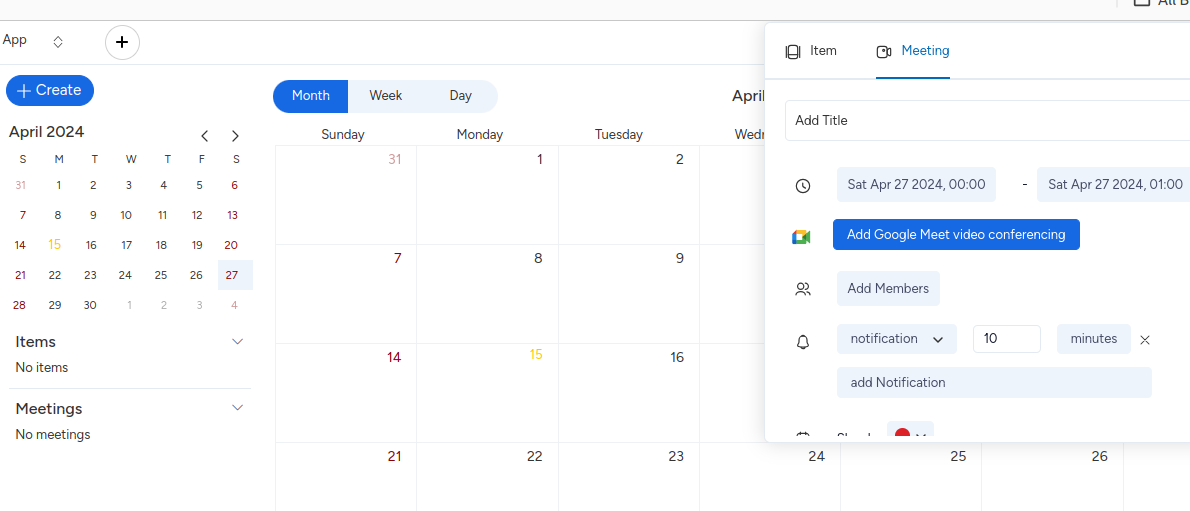
image4

Communication Integration

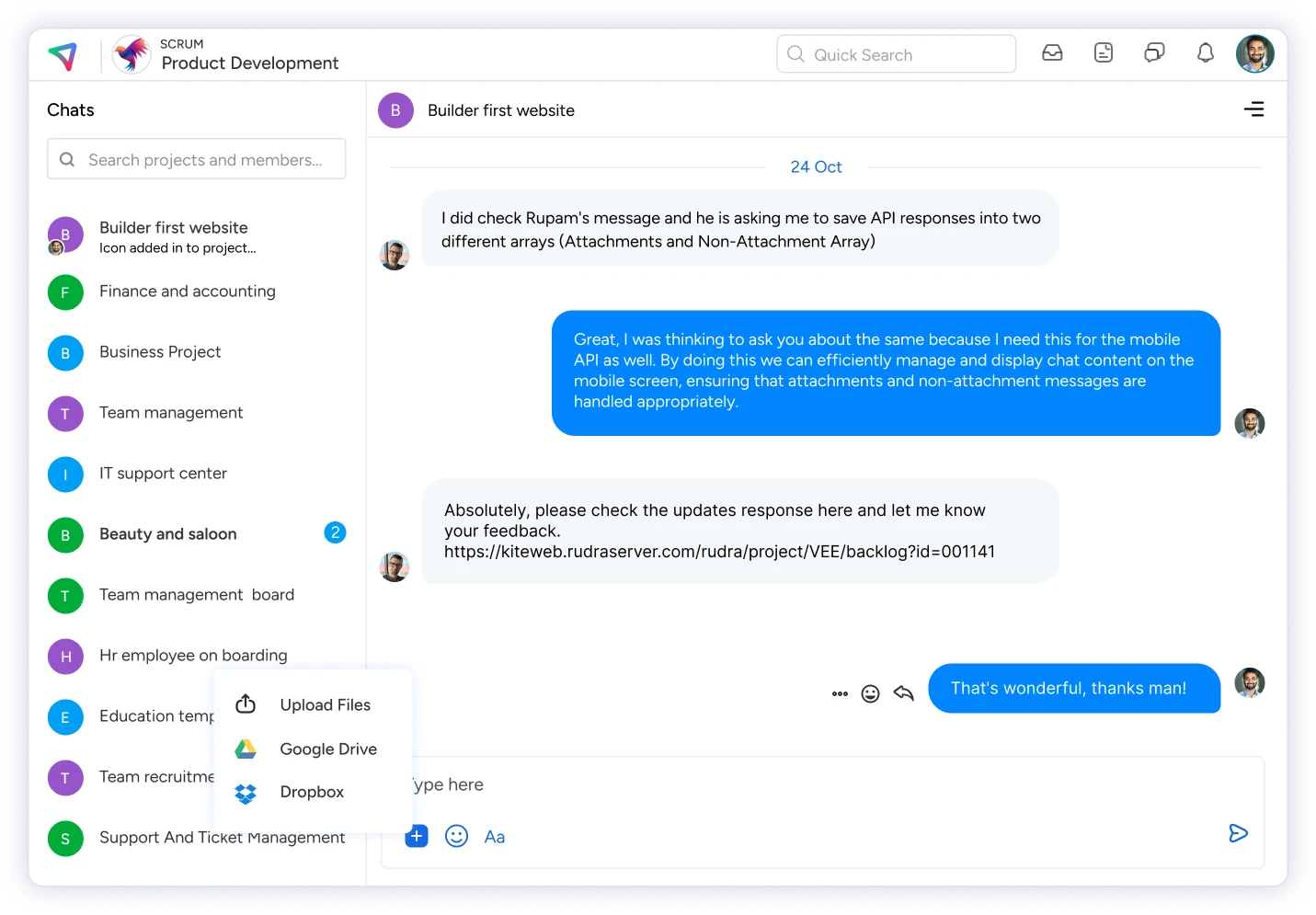
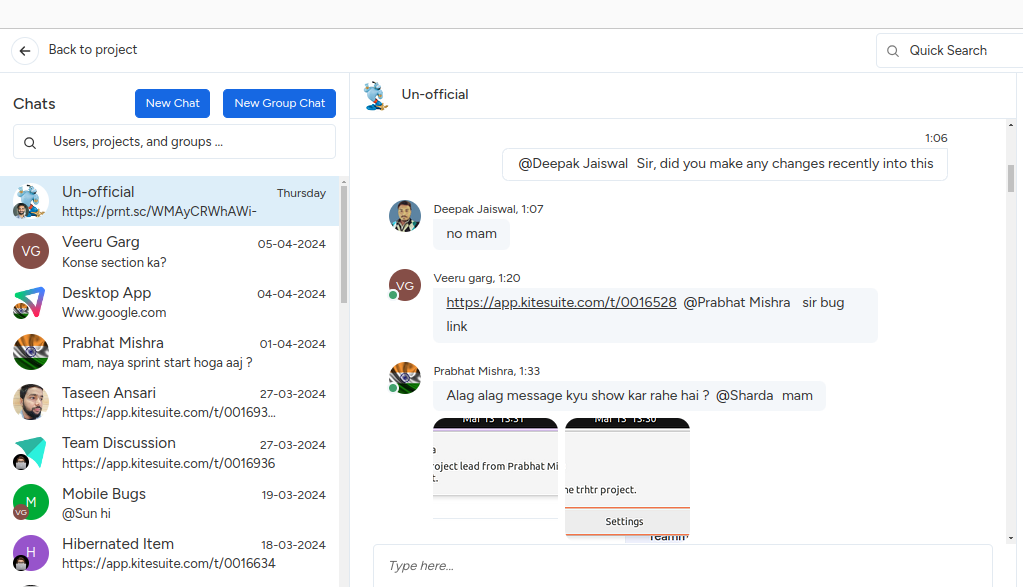
Offer your users real time live communication features or have chat conversations with customers, and you can do all these by using communication integrations. These integrations allow users to chat with required teams whether it is sales, engineering, marketing using the right channel or app and automatically record these conversations in your CRM. Some of the best communication CRM integrations in this category include:

Messenger platforms

You can integrate your CRM with messenger platforms like Slack, WhatsApp, Telegram, or others. So that users can get support through convenient channels as per their familiarity.

Virtual meeting tools

Platforms like Google Meet, and Microsoft Teams allow for face-to-face video conferencing, fostering a more personal connection with your customers. So that you can use this to conduct product demos, deliver remote presentations, or host webinars to gain new leads

Live chat

Allow your customers to get answers to their specific queries by offering a live chat option with tools like Zapier, Claude, Chatsonic, and others. Using these Live Chat CRM integrations, you can automatically sync these conversations with your CRM, helping your sales team gain valuable insights into the customer’s pain points and queries, which can be used for targeted marketing campaigns.
Video recording

Allow your customers to get answers to their specific queries by offering a live chat option with tools like Zapier, Claude, Chatsonic, and others. Using these Live Chat CRM integrations, you can automatically sync these conversations with your CRM, helping your sales team gain valuable insights into the customer’s pain points and queries, which can be used for targeted marketing campaigns.

image6

Help Desk Integration

It can be extremely beneficial for customers to integrate with lead generation platforms like salesforce software to add new leads, change existing data, or remove information for a centralized work management solution. By enabling them to efficiently track past issues and deliver swift and satisfactory resolutions. Some notable examples of such integrations include Salesforce, Zendesk, ServiceNow, etc.

Engineering Tools Integration

Integrating engineer tools like GitHub or GitLab with CRM systems can streamline development workflows and enhance collaboration between engineering teams and other departments. It can help in track work progress, improve issue resolution, product development facilitation, and more. Some notable examples of such integrations include Salesforce, Zendesk, ServiceNow, etc.

Top 5 CRM Integration Tools

KiteSuite

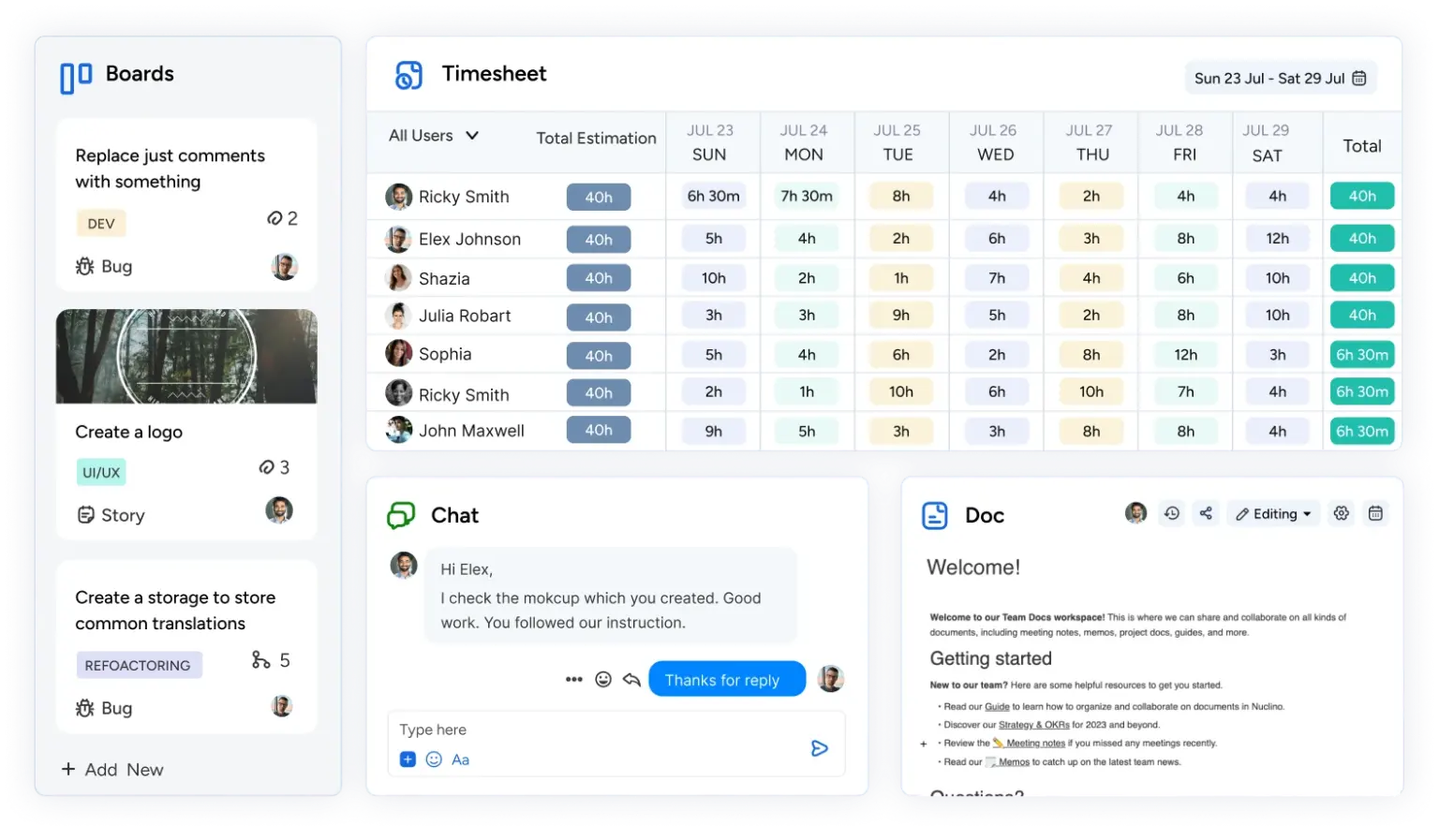
KiteSuite includes all the productivity features required by, sales, marketing, development and engineering teams. You can automate CRM tasks, keep track of your client timelines and projects, and visualize your sales pipeline in over 15+ unique views, including Calendar, List, Scrum and Kanban boards, Table and more. So that you can streamline your customer support experience with KiteSuite. KiteSuite stands out for its robust set of integrations with leading CRMs like HubSpot, Salesforce, Zapier, Slack CRM, and more.
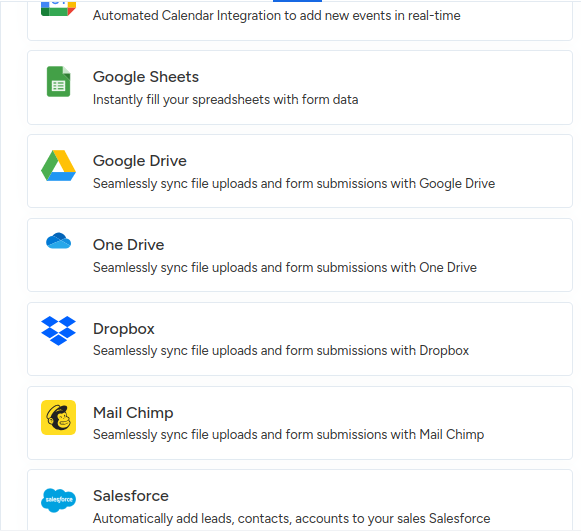
image3

Breakdown of KiteSuite Key Features

Universal Search: With KiteSuite’s quick search feature, easily locate and manage integrations, monitor work performance, and discover new tools.

Native Automation: Streamline workflows with automated tasks triggered by events in your CRM or integrated apps.

KiteSuite Docs: Collaborate on documents within your CRM data, eliminating information silos and enhancing communication.

Advanced Forms: KiteSuite forms are integrated with different CRM platforms to help you streamline your business processes in just a few easy steps.

Custom API Integrations: Build tailor-made connections for unique requirements, ensuring a truly unified ecosystem.

Limitations of KiteSuite

Some of these integrations might not be included in our free plan.

KiteSuite Pricing

Zapier

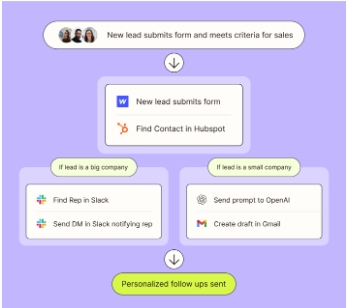
A no-code automation tool with 6,000+ integrations, Zapier allows users to automate tasks and workflows across various apps, including CRM platforms. Its extensive library of pre-built integrations simplifies data exchange and enhances productivity.
Best Features

Wide App Integration: Zapier seamlessly integrates with a vast array of applications, catering to diverse business needs beyond standard options.

No-code Automation: Users can create automation workflows without technical expertise, making it ideal for individuals comfortable with visual workflows.

Pre-built ‘Zaps’: Zapier offers numerous pre-built integrations (known as ‘Zaps’) for common tasks, saving users time and effort in setting up automations.

Limitations

Steep Learning Curve: Non-technical users may find Zapier’s interface challenging to navigate initially compared to its competitors.

Complex Integrations: Integrations with certain tools via APIs may be complex, limiting the functionality and updates that users can derive from these tools.

Pricing

MuleSoft Anypoint Platform

Ideal for large enterprises, MuleSoft offers API-led connectivity and integration capabilities, enabling seamless CRM integration with complex workflows. Its drag-and-drop interface and pre-built integrations facilitate rapid deployment and scalability.

Best Features

Data Protection and Compliance: MuleSoft ensures data protection and compliance for large organizations through robust security features.

API-Centric Integration: Benefit from the flexibility and scalability of having APIs as the central point of integration.

Cloud Computing Benefits: Enjoy the scalability and ease of management offered by cloud computing.

Limitations

Steep Learning Curve: Many developers find MuleSoft challenging to learn, and some users feel it doesn’t offer good value for money considering its features.

Setup Complexity: Setting up MuleSoft can be challenging, and it may have limited capabilities compared to other tools on the list.

Pricing Custom pricing based on API requests.

Zendesk

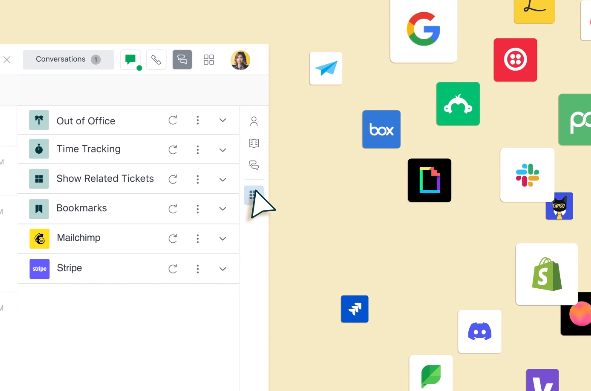
A cloud-based customer support platform with robust CRM integration capabilities, Zendesk streamlines ticketing, communication, and support operations. With integrations with 1,600+ apps, including leading CRM platforms, Zendesk enhances customer engagement and satisfaction.
Best Features

Robust Ticketing and Reporting: Zendesk provides robust ticketing, reporting, and self-service options for efficient customer support.

Seamless CRM Integration: Effortlessly connect with popular CRM systems like HubSpot and Salesforce to unify support interactions with customer data for a holistic view.

Unified Support Interactions: Zendesk enables users to unify support interactions with customer data in CRM, providing a comprehensive view of customer interactions.

Cloud Computing Benefits: Enjoy the scalability and ease of management offered by cloud computing.

Limitations

Costly for Small or Midsize Organizations: Zendesk can be expensive, especially for small or midsize organizations.

Learning Curve: A tough initial setup and learning curve may require assistance from an expert.

Basic Collaboration Options: Offers only basic collaboration options, which may make it difficult to work smoothly with larger teams.

Pricing

ClickUp

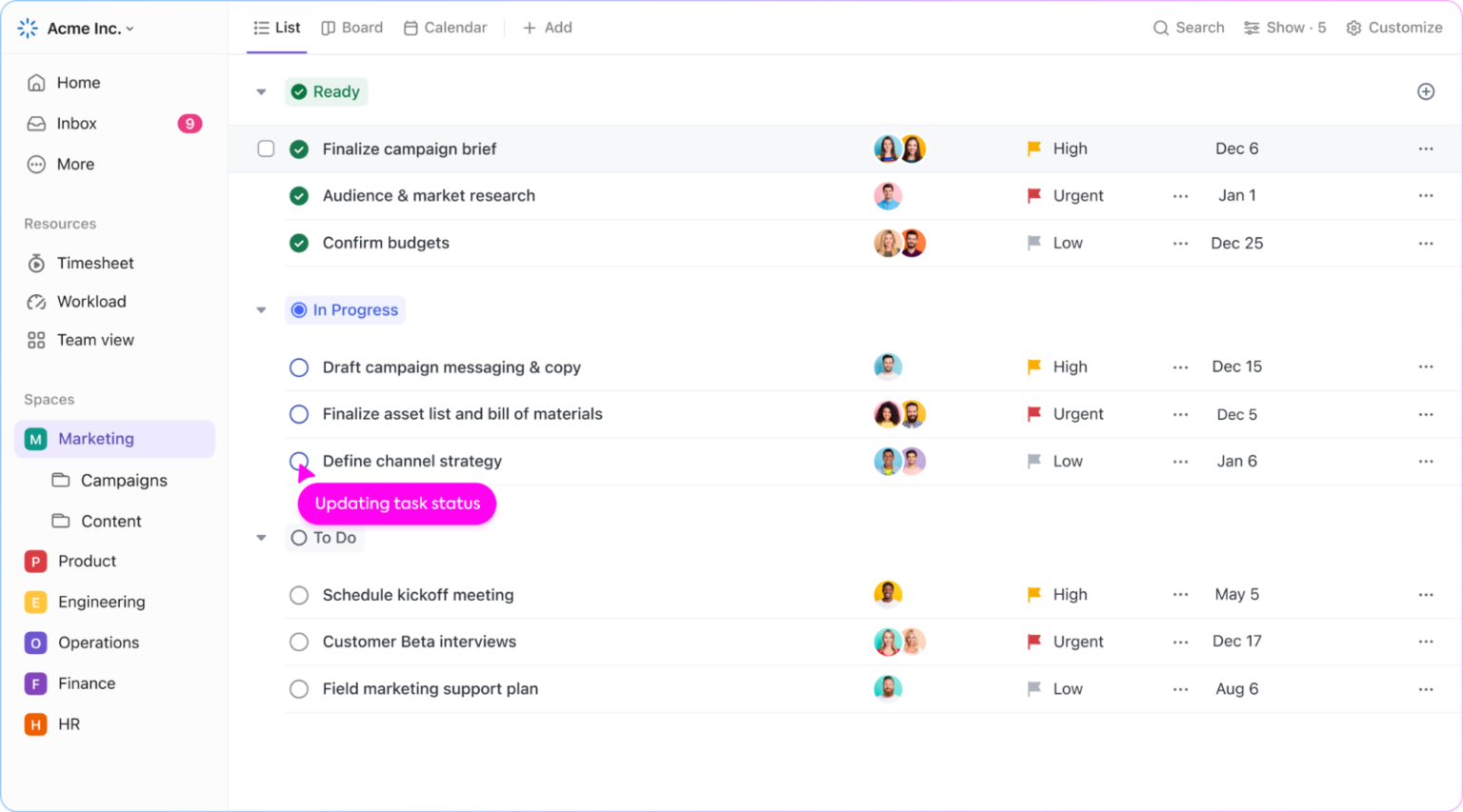
ClickUp is a project management solution created to build customer relationship management processes for sales and marketing teams. It offers key features such as CRM task automation, project tracking, and visualization of sales pipelines, with unique views including Calendar, List, Table, Kanban-like Board view, and more.
Best Features

Quick Search: Effortlessly find and manage integrations, monitor performance, and discover new tools with ClickUp’s Universal Search feature.

Automation: Streamline workflows by automating tasks triggered by events in your CRM or integrated apps.

ClickUp Docs: Collaborate on documents within your CRM data, eliminating information silos and enhancing communication.

Custom API Integrations: Build tailor-made connections for unique needs, ensuring a genuinely unified ecosystem.

Limitations

Learning Curve: Due to the vast number of features, new users might take time to get comfortable with ClickUp.

Pricing

Get started now!

Implement Agile Project Management with KiteSuite

Introduction

As organizations worldwide adopt agile project management approaches, it has become increasingly popular. By learning the principles of Agile development and implementation, you can easily incorporate it into your business environment.

In today’s innovative business world, Agile project management has become a cornerstone for organizations seeking flexibility, adaptability, and efficiency. With its iterative approach and focus on collaboration, Agile empowers teams to deliver high-quality results and embrace changes in the later stages of development.

In this article, I’ll discuss the fundamentals of Agile workflow and practical strategies to implement Agile principles in your business and team, unlocking a new level of productivity, innovation, and success. In a nutshell, Agile principles will transform your overall working style.

Agile Workflow

Agile workflows represent a modern project management methodology designed to enhance efficiency and success rates. Agile workflows offer a dynamic and customer-focused approach to project management, incorporating iterative cycles and stakeholder collaboration to drive efficiency, adaptability, and overall project success. This approach achieves its goals through two fundamental principles:

Key Elements of Agile Workflow

Before diving into Agile, it is important to learn a few key terms that are an integral part of the product development process:

The Agile Manifesto and the 12 Key Agile Principles

The Agile Manifesto serves as a detailed summary of the Agile methodology, outlining a blueprint for all projects to aspire to.

It comprises 12 key Agile principles that are crucial for achieving success, divided into 4 categories.

Agile Principles of Customer Satisfaction

Agile Principles of Quality

Agile Principles of Teamwork

Agile Principles of Project Management

Product Backlog

Agile development methods commence with the development of the product backlog. The product backlog comprises all tasks and ideas involved in product development. As customer feedback is incorporated, the backlog evolves to become more concrete. Backlog items should be well-defined, prioritized, and tightly scoped.

Sprints

A sprint is a combination of tasks to complete in a given duration — typically between 1–4 weeks. Each sprint has clear goals to be completed within a given time frame. Focusing on a few backlog items ensures swift completion and immediate feedback incorporation.

Agile Meetings

Regular meetings are integral to the Agile process for staying updated and ensuring team alignment. Two essential types of meetings include Daily Standups and Sprint Retrospectives.

Daily Standups

Held to review previous and current tasks and address any challenges.

Sprint Retrospectives

Conducted after a sprint’s completion to review what went well, what didn’t, and how to optimize future sprints. Incorporating these elements into your development workflow facilitates Agile implementation, fostering efficiency, adaptability, and continuous improvement.

The Agile Software Development Cycle

Here we will discuss typical software development methods in the Agile development process.

Conception

This stage involves the initial planning and envisioning of the project. It’s important to emphasize the creation of the product backlog, which serves as the foundation for prioritizing work and planning sprints.

Inception

This stage involves not only creating sprint teams but also defining project requirements and setting up the working environment. Laying the groundwork at this stage is essential for successful sprint execution.

Iteration

During this stage, the development team works on completing the user stories or backlog items selected for the sprint. This highlights the iterative nature of Agile development, where incremental progress is made in successive iterations.

Release

This stage focuses on delivering working software to customers for feedback. Rigorous testing plays a key role in ensuring the quality and reliability of the released product.

Retirement

In addition to ending work on the development of the software, this stage may involve documenting lessons learned and archiving project-related documents for future reference.

Sprint Development Cycle

While the software development cycle highlights the development process as a whole, it’s important to break down the Agile development workflow for each sprint. Here’s a step-by-step breakdown:

Requirements

First, clearly define the deliverables for each sprint (iteration) based on your product backlog and project requirements.

Testing

Rigorously test your backlog items and document your progress.

Delivery

Deliver your backlog items to your customer base for the final stage of testing.

Feedback

Document and accept feedback from your customers and stakeholders. Finish working on their suggestions before you move on to your next sprint.

Here’s a simple four-step process to create your own Agile development workflow:

Forming

First, your team has to understand the principles of Agile and adopt the right Agile practices. Ensuring that you thoroughly go over these Agile practices is essential as it’ll make it easier for them to adapt to the new workflow.

Storming

Now, start developing your product backlog and dividing the backlog items into sprints. Involve your team in this sprint planning process as they’ll be the ones executing it. Ensure that your sprints are realistic and you’re not trying to do too much in a short timeframe.

Norming

Team members are clear on their roles and responsibilities. You’ll have to assign different team members to different sprints and define what they’ll be working on in each sprint.

Performing

This is the Agile working phase. Remember to follow the principles of the Agile Manifesto in this stage and aim for continuous improvement over your development activities.

If you really want to enjoy the benefits of Agile, you’ll need to use the right project management software and tools. Agile workflow tools centralize all your Agile project activities — making it far easier for you to manage everything. A good Agile development tool will document your product backlog, plan your sprints, and facilitate team collaboration.

How to Implement an Agile Workflow with KiteSuite

image4

Implementing an Agile workflow is easier than you think with the right project management tools.

Thankfully, KiteSuite offers Agile workflow management. KiteSuite incorporates all the essential and advanced features a project management software must have.

Here’s a Quick Breakdown of KiteSuite Features

As Agile is all about adapting to changes, your project management tool needs to be adaptable too!

Adaptable Task Views

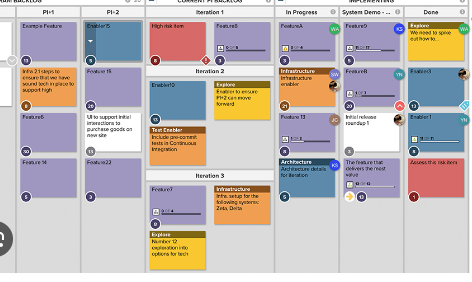
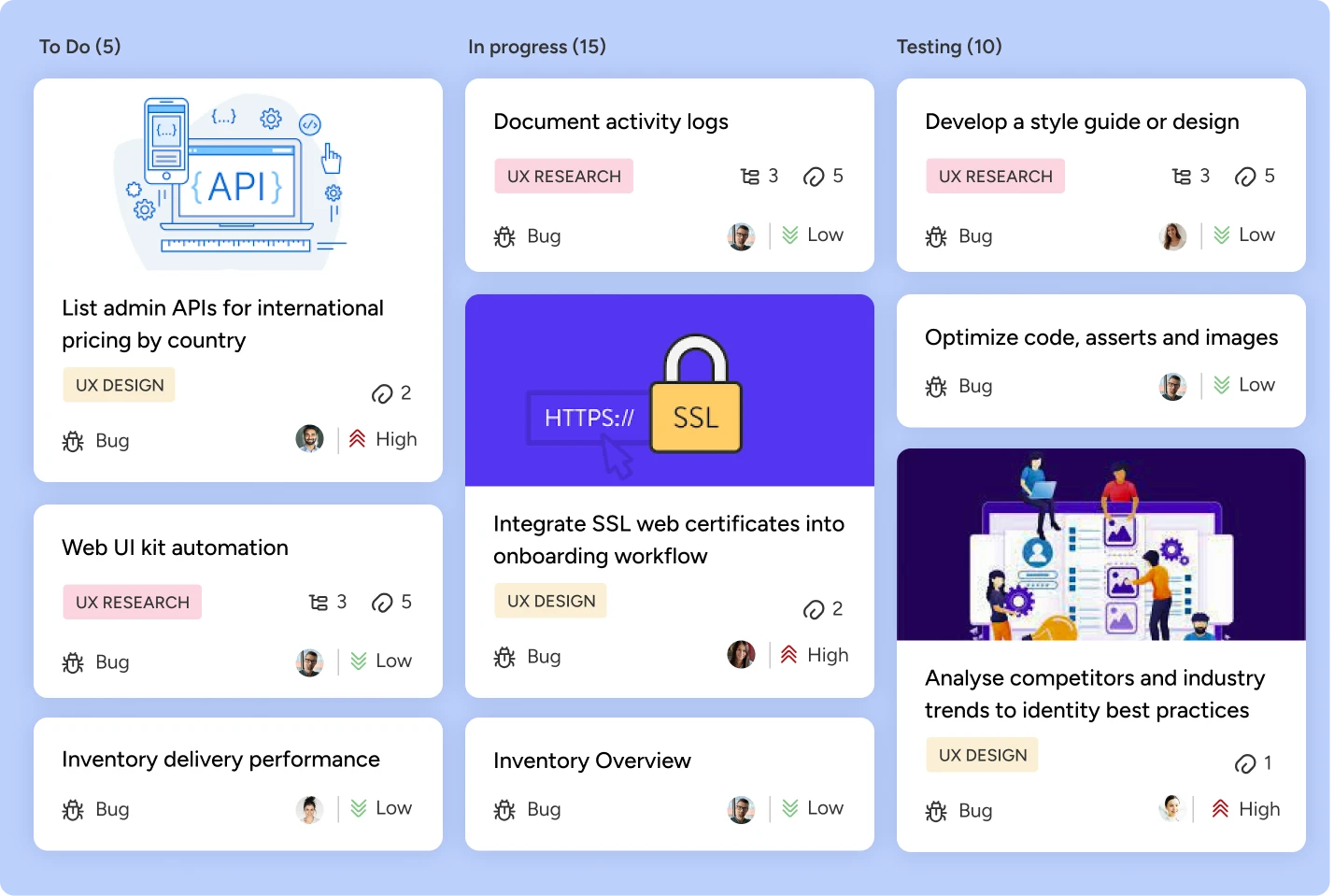
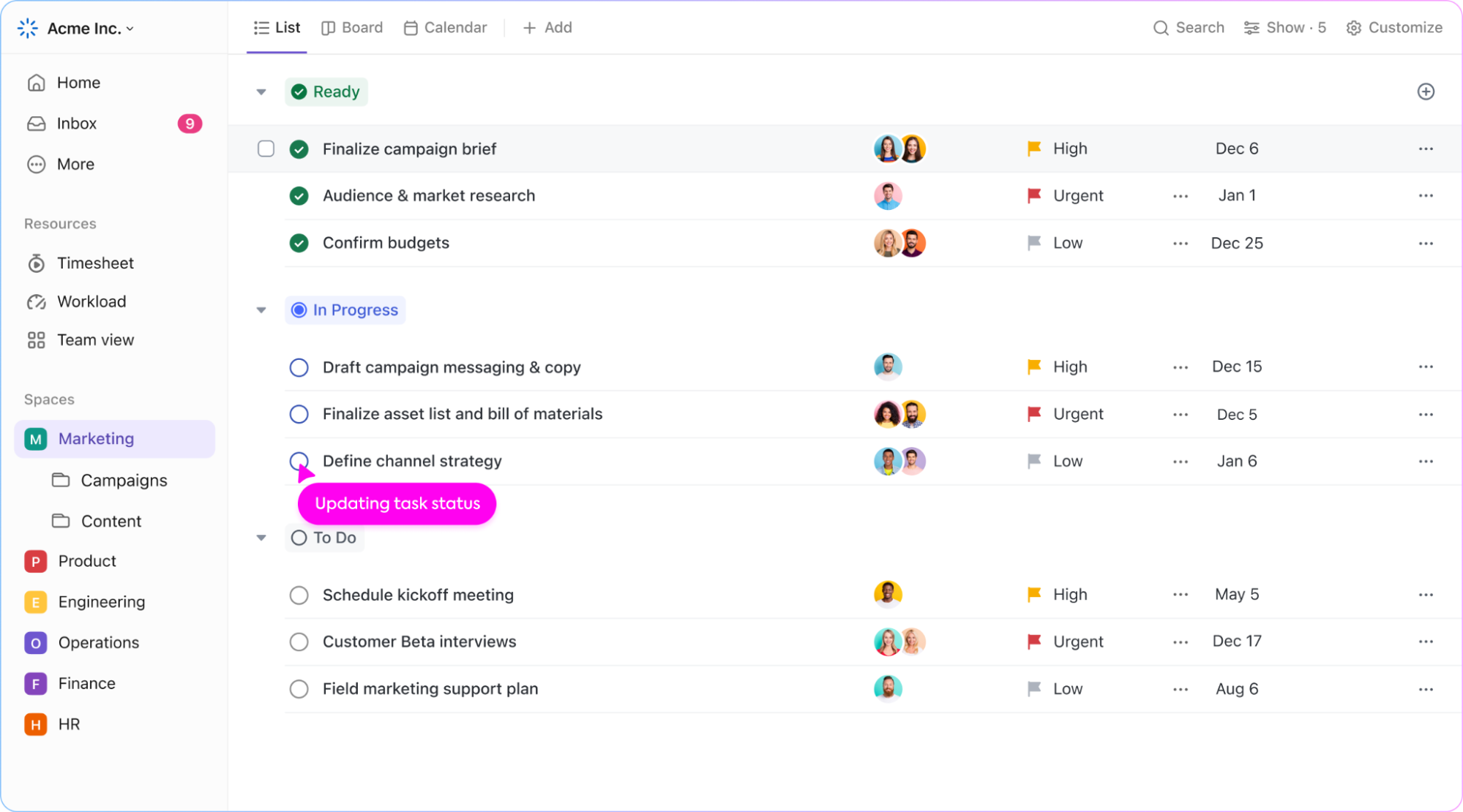
KiteSuite offers multiple task views tailored to different Agile frameworks. Choose between different Agile boards (Kanban, Scrum) to keep your team’s work organized, manage tasks and backlog items effectively, and ensure smooth progress.

image11

Task Management for Easy Management

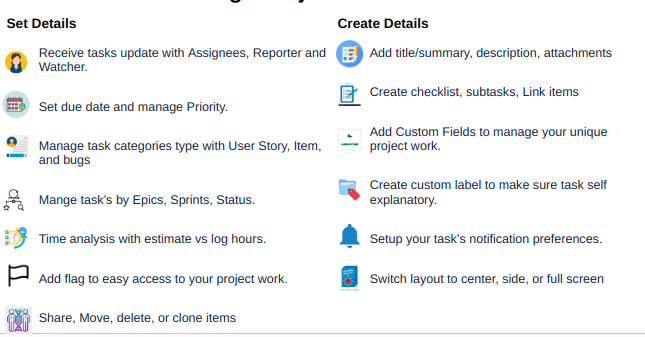
Users can easily manage all the details related to a task by simply clicking on it.

Easy add: Add title, description, manage project items/tickets, set details, and receive task updates with assignees, reporter, and watcher.

Manage priorities: Add priority level, set the due date, manage task category types (user story, item, and bugs), manage tasks by epics, sprints, status, and time analysis (estimate vs logged hours).

Advanced features: Add flags for easy access to your project work; share, move, delete, or clone items.

Create details: Add title/summary, description, attachments, create checklists, subtasks, and link items.

Custom Fields: Add custom fields to manage your unique project work; create custom labels to make tasks self-explanatory.

Other: Set up your task’s notification preferences. Switch layout to center, side, or full screen, and more.

image2

Card View for Workflow Management

Gain a high-level overview of all current tasks with KiteSuite’s board view. This feature allows project managers to quickly identify who’s working on what, facilitating efficient workflow management.

image7

Calendar View and Meeting Scheduling

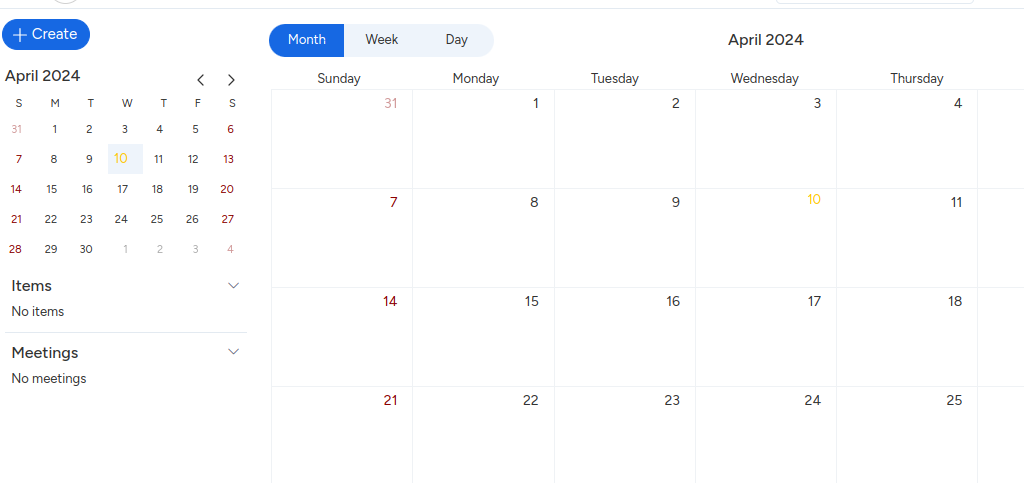
Plan and manage work schedules and sprints effortlessly using KiteSuite’s Calendar View. Easily create meetings and share them with your team. Manage meetings and items with daily, weekly, and monthly views. Create custom meetings to enable seamless collaboration among team members, receive meeting notifications along with custom reminders, and easily add project members to join meetings.

image1

Advanced Filter for Enhanced Focus

Stay focused on deliverables with KiteSuite’s filter to highlight comments, subtasks, and task lists assigned to you or particular team members. Minimize distractions and maximize productivity as you tackle your assigned tasks.

sprints

Track Sprints with Sprint Lists

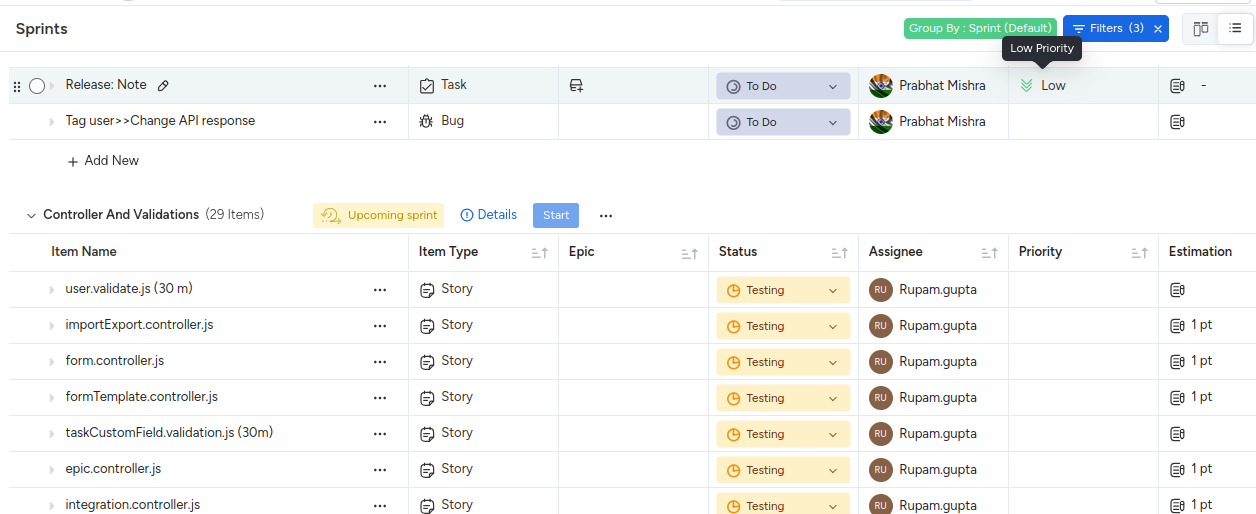
Utilize checklists within KiteSuite to create sprint lists, breaking down deliverables for each sprint. Monitor progress, check off completed tasks, and track Scrum points to ensure alignment with project goals.

sprint dashboard

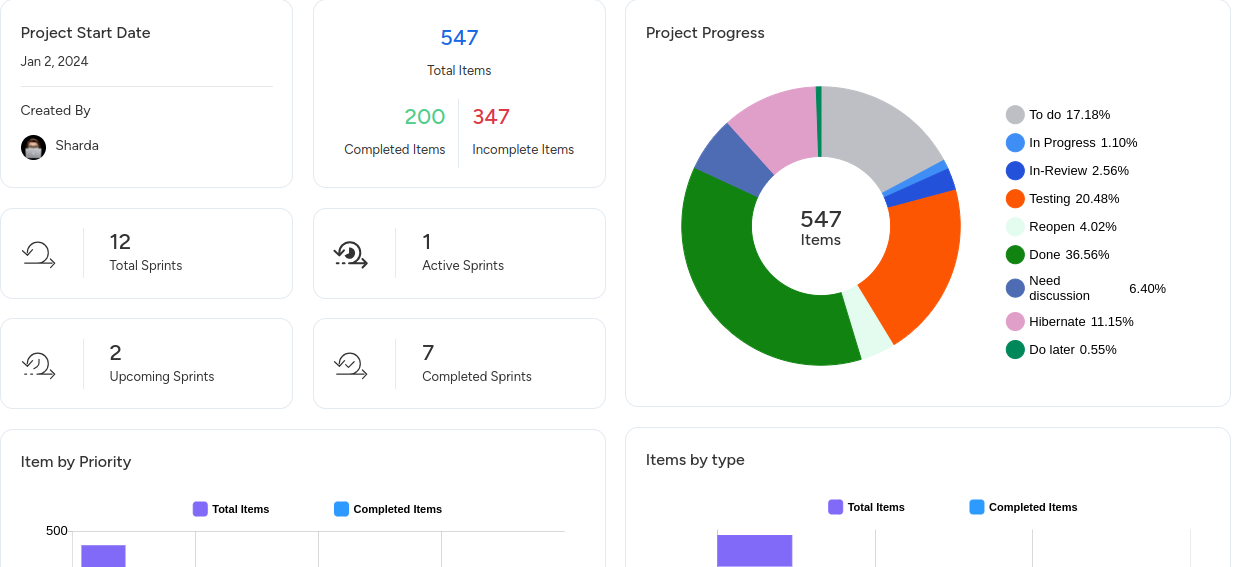
Visualize Progress with Dashboards

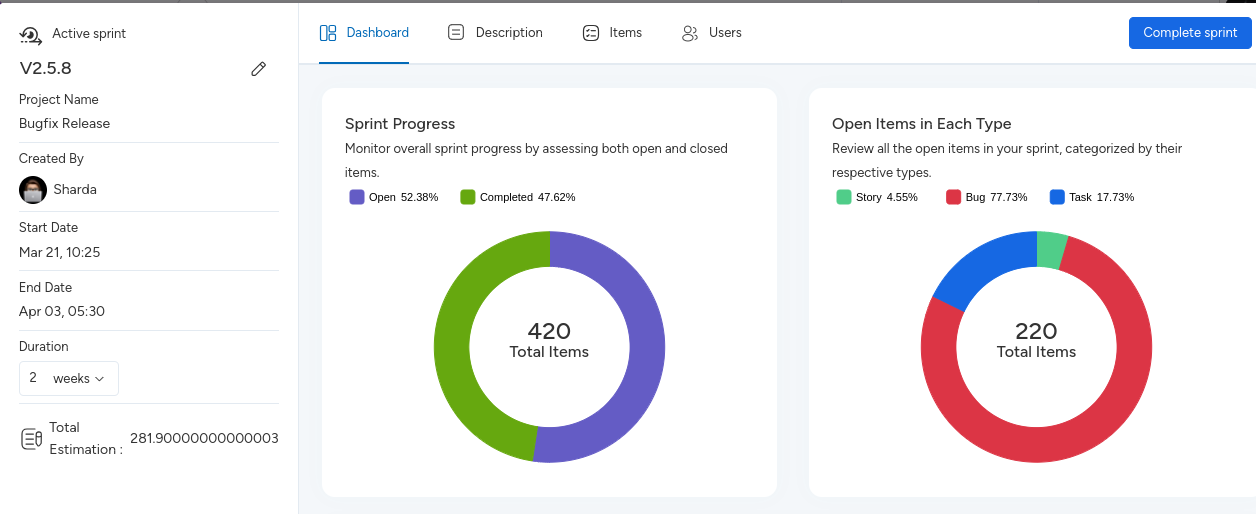
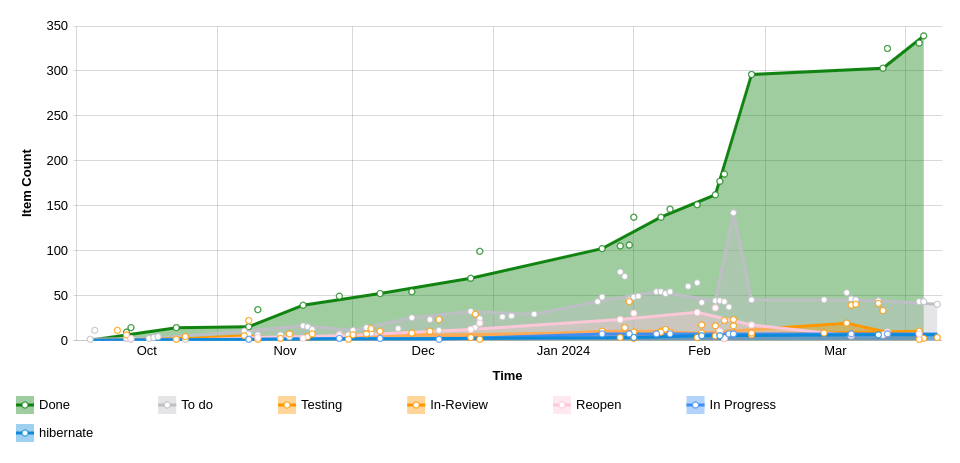
Leverage KiteSuite’s Dashboards for high-level overviews of Agile projects. Track velocity, burndown charts, burnup charts, and cumulative flow charts to monitor progress and identify bottlenecks.

image3

Facilitate Communication with Comments and Real-Time Chat

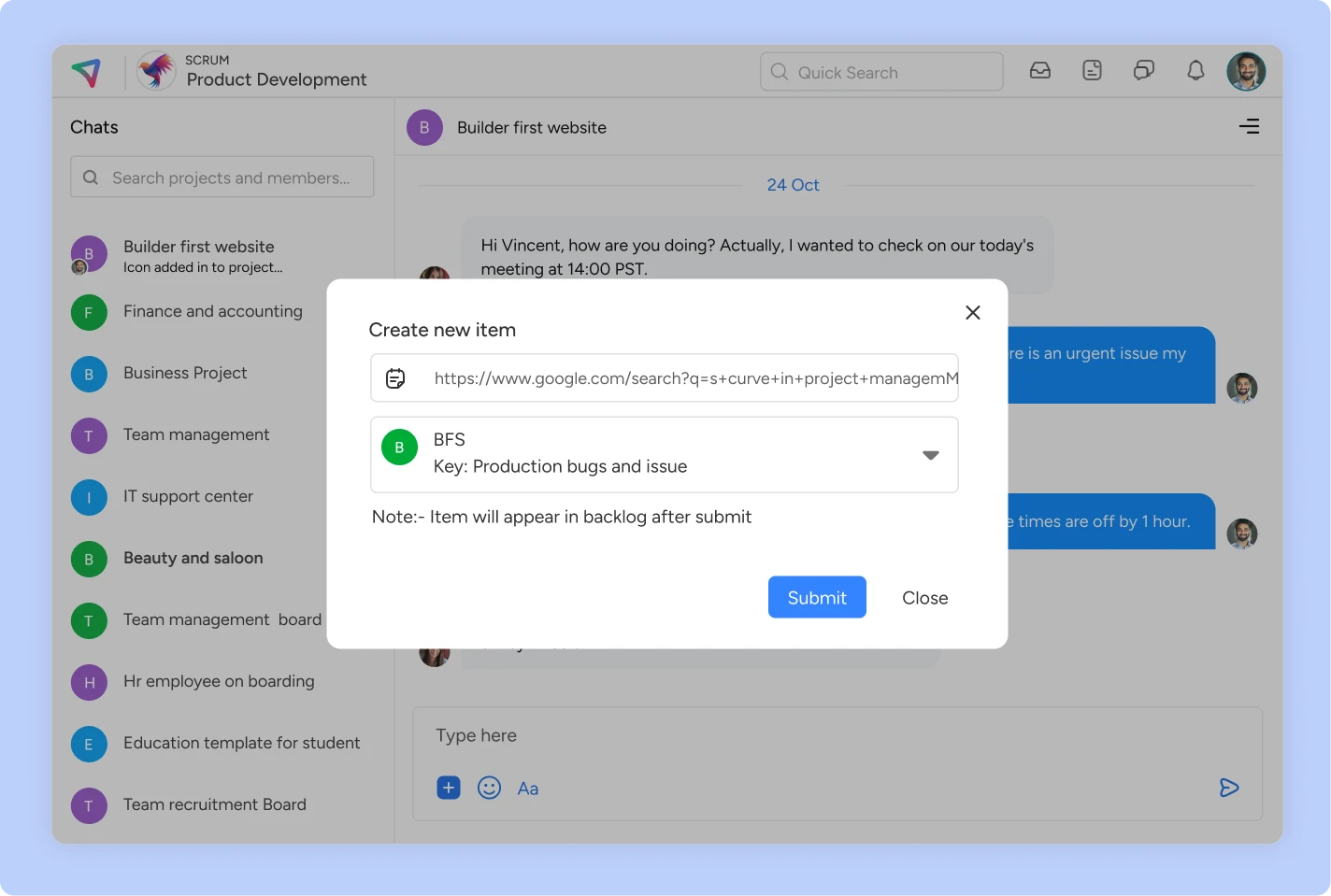
Foster collaboration and communication among team members using KiteSuite’s dedicated comment sections and chat features. Tag team members, exchange files, and share project updates seamlessly to keep everyone informed and engaged.

docs list

Enhance Task Management with Assigned Comments

Convert comments into actionable tasks and assign them to team members using KiteSuite’s Assigned Comments feature. Streamline task allocation and execution to expedite project progress.

items

Comprehensive Documentation

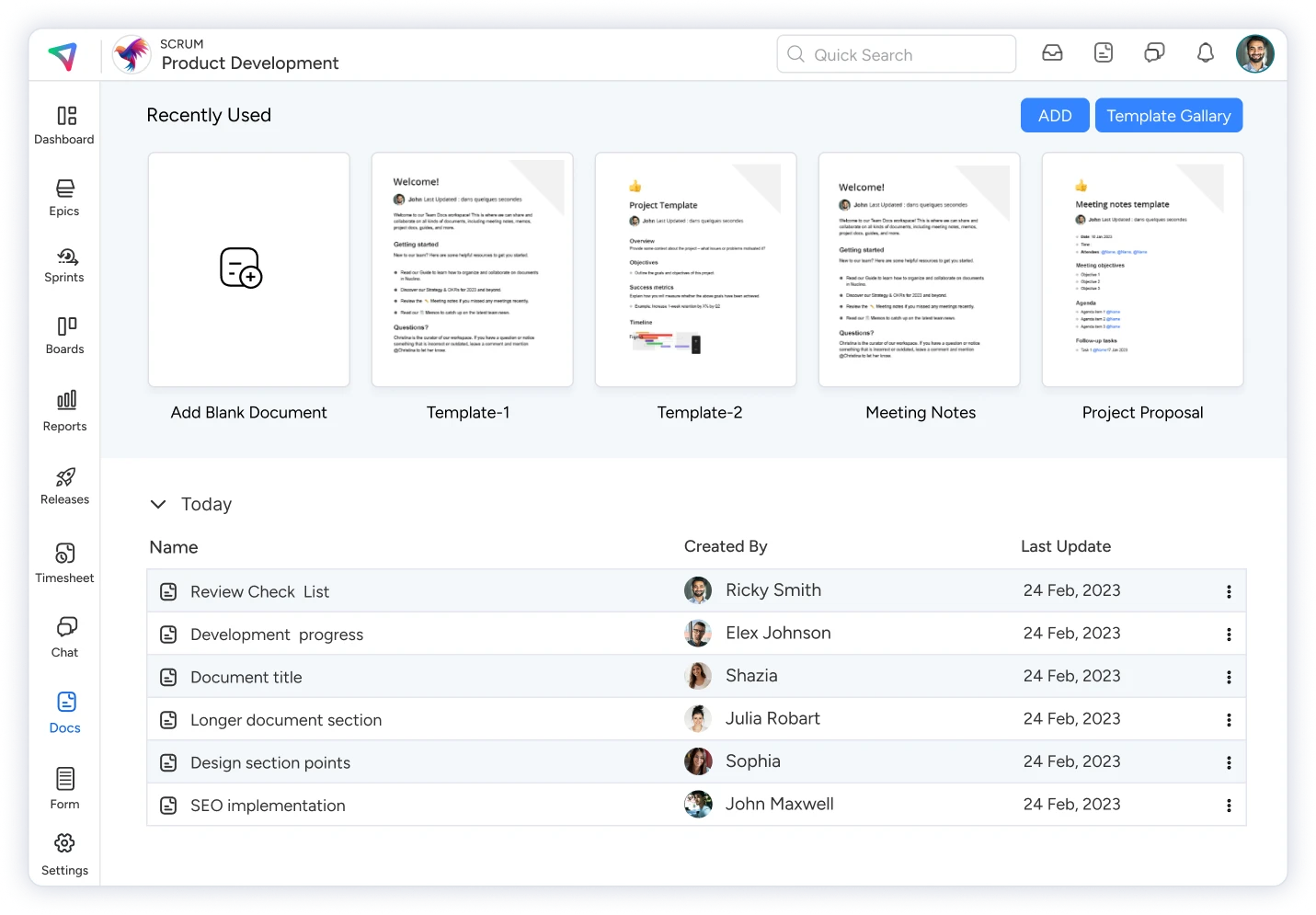
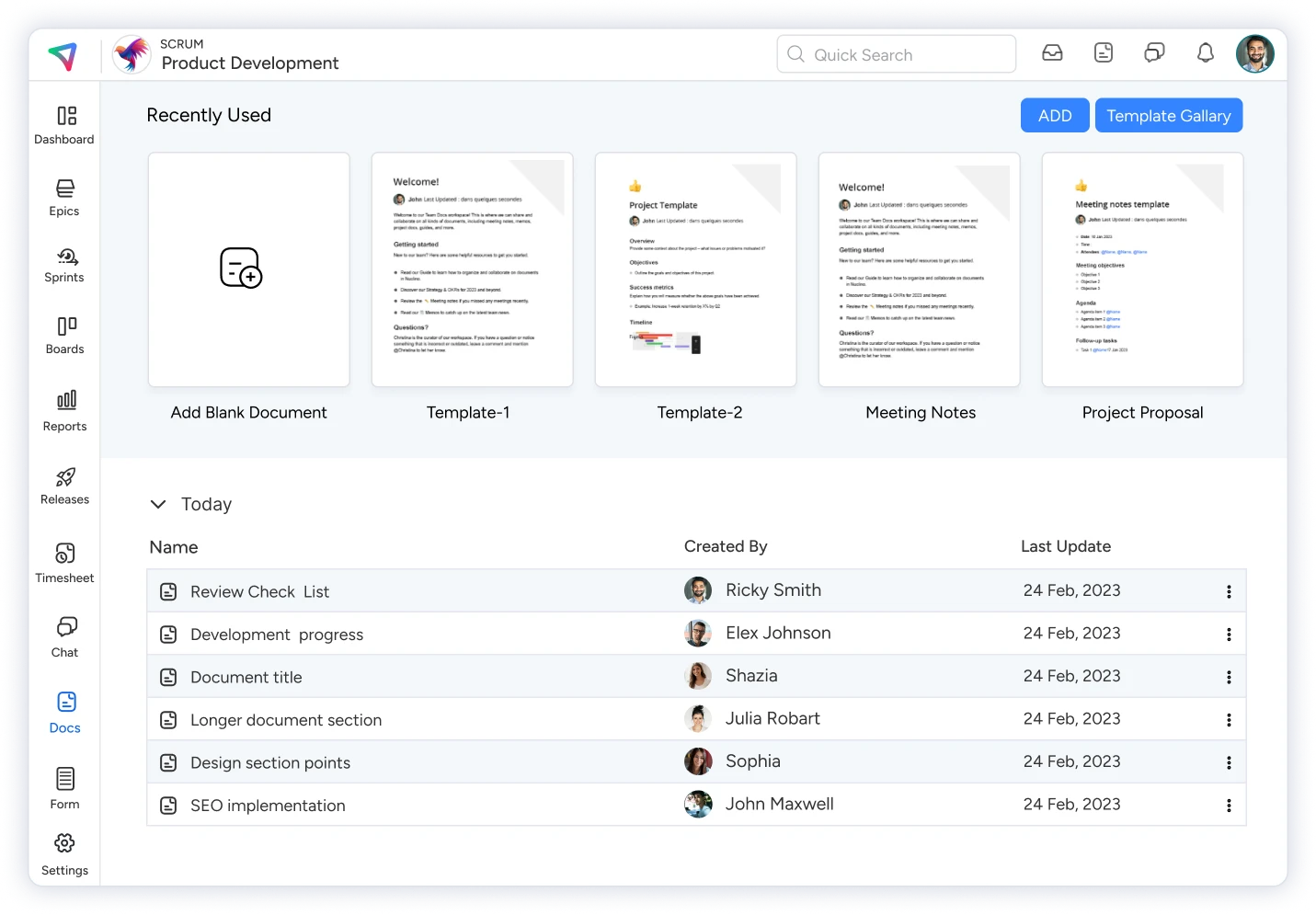
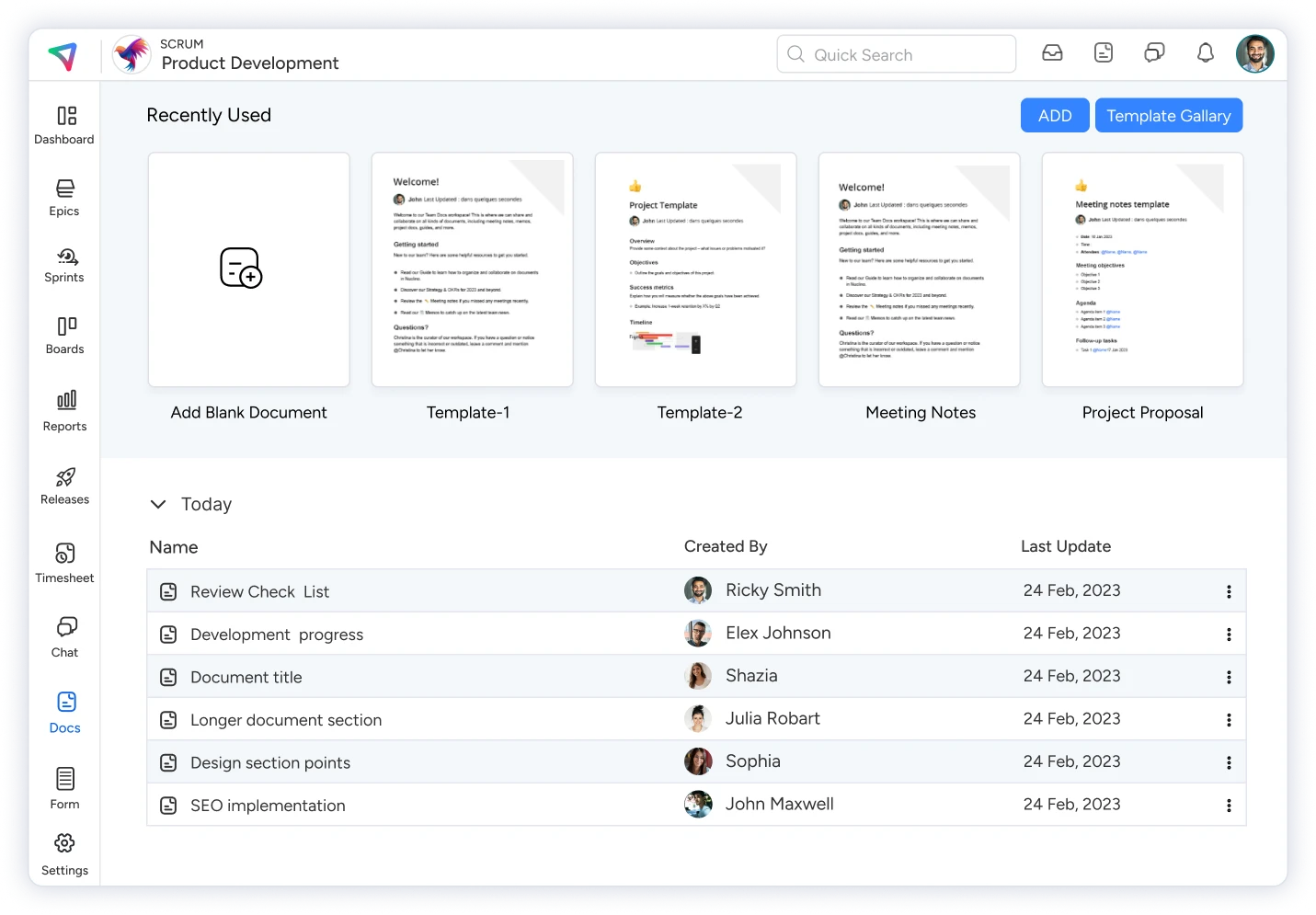
Efficiently use KiteSuite’s ready-made professional document templates to quick-start. Manage permissions to allow users to edit the document or view-only. Easily check version history and retrieve older versions if needed. Take advantage of third-party add-ons like Miro, Figma, Loom, and more. Beautify your document with proper formatting, colors, and fonts. Mention project or workspace members in a document for swift collaboration. Keep all your documents organized by utilizing KiteSuite’s document management feature for both workspace and projects.

docs list

Personalized Inbox

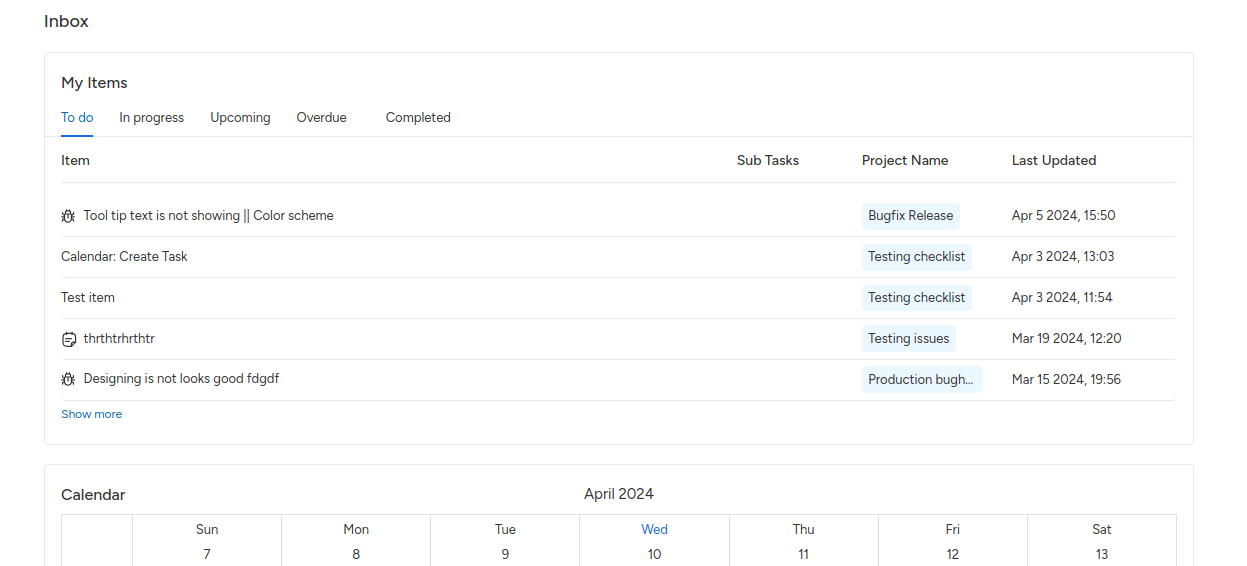
Users can easily review total assigned work in each list. Each list includes the item title with type, subtask count, project name, and last update. Check your work in calendar view, review the weekly calendar with different times, and stay updated with your daily/weekly meetings. The project list shows all projects the user owns, including information like project name, type, key, and project members list.

image12

KiteSuite also offers additional features like task priorities, dependencies, detailed project reports, comprehensive documentation creation and sharing, advanced forms with integration and payment options, built-in time tracking, and web and mobile apps for iOS and Android devices.

Get started now!

Key Features Every Product Management Software Should Have in 2024

The exponential growth in software and technology has resulted in the critical importance of delivering high-quality products with overall customer satisfaction. Indeed, there is no secret recipe to produce success in every project, and to reach the “Heisenberg” standard, one must have all the right tools and techniques handy throughout the development process.While keeping everything organized and your time and work divide between different solution, it is always best to choose a Suite of tools that can handle everything in one centralized place.If you are wondering whether such software exists, please bear with me and I will guide you through 15 must-have product management tools. It will help you choose the right one as per your need.

All About Product Management Software

Product management softwares are tools and application of different processes, which help individuals and organizations to efficiently manage a product from its different life cycles.

Product Management Software Key Features

Brainstorming Capabilities: Software like KiteSuite facilitate innovative thinking and idea generation, gather feedback to effectively plan the business idea to have the right start to make the product successful.

Templates

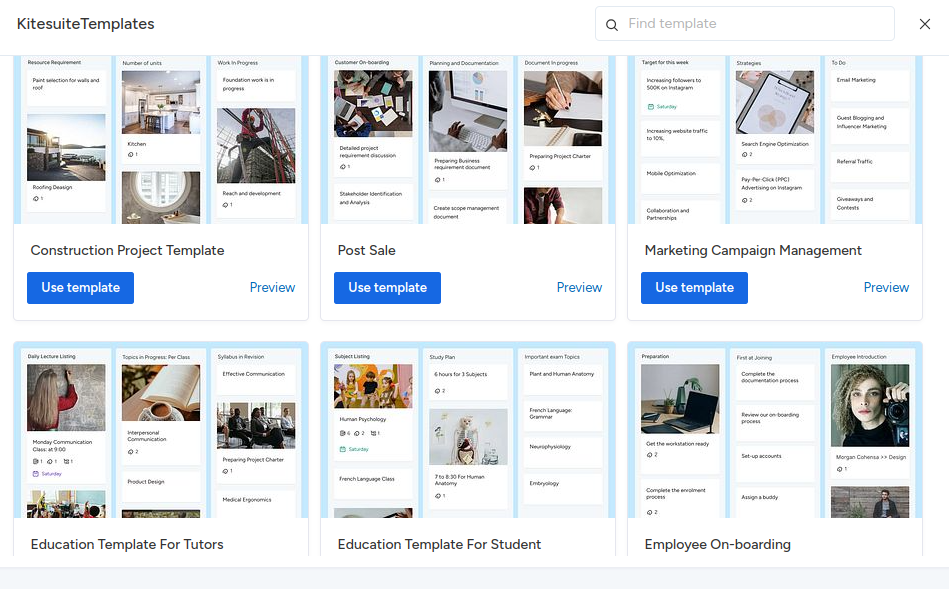
Project management software like KiteSuite provide users the ready to use templates enabling teams to quickly initiate projects, easily understand the application flow, streamlining work process and saving time.

Integrations

Work management software like KiteSuite help users to seamlessly integrate the software with other popular workplace software enhances the software functionality, allowing users to efficient collaboration and data sharing among multiple platforms.

Projects Document Management

KiteSuite offers a dedicated folder for individual projects and workspace so that users can efficiently manage everything related to the product in a dedicated place, reduce time to switch between different applications and provide them a centralized solution for overall project management.

Team Collaboration and Communication

Ensuring shared understanding among team members is a crucial aspect of successfully managing a project. The communication tool is an important feature in work management software, for example KiteSuite offers an integrated chat feature which helps everyone on the right track and aligned with project objectives. It should cater to the need for one-to-one and group chat features to provide effective communication.

Activity history

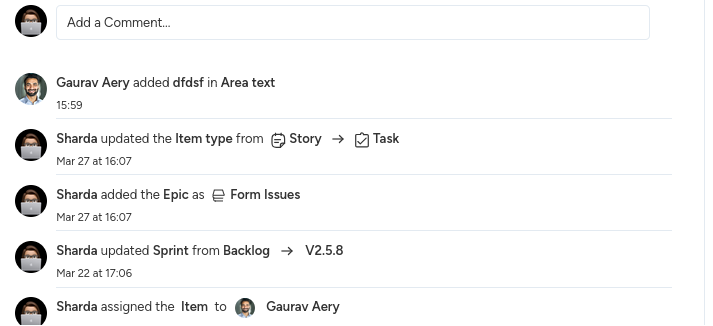
There should be options for users to see individual activity lists and when work/task status was updated and how the product moved from one stage to another. To keep you informed, overall tasks progress at a quick glance.

Reports

The software must provide different reports to check overall project health and stay informed how the project is doing just at a quick glance. According to the selected project management process it should offer different reports to have an overview on project time, cost, scope, and resource work activities.

Members and Role Management

Project management software should cater the need of easy member add and remove from the platform to provide flexibility for the organization owner to easily manage resources as per the each project need. Also it should provide a role management feature to create custom roles as per individuals responsibilities in a project to provide the right access level every time.

User Experience

In addition to above features, usability is paramount. Software like KiteSuite offer a user-friendly interface that simplifies navigation and reduces the need for extensive training. By prioritizing usability, affordability, and essential features, teams can select a product management tool that optimally supports their product development efforts while enhancing productivity and collaboration.

Security and Scalability

Security should be your top priority to keep project data secure and the software should be scalable to help you manage growth and evolving projects need time as your progress in your product lifecycle.

Why use project management software

Maintaining Organized Tasks and Deadlines: Product management software helps prioritize tasks and alerts teams about upcoming deadlines, reducing the likelihood of missed deadlines and ensuring everyone stays on track.
Promoting Productivity and Clear Communication: These tools facilitate collaboration and decision-making, enhancing communication and promoting productivity. Clear communication helps teams understand product objectives and stay competitive in the market.Providing Valuable Insights and Data: Product management software offers valuable intelligence on user engagement, enabling informed decisions based on user behavior and feedback. This data helps optimize products and improve user experience.Centralizing and Streamlining the Product Life Cycle: By serving as a centralized platform for managing tasks, prioritizing features, and facilitating communication, product management tools help teams stay organized and on track with their work. This streamlining across teams, time zones, and sprints leads to more efficient product development.
Translating Strategy into Trackable Tasks: Product management software assists in translating strategy into discrete, trackable tasks. Managers can create and monitor tasks independently or in groups, maintaining an up-to-date overview of overall progress in development areas.
Enhancing Decision-Making: By providing valuable insights and data, product management software informs product strategy and decision-making. This leads to better-informed decisions and ultimately more successful products.Project management software typically encompasses a wide range of functionalities beyond just managing task assignments. It often includes features for scheduling, resource allocation, budgeting, communication, collaboration, document management, and reporting. Additionally, depending on the specific needs of the organization or project, some project management software like KiteSuite also include modules for tracking maintenance needs of software development processes. Therefore, project management software can indeed involve a comprehensive system that addresses various aspects of project and organizational management.

Get Started Now!

Top 10 Resource Management Softwares 2024

When it comes to resource management, whether for a small startup or large enterprise, the efficient allocation and management of resources can profoundly impact overall productivity.

Monitoring the project management process, including cost planning, resource leveling, and effective scope planning, is essential throughout any project.

To complete a project on time and within the set budget, appropriate resource management tools play a crucial role.

In this comprehensive guide, we will discuss the top resource management tools, highlighting their features, use cases, and benefits. Let’s dive in and discover the perfect tool to unleash your team’s true potential!

Unlocking Your Team’s Potential: The Ultimate Guide to Resource Management Tools

Tracking a project, managing costs, leveling resources, and planning capacity are essential components for achieving project success efficiently. With tasks completed on time, projects within budget, and celebrations at the finish line, the right resource management tools play a crucial role in making this happen.

How you optimize your available resources — whether staff, tools, budgets, or time — matters greatly. This type of platform equips project managers with vital information to accurately identify, utilize, and allocate resources efficiently, so that you never miss deadlines.

By leveraging resource management tools, teams can rely on achieving the best project outcomes within the shortest time frame possible. In essence, these tools are designed to maximize efficiency and elevate team productivity from inception to completion.

Top 10 Resource Management Software

Fortunately, there are a number of resource management software solutions that exist to streamline operations and elevate your business to new heights.

Let’s discuss the most comprehensive resource management software available.

KiteSuite

image2

If you are looking for the best resource management software which provides you full flexibility to tailor the software as per your organization’s needs, get started with KiteSuite now! It provides you with the perfect solution for managing resources and overall projects as it comes with multifaceted capabilities, making it the best addition to your arsenal.

KiteSuite offers unparalleled flexibility for organizations, whether they’re allocating resources, mapping out project beginnings, or ensuring seamless team collaboration through assigned tasks and documents.

With KiteSuite’s role-based views, it facilitates personalized resource planning by assigning tasks to the right team members. Moreover, its robust reporting and analytics tools empower you to monitor progress, reallocate resources on the fly, and maintain a comprehensive overview of resource utilization.

Should resource planning hit a snag, KiteSuite’s customizable rule-based automations and the option to create tailored dashboards with charts and calendar views provide indispensable support. This ensures that no aspect of resource scheduling escapes attention, enabling smooth project execution and optimal resource allocation.

Top Features

Custom Dashboards: Create tailored dashboards to analyze resource performance and track key metrics as per your unique project needs.

Calendars and Timelines: Visualize resource scheduling and task timelines in real-time, facilitating better planning and coordination.

Reporting: Generate detailed real-time reports to assess resource efficiency, identify constraints, and gain insights into project performance.

Resource Planning: Utilize intuitive work scheduling and capacity planning tools, including customizable templates, to optimize resource allocation.

Customizable Integration: Streamline resource assignments and project updates through third-party integrations, saving time and effort.

Pros

Built for Team Collaboration: Foster collaboration by sharing documents and comments, and utilizing real-time chat via KiteSuite group chat or one-to-one conversation.

Easy to Use: KiteSuite’s intuitive interface enhances user experience and simplifies navigation, making it accessible for all team members.

Highly Customizable: Tailor KiteSuite to suit specific project requirements and resource planning processes, offering a personalized experience for each project.

Cons

Limited Budgeting Tools: KiteSuite lacks sophisticated budgeting features compared to dedicated financial resource planning software.

Limited Options with Free Plan: Some KiteSuite features are only available in the paid version.

Pricing

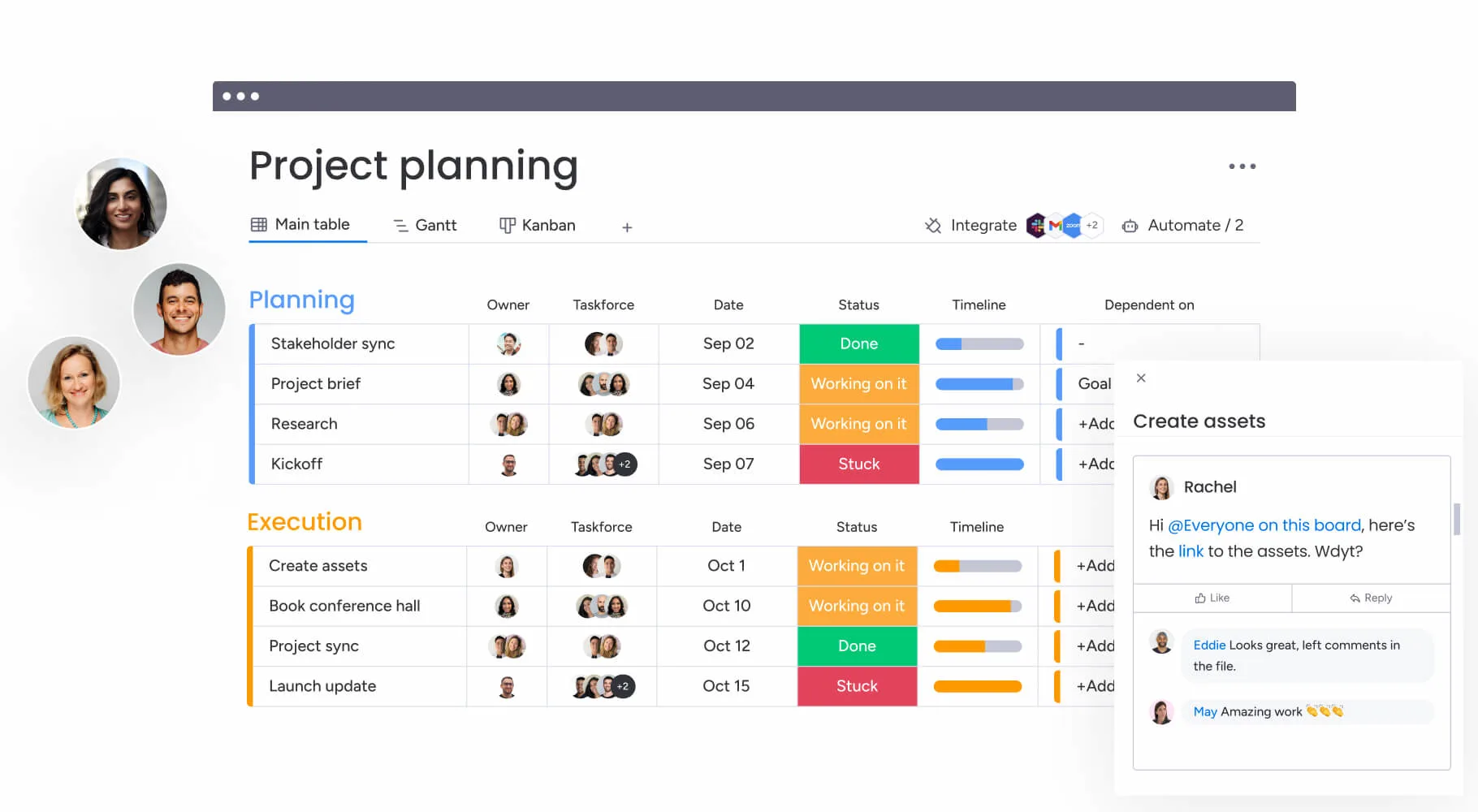
Monday.com

project planning

Monday.com provides solid resource management features you might need. It is designed to help project managers manage work along with resource scheduling features to see the big picture. Its intuitive interface makes it easy for teams to adapt quickly, and its robust collaboration features ensure seamless communication among team members.

However, some users may find its customization options limited compared to other solutions on the market. Nevertheless, it offers comprehensive project management capabilities. Overall, Monday.com is a reliable choice for teams seeking a straightforward resource management tool with powerful features.

Top Features

Drag and Drop Interface: Easily drag and drop tasks and resources for more efficient project management.

Highly Visual Dashboards: Monday.com provides project management views for task tracking, resource allocation, and project insights with a colorful, visual interface.

Time Tracking: Monitor time and resource utilization through built-in timers and measurements for efficient resource planning.

Several Project Views: Timeline, Kanban, calendar views, and more make it easier to context switch and track project progress for resource scheduling.

Pros

Integrations: Monday.com is decent at providing third-party integrations for a hassle-free workflow with additional tools.

Built-in Email Notifications: Teams stay on the same page with automated email notifications within the project management tool.

Cons

Visibility into Team Progress: Some team members don’t like that managers can see each team member’s progress on assigned tasks — which is great for resource utilization purposes but not ideal for general team members.

Not as Customizable as Other Alternatives: While Monday.com provides a complete framework to manage all kinds of projects, some users wish it were a bit more flexible as a project management tool.

Pricing

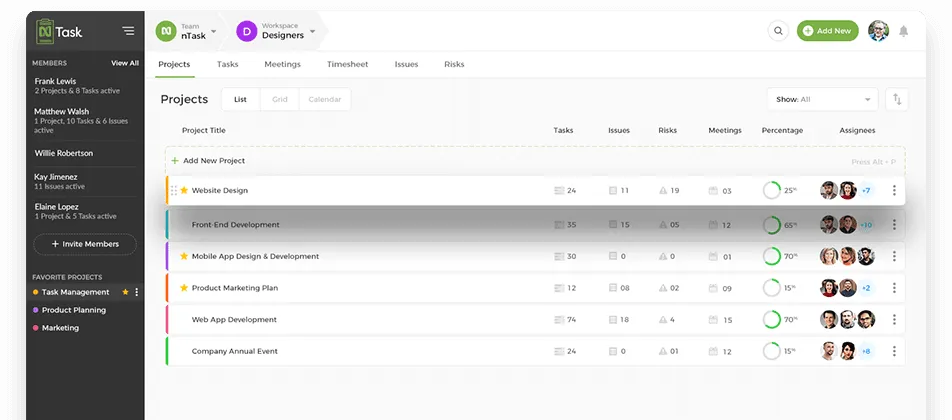
nTask

tasks

nTask is an ideal choice for small businesses and individuals seeking a comprehensive cloud-based project management solution. With its focus on task prioritization, resource management, goal setting, and cost control, nTask empowers teams to collaborate effectively on tasks, meetings, issues, and risks, ensuring successful project delivery. Key features include multiple views for managing tasks and resource schedules, budgeting capabilities allowing easy setting of hourly rates, and robust time management functionalities for monitoring project activity time.

Top Features

Multiple Views: Efficiently manage project tasks and resource schedules using list view, board view, calendar view, and Gantt chart view.

Budgeting: Simplify budget management by setting hourly rates for individual resources, tasks, or projects.

Time Management: Track time spent on project activities with time tracking and timesheet approvals.

Pros

Drag and Drop Functionality: Streamline resource scheduling with intuitive drag-and-drop functionality.

Integration: Seamlessly integrate with a wide range of third-party applications, enhancing flexibility and productivity.

Cons

Limited Free Version: The free version of nTask offers limited features.

Limited Customization Options: Users may find the customization options somewhat restricted compared to other platforms.

Pricing

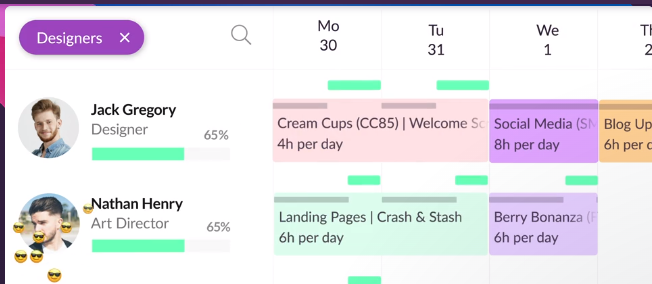
Resource Guru

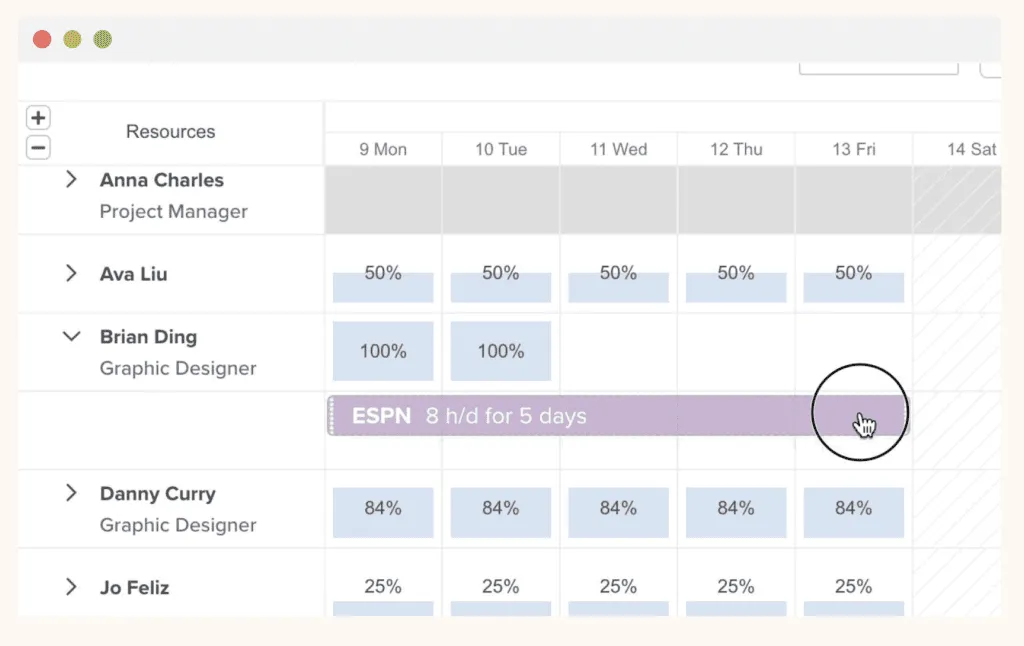
designer

Resource Guru is an excellent choice for small to midsize companies seeking fast and flexible scheduling solutions. It specializes in managing people, projects, equipment, and meeting rooms, ensuring efficient resource allocation while preventing over-allocation and maintaining workload balance. The software offers features for leave management, monitoring resource utilization rates, and tracking key metrics such as billable vs. non-billable time and overtime.

Top Features

Resource Scheduling: Easily find and schedule resources based on various criteria such as skill, department, location, or custom fields.

Capacity Planning: Quickly identify overloaded or under-utilized resources through an intuitive drag-and-drop calendar interface.

Leave Management: Efficiently plan vacations and other time off while considering your team’s workload.

Pros

User-Friendly Interface: Enjoy a seamless experience with Resource Guru’s intuitive and easy-to-use interface.

Integration: Integrate with over 1,500 apps, enhancing versatility and compatibility.

Cons

Limited Customization Options: Users may find customization options somewhat restricted compared to other platforms.

No iOS and Android Mobile Apps: Lack of dedicated mobile apps for iOS and Android devices may limit accessibility and convenience.

Pricing

Mosaic

image1

Mosaic stands out as an intuitive and comprehensive resource management tool, offering users the ability to efficiently manage resources, access insightful analytics, and make data-driven decisions. With robust tools for resource scheduling, project collaboration, and advanced analytics, Mosaic ensures that project teams can effectively assign tasks, track availability, and align resources for optimal project planning.

Top Features

Project Collaboration: Real-time collaboration features enable seamless communication among team members, enhancing resource planning and coordination.

Resource and Project Analytics: Gain valuable insights into performance, resource utilization, and project progress with Mosaic’s comprehensive analytics capabilities.

Notifications: Stay up-to-date on project information with timely notifications via email and SMS.

Pros

Great Support Team: Mosaic’s responsive support team provides quick assistance with any task, resource, or project management queries.

Task Automation: Streamline project management tasks with automation features, reducing manual workload and improving efficiency.

Preventing Burnout: Visualize team capacity to avoid overloading any member and mitigate burnout risks through informed resource allocation.

Cons

Platform Glitches: Some users have reported occasional glitches, such as disappearing tasks after finalization.

Inconsistent Exporting Functionality: Document format changes and disorganization issues have been reported when exporting CSV files.

Pricing

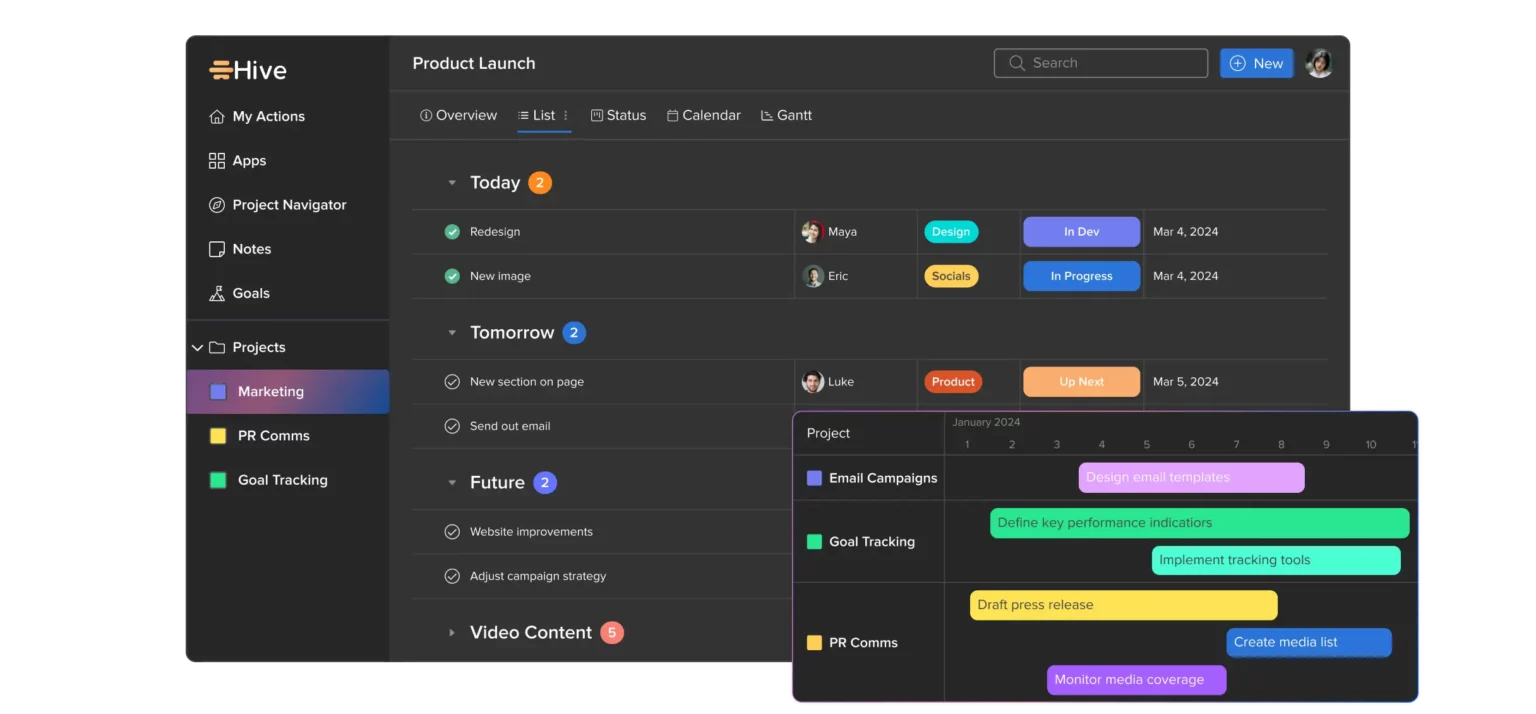
Hive

resources

Hive is a comprehensive and intuitive project resourcing tool that offers a range of functionalities for effective time tracking and resource planning. With over six different layouts including Gantt, Calendar, Kanban, Portfolio, Table, and Label view, users can seamlessly plan, task, and organize resources according to their preferences.

Need to get an overview of available resources for the entire month? Simply switch to the Calendar view. Want to track the progress of a specific task, such as completing an ebook? Dive into the time-tracking history to get precise insights. With its user-friendly interface and seamless navigation, Hive makes it easy for teams to collaborate effectively.

Additionally, Hive integrates native chat and email functions, allowing team members to communicate and collaborate in real-time. This ensures quick and efficient coordination among team members, enabling them to reach out to each other promptly whenever needed.

Top Features

User-Centric Design: Developed based on user feedback gathered through the Hive Forum, ensuring it addresses practical project management needs.

Time Tracking and Goal Setting: Track time effectively, set clear goals, and establish customizable workflows to streamline project execution.

Versatility: Apart from resource management, Hive serves as a robust project management and OKR (Objectives and Key Results) management tool, offering multifunctional utility.

Pros

Multiple Layouts: With over six different layouts including Gantt, Calendar, Kanban, Portfolio, Table, and Label views, Hive provides flexibility in resource planning and task management.

Native Communication Integration: Seamlessly communicate with team members through native chat and email functions, ensuring swift collaboration and coordination.

Two-in-one Tool: Hive serves as a versatile two-in-one tool, catering to both general project management and resource allocation needs.

Cons

Glitchy Messaging Tool: The messaging dashboard occasionally experiences glitches, making it difficult for users to access older messages reliably.

Basic Mobile App: While Hive offers mobile functionality, its app provides relatively basic features compared to other mobile apps designed for project management purposes.

Missing Key Native Integrations: Integration options are limited, particularly with other project management tools and CRMs like HubSpot, which may hinder workflow efficiency.

Pricing

SmartSheet

SmartSheet
Resource Management by Smartsheet empowers users to efficiently allocate resources, track project timelines, and predict hiring needs in real-time.

With its People view, users gain a comprehensive overview of personnel, allowing for easy filtering by various traits such as discipline, role, and language. The Schedule view enables users to visualize resource availability, current assignments, and vacation schedules, facilitating optimal resource allocation.

Additionally, the Project view provides insights into planned work, allowing for the assignment of talent based on roles, skills, and availability. By offering detailed progress tracking, Smartsheet ensures projects are completed on time and within budget, making it an invaluable tool for resource management.

Top Features

Total Visibility into Workloads: Provides stakeholders with comprehensive workload management views and progress reports for effective project management.

Automated Notifications and Updates: Keeps resource planning managers informed of any project changes in real-time, enabling on-the-spot resource scheduling adjustments.

Forecasting and Analysis Tools: Assists project managers in proactive resource planning by offering forecasting and analysis capabilities to optimize resource utilization.

Visual Representation of Available Resources: Offers visual representations of resource availability and capacity, facilitating quick assessment and efficient management.

Pros

Adaptable Templates and Sheets: Offers flexible templates that can be customized to suit project needs, saving time and effort in project setup.

Advanced Filtering: Provides advanced filtering options to ensure no tasks or notes are overlooked, enhancing resource management efficiency.

Cons

No Desktop App: Lacks a downloadable desktop application, limiting accessibility for users who prefer desktop-based tools.

Works Similarly to Excel: Operates similarly to Excel in terms of functionality, which may not meet the needs of users seeking more advanced resource management features.

Pricing

Forecast

schedule

Forecast is a comprehensive resource management tool designed to streamline both long-term and short-term project planning. With its intuitive zoom-in and zoom-out feature, users can effortlessly visualize resource availability on daily, weekly, and monthly scales.

The tool provides a heatmap view, enabling project managers to quickly assess team workload and progress. This visual representation makes it simple to identify overbooked individuals, available resources, and team members on vacation.

Forecast’s financial reporting functionality allows for real-time monitoring of resource utilization, providing insights into both available and consumed resources. Additionally, the Auto Schedule tool utilizes intelligent technology to automatically match resources with tasks based on factors such as skills, availability, and estimated task completion times.

Top Features

Invoicing Features: Easily create and send client invoices directly from the platform, streamlining the billing process and ensuring prompt payment for services rendered.

All-in-One Tool for Agencies: Agencies benefit from managing clients, projects, and resources all from one centralized platform. This comprehensive approach enhances efficiency and collaboration within agency teams.

Pros

Consistent Product Updates: Forecast’s dedicated team consistently provides product updates, ensuring that users have access to the latest features and enhancements to improve their experience.

Visibility into Availability: Teams gain clarity and alignment by having visibility into everyone’s availability for projects. This feature facilitates effective project planning and resource allocation.

Cons

Limited Mobile Experience: Forecast’s dashboard lacks optimization for mobile viewing, which may inconvenience users who need on-the-go access to project information and management tools.

Manual Repetitive Tasks: Despite its functionality, Forecast lacks automation for many repetitive tasks, requiring users to perform manual actions that could otherwise be streamlined for efficiency.

Geared Toward Agencies: While ideal for service-based businesses like agencies, Forecast may not fully meet the needs of businesses operating under different models, limiting its applicability across various industries.

Pricing

Celoxis

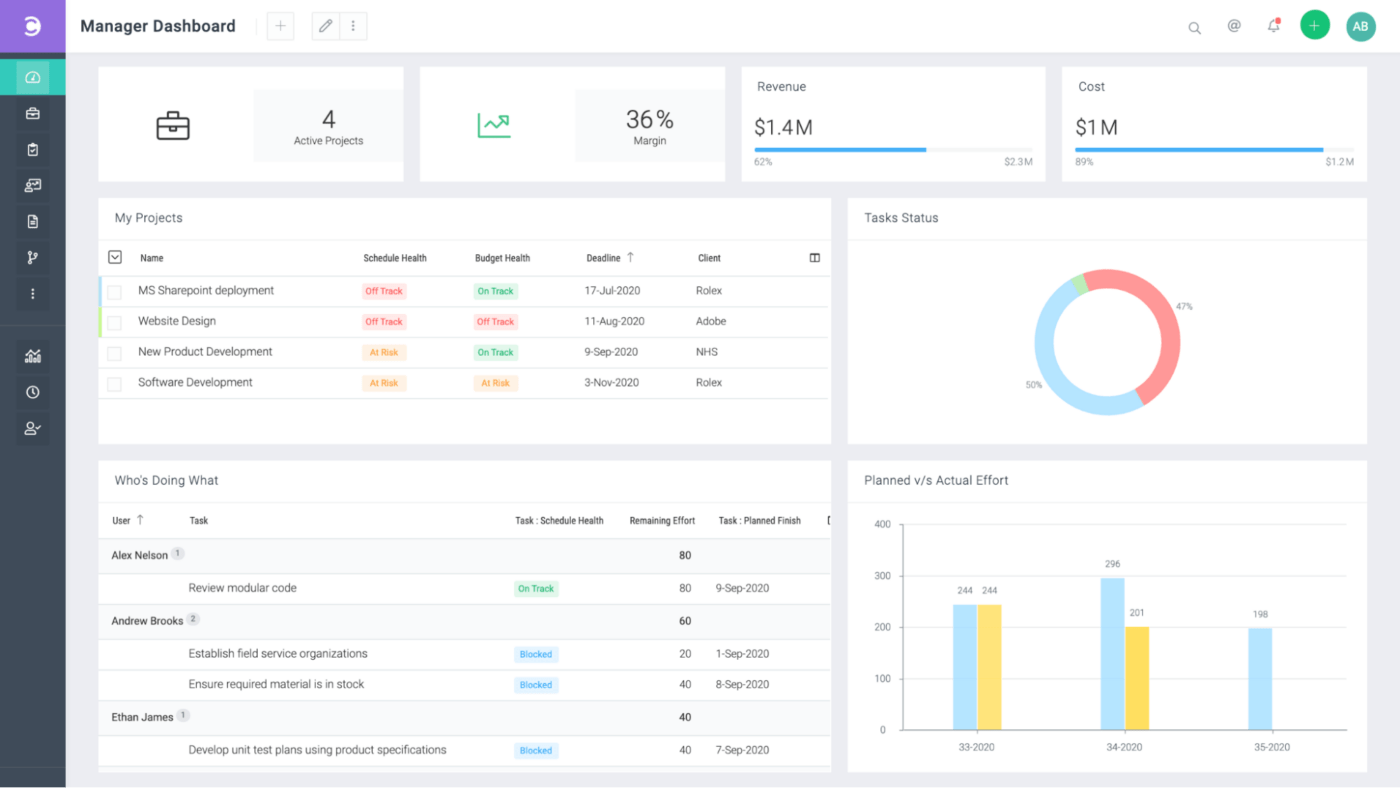
manager dashboard

When it comes to project management, Celoxis stands out as a versatile platform that seamlessly blends agile resource management tools with advanced workflow automation features. It empowers project managers with powerful reporting and business analytics, providing a comprehensive overview of project progress.

One of Celoxis’ key strengths lies in its customizable visualizations, allowing project managers to interpret project data quickly and efficiently. Moreover, Celoxis offers external-facing tools such as client portals, enabling teams to effectively manage client interactions and collaboration.

While Celoxis boasts several impressive features, it’s worth noting that the platform is continuously evolving to meet diverse project needs. With ongoing development, Celoxis aims to further enhance its capabilities and cater to a broader range of project requirements.

Top Features

Customizable Portfolio Dashboards: Keep abreast of real-time project information within portfolios, allowing for seamless project tracking and management.

Customizable Visualizations: Gain deeper insights into project data with customizable visualizations, facilitating better understanding and decision-making.

Automation: Celoxis offers a plethora of customizable automation options, streamlining repetitive tasks and enhancing productivity.

Pros

Automated Resource and Project Reports: Celoxis schedules automated resource and project reports, ensuring that project progress updates are delivered directly to your inbox, saving time and effort.

Works Best for Smaller Teams: Celoxis is user-friendly and intuitive, making it ideal for smaller teams who may not have extensive experience with complex resource management software.

Cons

Limited Usage Plans: Unlike some competitors, Celoxis offers a limited selection of usage plans, which may not cater to all budgetary requirements.

UX Needs Improvement: While Celoxis offers powerful features, some users may find that the user experience (UX) could be improved, particularly in terms of dashboard navigation.

Pricing

Hub Planner

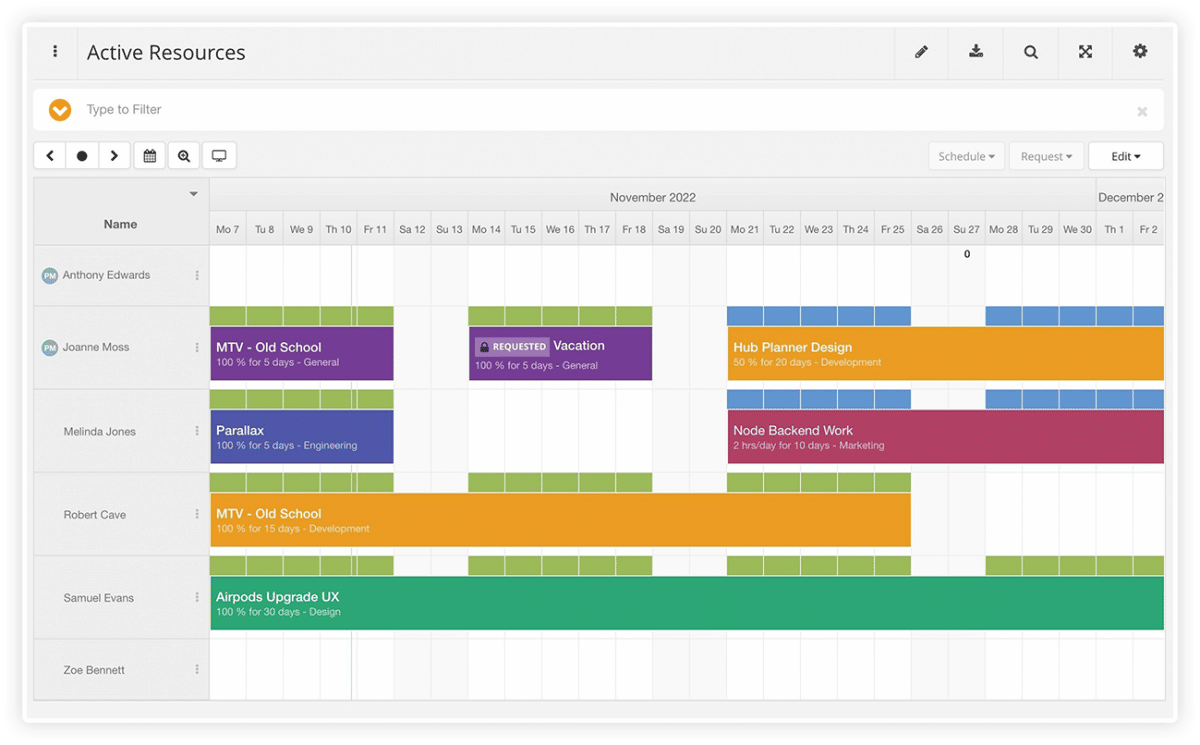
active resources

Hub Planner combines scheduling, time tracking, and reporting features to offer a straightforward and efficient resource management solution. While it may not provide the same level of customization as some other tools, Hub Planner delivers solid features tailored for smaller teams seeking enhanced project management capabilities.

One of Hub Planner’s standout features is its dynamic budgeting tools, which streamline budget creation and tracking. With an intuitive budgeting wizard and interactive cost analysis dashboard, managers can easily monitor project expenses and identify any discrepancies between actual and forecasted costs.

Top Features

Drag-and-Drop Scheduler: Create project schedules effortlessly using the intuitive drag-and-drop schedule maker, simplifying the process of resource allocation and project planning.

Easy to Learn and Manage: Hub Planner boasts a user-friendly interface with a low learning curve, making it easy for teams to onboard and integrate into their workflow without extensive training.

Dynamic Billing Rates: Track internal and external billing rates seamlessly, allowing for accurate monitoring of project profitability and financial resource planning.

Pros

Ease of Navigation: Users appreciate Hub Planner’s intuitive interface, prioritizing ease of use over complex features, making it ideal for teams seeking a straightforward resource management solution.

Automated Project Hour Tracking: Save time with Hub Planner’s auto-fill feature, which automatically populates project hours, streamlining the resource planning process.

Cons

Feature Sophistication: While Hub Planner offers solid functionality, it may not be suitable for teams requiring advanced project or resource planning tools with more complex workflows.

Manual Resource Usage Tracking: To assess resource allocation effectiveness, users must download reports to view resource usage data, lacking real-time visibility into resource utilization.

Pricing

Start Planning Resources Using a Resource Management Software

When it comes to resource management software, finding the perfect fit isn’t always straightforward. You need a solution that goes beyond basic project planning and offers comprehensive tools to effectively monitor, track, schedule, organize, and reprioritize your resources.

Enter KiteSuite — a robust resource and project planning software designed to provide everything you need for optimal resource management.

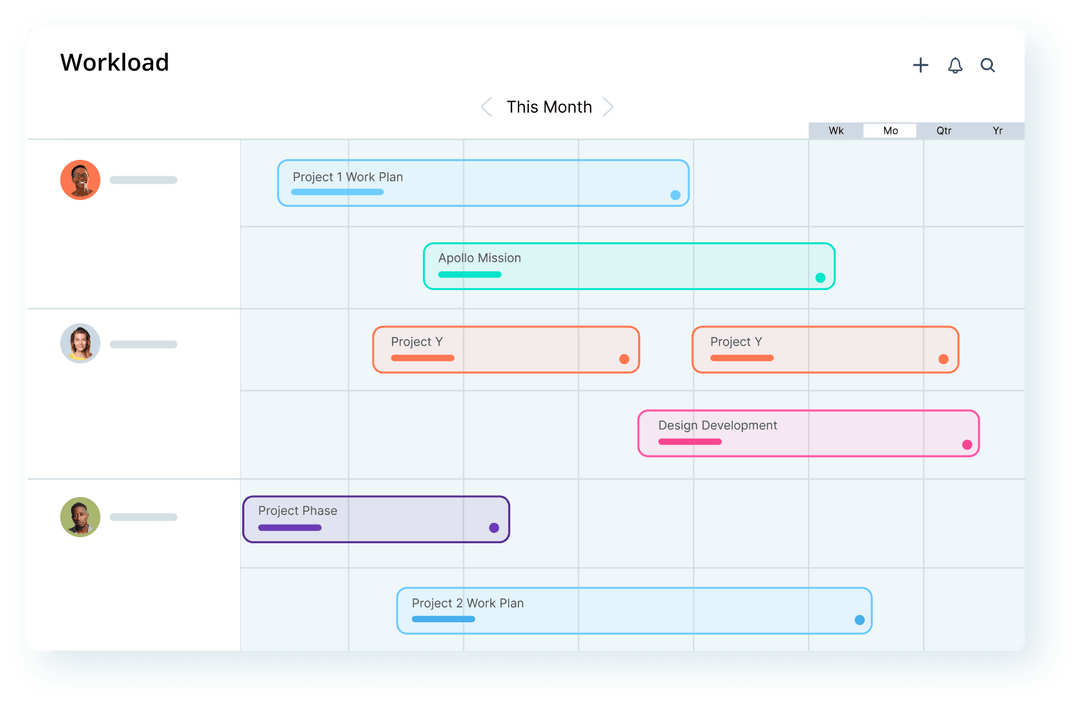
With KiteSuite, you gain access to a suite of features that empower you to monitor workloads efficiently. Utilize KiteSuite’s Workload View to gain insights into team members’ workloads. Easily identify who’s ahead, who’s falling behind, and quickly reallocate tasks as needed with a simple drag-and-drop interface.

KiteSuite provides a centralized platform for resource management and project planning, allowing you to optimize your team’s performance and achieve project success with ease.

Get Started Now!

Top 16 Work management Software in 2024

Embark on a journey with efficient project management software. We have conducted extensive research and reviews on project management software. Skim through our dedicated project management software list to find the best platform that is correctly aligned with all your business needs and personal preferences.

Get Started Now!

All about Project Management Software

Project management software is a suite of tools (a comprehensive all-in-one solution) that makes all management work easy and trackable throughout the product life cycle. Whether it is task management, people and role management, communication management, documentation, sharing/gathering feedback, third-party integration, project import-export, and more, project management software caters to diverse needs and shapes, facilitating efficient workflow production.

An Effective Project Management Software Should Include the Following Features

Easy Work Management: Project management should have an Agile or Kanban board where users can easily manage project tasks and activities, prepare a backlog, and keep track of all complete and ongoing activity. It is also easy to maintain lessons learned and organization process assets for all projects.

Team Collaboration and Documentation Management

Project management software should offer tools for the team to communicate in real time to stay engaged. Tools such as group or one-to-one chat, the ability to create, share, and manage project-related documentation, and the ability to view activities and comments within project tasks are all essential.

Real-Time Reports

Integrated reports according to the selected project management board help you gain insights into your project progress, team performance, time, cost, and other relevant metrics to provide insight about the overall project health at every stage of the project development lifecycle. Burn-up, burn-down, timeline visualization, and more reports help in planning and tracking project progress, allowing you to identify bottlenecks and make changes efficiently.

Easy Feedback Management

Whether you’re collecting expert opinions, surveys, or gathering reviews from users, a comprehensive feedback form can be a valuable feature in the process of data collection, analysis, and project management — all at your convenience.

Member and Role Management

In a project management application there should be a dedicated page which allows users to easily add members and assign permissions as per their role in the project, keeping everyone informed with the right amount of information as per their work responsibilities.

Ways to Choose the Right Project Management Software

When selecting a project management software for your organization or team, there are several crucial factors one should consider.

Easy to use: You should always go with software that is user-friendly and that your team can understand at a quick glance of the application.

Scalable: The software should be able to efficiently handle a growing user base, providing features and capabilities that scale as your organization expands.

Security: The software must offer robust security features, giving you confidence that your sensitive data and project information are protected.

Here’s our list of the top 16 project management software options

Sr. No. Software Solutions Top Features Best Uses For Starting Price
1 KiteSuite Simultaneously manage multiple projects and workspaces Custom project views and overall work tracking $3
2 ClickUp Managing multiple tasks Automatic progress tracking $7
3 Zoho Automate routine tasks Blueprints for processes $4
4 Monday.com Simultaneous project management Many project views $9
5 Asana Tracking project progress Multiple project views $10.99
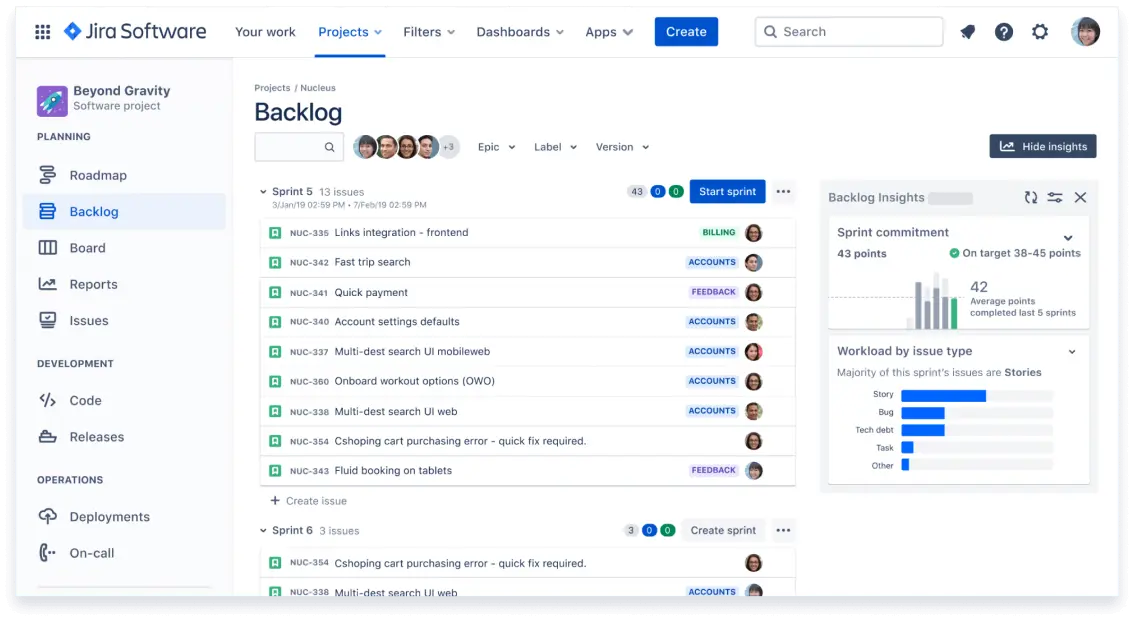
6 Jira Managing dev projects Issue tracking $5
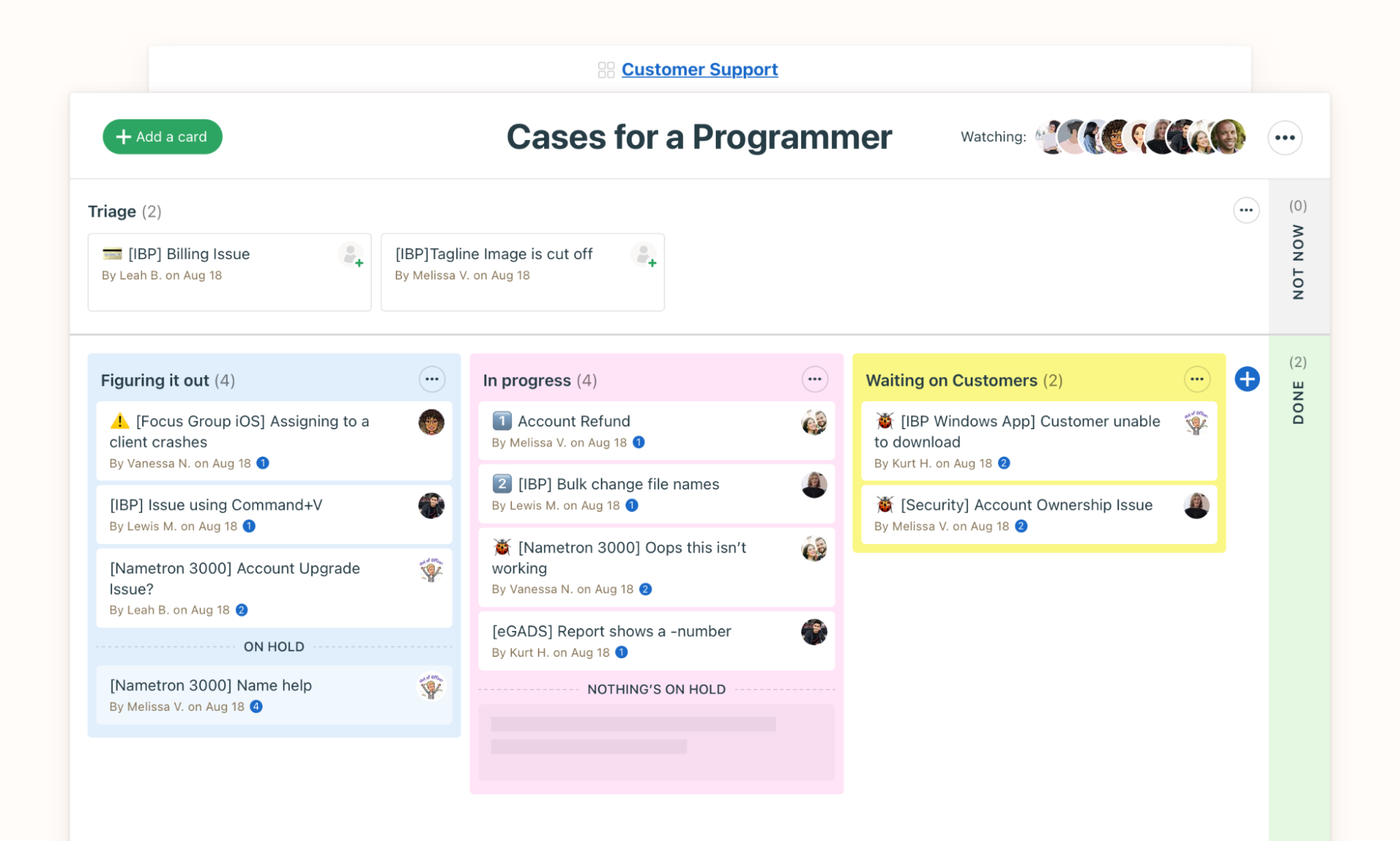
7 Trello Visualizing workflows Kanban view $5
8 Smartsheet Managing processes at scale Process automation $7
9 Basecamp Tracking project progress Unique Hill chart feature $15
10 Wrike Visual project planning Gantt chart $9.80
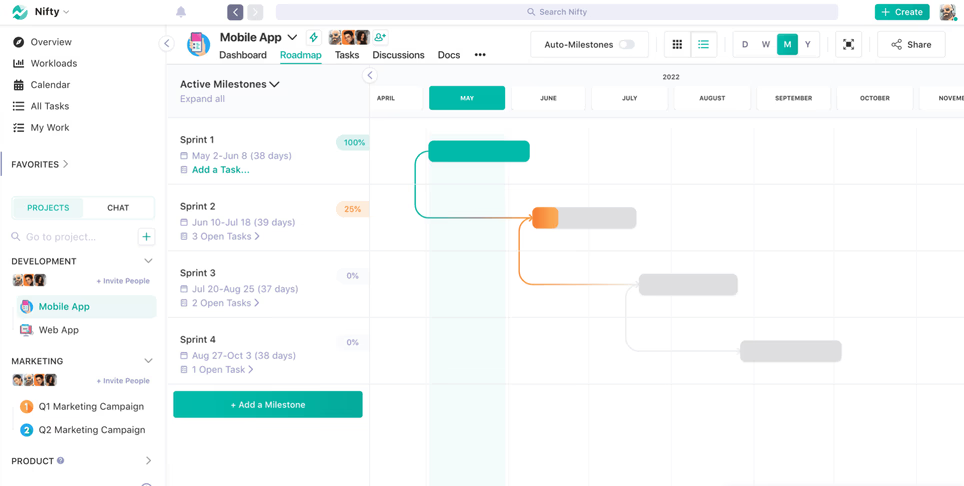
11 Nifty Increasing team productivity Task breakdown $3.90
12 Todoist Managing tasks Add tasks using natural language $4
13 Hive Overseeing workload Resource planning $5
14 Notion Managing project documentation Note-taking capabilities $8
15 Miro Team collaboration Mind mapping $8
16 Airtable Upgrading from spreadsheets Automations $20

KiteSuite

KiteSuite is a cloud-based software solution designed to help organizations and teams customize their workflow. It comes with a variety of features which help the team enhance productivity, enable effective collaboration, and track work progress with real-time reports and more.

Top Features

KiteSuite is a cloud-based software solution designed to help organizations and teams to custom workflow. It comes with a variety of features which help the team to enhance productivity, effective collaboration, and work progress tracking with real time reports and more.

Real-Time Chat: KiteSuite provides real-time chat whether you are communicating with an individual in one-to-one chat or with a team within a project or custom group.

Custom Fields and Lists: Create fields of your choice to have tailor-made solutions for your unique project needs, which will enhance your team’s productivity and efficiency.

Agile Framework: Offers Kanban and Scrum boards to manage a time-boxed task management approach or workflow progress with Kanban board.

Top-notch customer support. User friendly and easy to use interface. Offer mobile and web applications for offline use.

Pros

Cons

image2

ClickUp

ClickUp is a cloud-based collaboration and project management platform designed to streamline team workflows. It offers a wide range of features to enhance productivity, including custom statuses, time tracking, and reporting.

Top Features

Multitask Toolbar: The multitask toolbar allows users to edit multiple tasks simultaneously, saving time and effort.

Custom Fields: ClickUp’s custom fields enable users to tailor the platform to their specific workflow, enhancing efficiency and effectiveness.

Mind Maps: ClickUp’s mind maps feature enables users to visually map out their ideas and workflows, facilitating better understanding of task relationships and project planning.

Pros

Cons

Pricing: ClickUp offers a free version for personal usage with limited features, while paid plans start from $7 per member per month.

image11

Zoho Projects

Zoho Projects is a cloud-based project management software designed to help organizations efficiently manage their resources. It offers a variety of tools for task management, reporting, and issue tracking.

Top Features

Blueprint: The Blueprint feature allows users to create project templates, streamlining the process of launching new projects with predefined workflows.

Risk Management: The Risk Management feature helps users identify and manage potential project risks, minimizing the chance of delays or failures.

Custom Fields: With custom fields, users can track and report unique project metrics specific to their needs, enhancing project management capabilities.

Pros

Cons

Pricing: Zoho Projects offers a pricing plan starting at $4/user/month with an annual subscription. A free plan is also available.
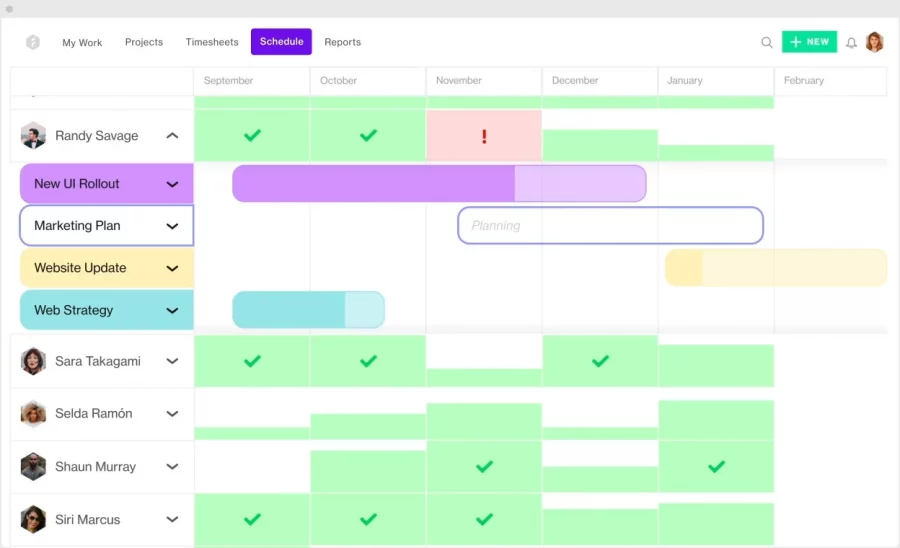
image11

monday.com

monday.com is a work management system that offers a user-friendly and intuitive interface with different customizable features that helps in team collaboration and communication.

Top Features

Project Portfolio Management: Gain a comprehensive overview of multiple projects with the project portfolio solution.

Gantt Charts: Easily create task dependencies and update task details using intuitive Gantt charts.

Workflow Builder: Customize workflows with hundreds of automation recipes to synchronize integrations and streamline processes.

Pros

Cons

Pricing: Free plan for up to 2 users, with paid plans starting from $9/month/user (billed annually).

image15

Asana

Asana is a popular project management tool designed to help teams collaborate and manage their tasks and projects more efficiently.

Top Features

Calendar View: Visualize important deadlines in a dedicated calendar view.

Agile Framework: Utilize a time-boxed, iterative approach for product development workflows.

Change Requests and Case Management: Efficiently track customer requests with priority and timeline.

Pros

Cons

Pricing: Starts from $10.99/user/month (billed annually) with a free plan available.

image5

Jira

Jira Software is a versatile, server-based workflow management solution that centralizes tasks and projects for enhanced productivity.

Top Features

Configuration: Highly customizable with precise control over security, privacy, and workflows.

Timeline View: Utilizes Gantt Chart for effective mapping of dependencies and project plans.

Cross-Project Syncing: Easily duplicate tasks across projects for seamless collaboration between teams.

Pros

Cons

Pricing: Starts at $5/user/month (annual plan) with a free plan available.

image1

Trello

Top Features

Kanban Cards: Visualize task and project progress using Kanban cards.

Checklists: Break down tasks into manageable steps with checklists.

Activity Feed: Stay updated with recent changes and project activity.

Pros

Cons

Pricing: Starts from $5/user/month (billed annually) with a free plan available.

image7

Smartsheet

Top Features

Dynamic Gantt Charts: Visualize project timelines and dependencies with ease.

Customizable Forms: Gather and organize data using customizable forms.

Data Integration: Seamlessly integrate with third-party tools like Salesforce and Jira.

Pros

Cons

Pricing: Starts from $7/user/month (billed annually) with a free plan available.

image6

Basecamp

Basecamp is a project management tool designed to help teams stay organized, collaborate efficiently, and complete projects on time. It is a cloud-based project management software accessible via web browser, desktop, or mobile application.

Top Features

Hill Charts: Basecamp utilizes unique hill charts to provide an overview of project progress.

Automated Check-ins: Create routine reminders for team members to provide project updates.

File Storage: Keep project documents and assets organized in one place.

Pros

Cons

Pricing: $15/user/month with an annual plan. Free plan is unavailable.

programmer

Nifty

Nifty Project Management is an online project management tool aimed at enhancing team collaboration and project efficiency.

Top Features

Task Management: Team members can efficiently create, assign, and track tasks, set deadlines, and receive notifications to stay updated on project progress.

Time Tracking: Nifty offers a built-in time tracking feature that allows team members to monitor their time spent on specific tasks, aiding in accurate project time estimation and management.

Project Roadmaps: Users can plot project milestones and deadlines on project roadmaps, providing a visual representation of project timelines and progress.

Pros

Cons

Pricing: Nifty offers a pricing plan starting at $3.90/user/month with an annual subscription. A free plan is also available.
mobile app

Wrike

Wrike is a cloud-based project management software that aids teams in streamlining workflows and enhancing collaboration.

Top Features

Integrations: Seamlessly integrates with essential project management tools like Google Drive, Zendesk, WordPress, Zapier, and Slack.

Wrike Approvals: Dedicated feature for smoothing the project review process, ensuring efficient collaboration.

Budget & Expense Management: Customize currency preferences and establish default hourly rates and job roles for projects.

Pros

Cons

Pricing: Starts at $9.80/user/month (annual plan) with a free plan available.

board

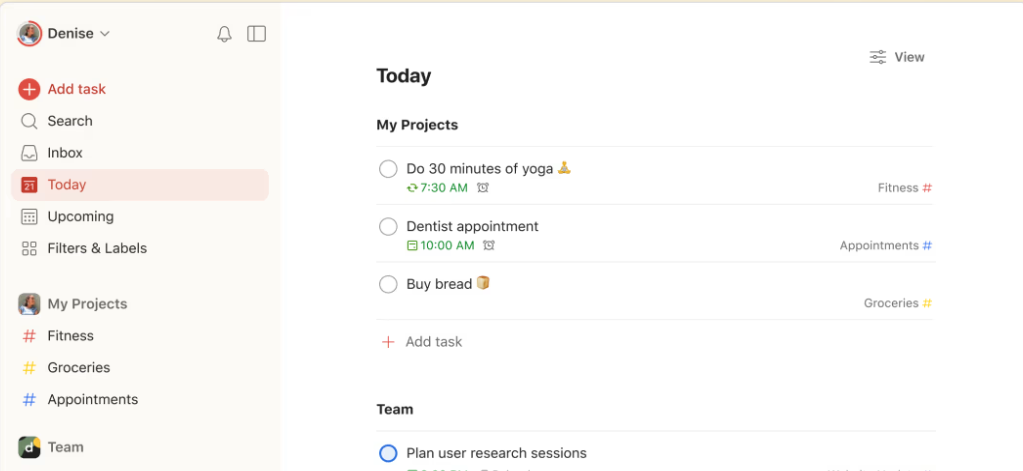
Todoist

Todoist is a web-based project management and productivity platform that assists users in scheduling and planning daily tasks. It enables users to collect tasks, organize projects, and manage their day efficiently.

Top Features

Natural Language Input: Users can quickly and easily add tasks using natural language, eliminating the need for complicated forms or menus.

Smart Schedule: Todoist’s smart schedule feature suggests the best date and time to schedule tasks based on their due dates, priorities, and other factors.

Customization: Todoist offers a variety of customization options, including themes, filters, and labels, allowing users to personalize their task management experience.

Pros

Cons

Pricing: Todoist offers a pricing plan starting at $4/user/month with an annual subscription. A free plan is also available.
today

Hive

Hive is a productivity platform designed to facilitate team collaboration and streamline workflow processes. It offers real-time communication, task management, and analytics tools to help teams stay organized and meet their goals efficiently.

Top Features

Action Templates: Users can create and automate tasks using action templates, saving time and increasing efficiency.

Forms: Hive allows users to create custom forms to collect data and feedback from team members and stakeholders, improving communication and collaboration.

External Actions: Users have the option to integrate Hive with external tools like Dropbox, Google Drive, and Salesforce, enhancing workflow flexibility.

Pros

Cons

Pricing: Hive offers a pricing plan starting at $5/user/month with an annual subscription. A free plan is also available.
product launch

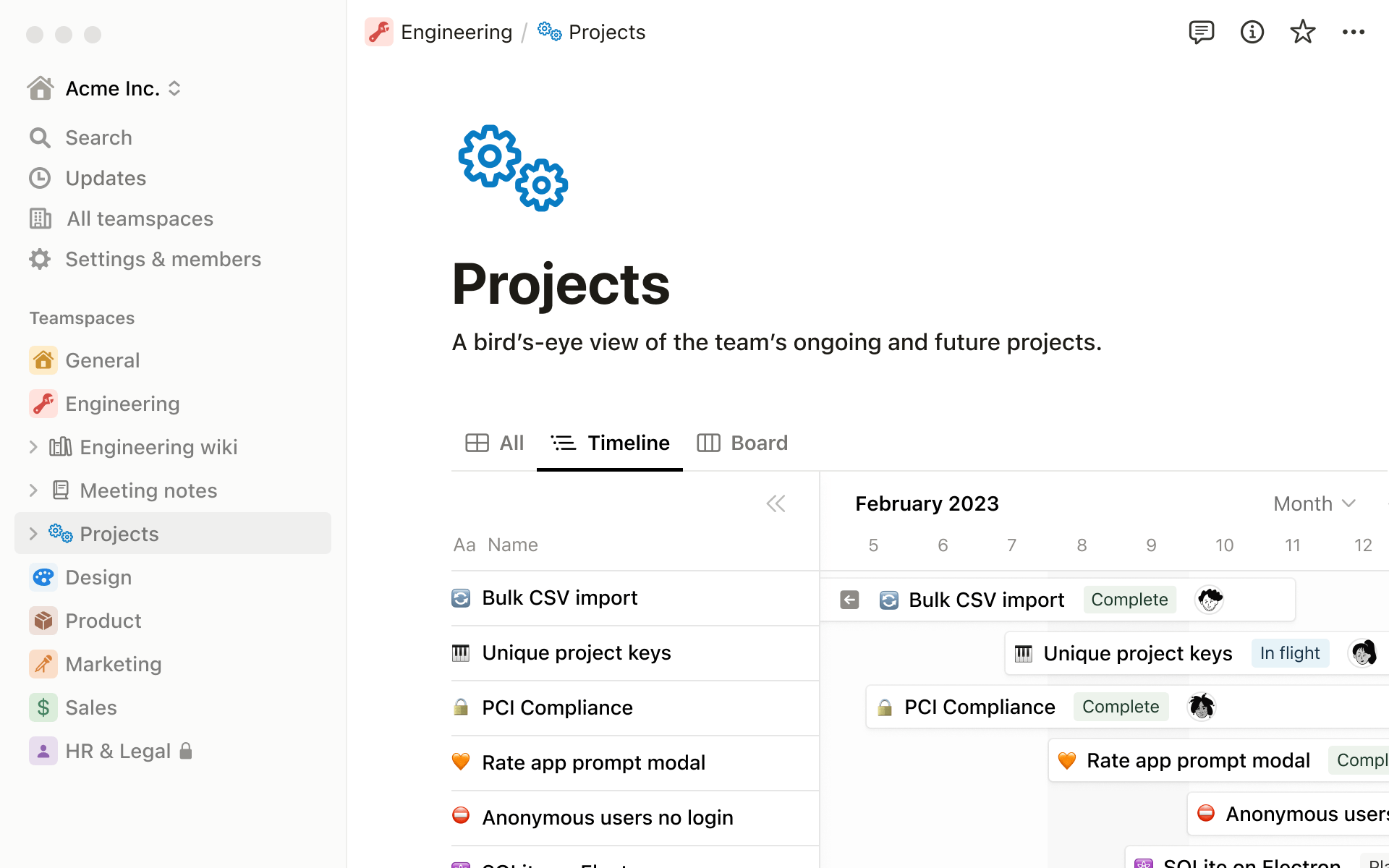
Notion

Notion is a web-based productivity and note-taking app that offers various organizational tools such as task management, to-do lists, project tracking, and bookmarking.

Top Features

Embeddable Content: Notion allows users to embed various types of content, such as Google Docs and Trello boards, enhancing collaboration and accessibility.

Relational Databases: With Notion’s relational database feature, users can connect different types of data across multiple pages and databases, making it easier to track information and analyze data.
Customizable Templates: Notion provides a vast selection of customizable templates, allowing users to create tailored solutions for their specific needs.

Pros

Cons

Pricing: Notion offers a pricing plan starting at $8/user/month with an annual subscription. A free plan is also available.

project

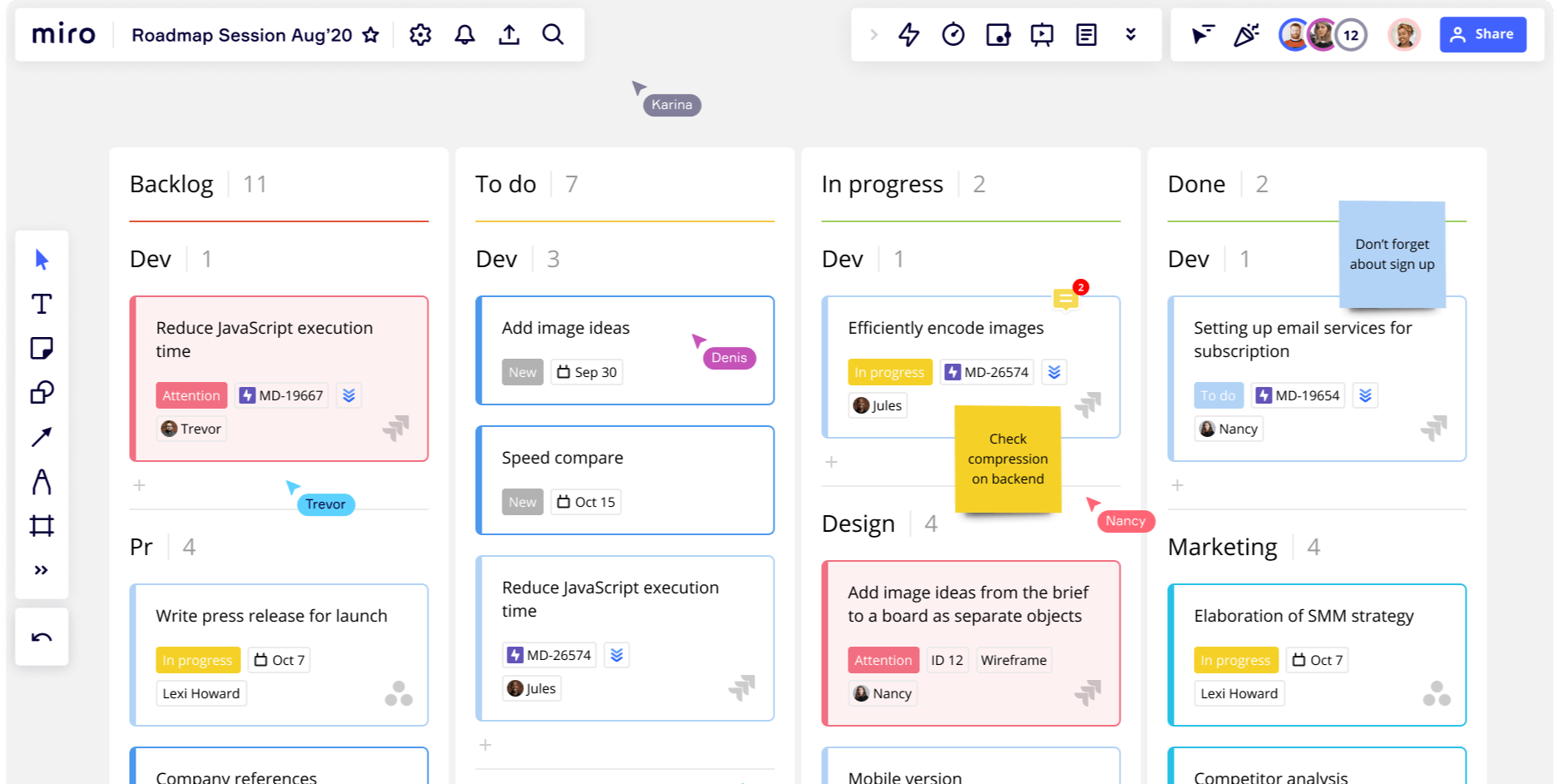
Miro

Miro is a robust project management and collaboration tool designed to enhance team efficiency and effectiveness. With its user-friendly interface and comprehensive features, Miro enables teams to plan, execute, and deliver projects seamlessly.

Top Features

Visual Collaboration: Users can create boards, add sticky notes, and invite team members to collaborate from anywhere in the world, facilitating real-time collaboration.

Integrations: Miro integrates with various popular tools like Trello, Slack, and Google Drive, enhancing workflow flexibility and efficiency.

Templates: Miro provides a library of templates for different project types, including product roadmaps, user story maps, and agile boards, helping teams kickstart their projects.

Pros

Cons

Pricing: Miro offers a pricing plan starting at $8/user/month with an annual subscription. A free plan is also available.

miro roadmap

Airtable

Airtable is a web-based low-code productivity platform that enables users to build collaborative apps tailored to their specific needs. It is designed to facilitate custom workflow creation, collaboration, and communication on shared development projects.

Top Features

Custom Extensions: Airtable’s Blocks SDK allows users to create custom integrations, visualizations, and internal tools, enhancing flexibility and functionality.

Linked Records: The Linked Records feature enables users to connect records from multiple tables within a single base, creating complex relational databases that are easy to manage and navigate.

Automations: Airtable’s Automations feature allows users to automate repetitive tasks and workflows without the need for complex coding or integration, saving time and increasing efficiency.

Pros

Cons

Pricing: Airtable offers a pricing plan starting at $20/user/month with an annual subscription. A free plan is also available, providing basic functionality for smaller teams or individual users.

directory

Smart Work Management Software That Best Suits Your Business Requirements

Choosing the right work management solution can be challenging and time-consuming, and we are here to help guide you to find the right software solution as per your business needs.

Of course everyone prefers something with a complete and customized solution which makes your work easy and manageable.

KiteSuite offers all the custom and advanced features to keep your team informed, engaged, and on track.

Get Started Now!

How KiteSuite Simplifies Project Management

Introduction

In the modern business landscape, where efficiency and speed are paramount, maximizing productivity is a critical objective for teams and organizations. Enter KiteSuite, a cutting-edge project management solution that embodies the power of SaaS to streamline project workflows, bolster team collaboration, and accelerate project delivery. This article delves into how KiteSuite simplifies project management, empowering teams to achieve their full potential.

The Challenge of Modern Project Management

Project management in today’s work environment faces several hurdles that can stymie productivity and impede project success:

Diverse Teams and Remote Work: As remote work becomes more prevalent, project managers must overcome communication barriers and coordination challenges inherent in geographically dispersed teams.

Complex Projects: With projects increasing in complexity, there is a pressing need for a sophisticated management tool capable of handling intricate tasks, tight deadlines, and diverse stakeholder expectations.

Data Overload: The deluge of data that teams must navigate requires an efficient means of consolidating information to enable insightful, data-driven decision-making.

Simplifying Project Management with KiteSuite

KiteSuite stands at the forefront of addressing these challenges, offering a comprehensive suite of features designed to streamline project management processes.

Centralized Project Management

KiteSuite shines by providing a centralized platform for all project-related activities, creating a unified workspace that fosters efficiency and clarity.

Unified Workspace: With KiteSuite, teams gain access to an integrated space where every facet of a project, from inception to completion, can be managed seamlessly.

Real-time Updates: The platform ensures that all team members are on the same page through real-time updates, eliminating confusion and ensuring that the project progresses smoothly.

Enhanced Collaboration

Collaboration is the backbone of successful project management. KiteSuite enhances team interaction and cooperation, making it easier to share ideas, feedback, and progress.

Interactive Discussion Boards: KiteSuite’s discussion boards facilitate effective communication among team members, allowing for the exchange of ideas and feedback in a structured environment.

Integrated Communication Tools: The platform includes built-in messaging and video conferencing features, ensuring that team members can communicate effortlessly, regardless of their location.

Streamlined Task Management

Efficient task management is critical for project success. KiteSuite offers robust tools designed to simplify task allocation, tracking, and completion.

Customizable Task Lists: Teams can create tailored task lists that reflect the unique needs and workflows of their projects, enhancing organizational efficiency.

Automated Reminders and Notifications: KiteSuite’s automated system keeps team members informed of deadlines, changes, and updates, ensuring that tasks are completed on time.

Data-Driven Decision Making

KiteSuite enables teams to harness the power of their data, providing comprehensive analytics and reporting tools that inform smarter, data-driven decisions.

Advanced Analytics: The platform offers detailed insights into project performance, team productivity, and resource allocation, enabling managers to optimize processes and improve outcomes.

Real-time Reporting: With KiteSuite, generating up-to-date reports is straightforward, allowing stakeholders to stay informed about project progress and make timely decisions.

Get started now!

Conclusion

In the quest for enhanced productivity and streamlined project management, KiteSuite emerges as a pivotal solution. By centralizing project management, enhancing collaboration, simplifying task management, and enabling data-driven decision making, KiteSuite equips teams with the tools they need to navigate the complexities of modern projects successfully. As organizations continue to seek ways to improve efficiency and deliver projects effectively, KiteSuite stands ready to elevate their project management capabilities to new heights.